Bronco Rc Car Joomla Template


Edit Template Offline
2. Create new page and search for id 14117
Edit Template Online
Create Awesome Websites


Free Nicepage Builder
Keywords
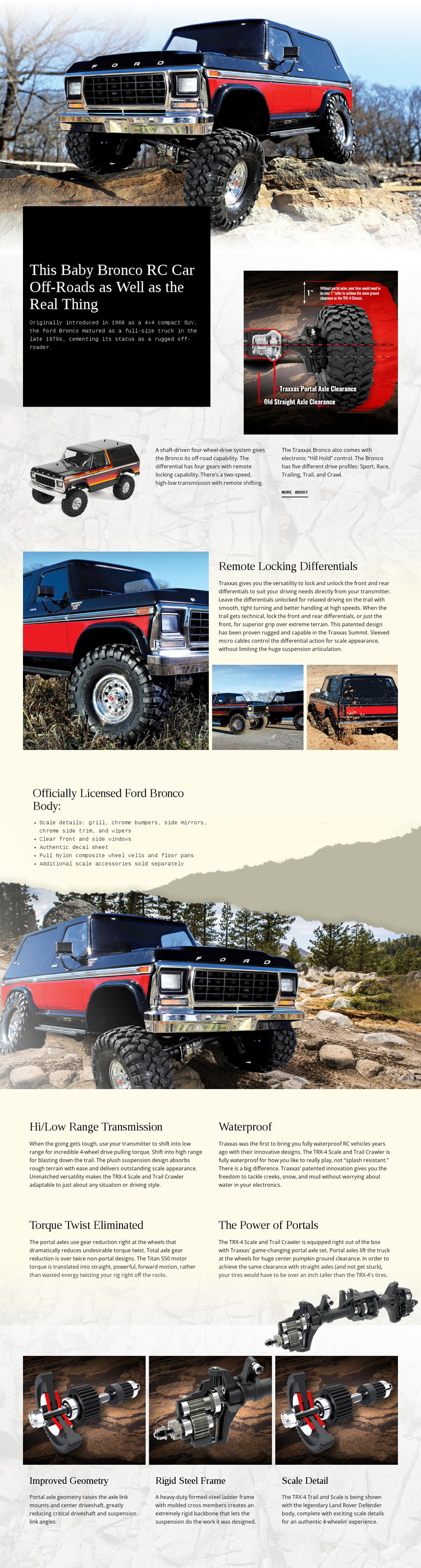
Differential Features and Licensed Details Divide the Product Content
The design separates the vehicle information into recognizable content regions that can remain coordinated in a CMS-managed site. The introduction establishes the Ford Bronco RC subject with large imagery, a strong product statement, historical context, drivetrain information, and a More About link. That broad opening can be understood as the main product information area, while the later sections provide more focused technical and body-detail content.
The remote locking differentials section is particularly distinct because it combines a feature heading, explanatory copy, one large vehicle photograph, and two detail images. The licensed body section uses a different arrangement: a concise list of chrome bumpers, mirrors, side trim, wipers, clear windows, and an authentic decal sheet sits beside a large background image. These areas give structured content different visual containers without requiring separate designs for every item.
The four repeated mechanical blocks provide another reusable pattern for transmission, waterproof construction, torque twist elimination, and portal power. The closing three cards then group improved geometry, a rigid steel frame, and scale detail as a compact chassis summary. In a Joomla project, these distinct regions can support organized article-like product content and shared navigation while remaining visually connected. The Joomla Extension can support Joomla article design, but the template-specific strength is the way its real sections already divide product information into manageable regions.
Customize with Nicepage
Open this ready-made template in the Joomla Page Builder and customize it visually in the Nicepage editor. Replace demo content, edit page sections, and adapt the design to your project without rebuilding the template from scratch.
Work With This Template in Joomla
Customize and Install the Joomla Template
Start with this ready-made template instead of building the Joomla design from scratch. Customize its layout, content, typography, images, sections, and other design elements visually in the Nicepage application, then export and install the Joomla Template, Nicepage Extension, and supported content on your Joomla website.
Edit the Template Directly in Joomla
After installation, you can edit the Joomla Template directly in Joomla with the Nicepage Joomla Extension. Customize the Header, Footer, Colors, Fonts, typography, and Page Templates from the Joomla workflow while keeping the site design connected with your CMS content.
Edit Joomla Articles Visually
Use the Nicepage Joomla Extension to open and edit Joomla Articles visually from the Joomla Administrator. Change text, images, sections, layouts, and other page content in the Nicepage editor while continuing to manage the Articles through Joomla.
Joomla Content and Template Integration
Use the customized template together with Joomla Articles, module Positions, menus, forms, Blog Pages, and other supported CMS elements. With the Nicepage Extension used as the Site Style Source, shared design settings can be applied across Joomla Articles while Joomla continues to provide the CMS environment for managing site content.
This workflow combines a ready-made Joomla Template with visual customization, direct template editing in Joomla, and continued content management through the Nicepage Joomla Extension.