Modern Bus Travel Joomla Template


Edit Template Offline
2. Create new page and search for id 6651956
Edit Template Online
Create Awesome Websites


Free Nicepage Builder
Keywords
Route and Fleet Regions Give Joomla Content a Clear Organization
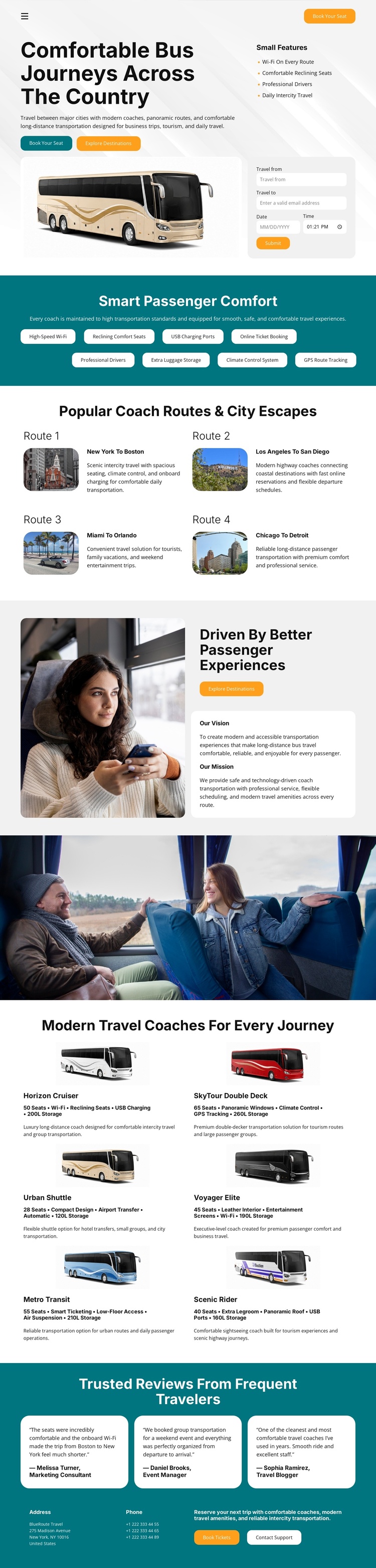
The four route cards divide the travel offer into recognizable destination areas: New York to Boston, Los Angeles to San Diego, Miami to Orlando, and Chicago to Detroit. In a Joomla-managed project, these can be treated as structured informational content regions while retaining the shared card presentation shown by the design. Their images, labels, and descriptions create a useful relationship between navigation, route information, and passenger choice without claiming that Joomla Articles or categories already exist in the template.
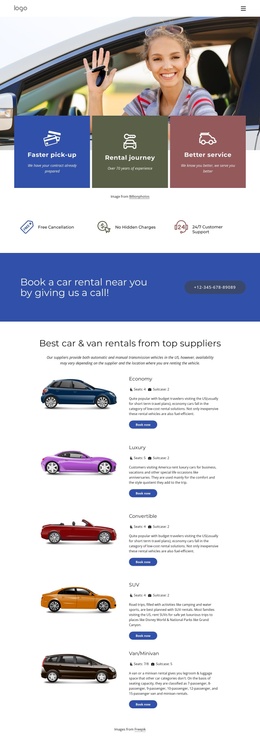
The six coach entries provide a second recurring content group. Each combines a vehicle name, image, passenger and luggage specifications, and a suitability description, giving the fleet area a more structured role than a simple decorative gallery. The comfort highlights and three traveler review cards add smaller repeatable information units, while the shared closing area brings contact and support content together. This organization suits a Joomla site where service information, route details, fleet content, and support regions may need to be maintained as distinct CMS-managed material. The template’s teal section bands and consistent cards help those different content areas remain visually connected as the site is developed.
Customize with Nicepage
Open this ready-made template in the Joomla Page Builder and customize it visually in the Nicepage editor. Replace demo content, edit page sections, and adapt the design to your project without rebuilding the template from scratch.
Work With This Template in Joomla
Customize and Install the Joomla Template
Start with this ready-made template instead of building the Joomla design from scratch. Customize its layout, content, typography, images, sections, and other design elements visually in the Nicepage application, then export and install the Joomla Template, Nicepage Extension, and supported content on your Joomla website.
Edit the Template Directly in Joomla
After installation, you can edit the Joomla Template directly in Joomla with the Nicepage Joomla Extension. Customize the Header, Footer, Colors, Fonts, typography, and Page Templates from the Joomla workflow while keeping the site design connected with your CMS content.
Edit Joomla Articles Visually
Use the Nicepage Joomla Extension to open and edit Joomla Articles visually from the Joomla Administrator. Change text, images, sections, layouts, and other page content in the Nicepage editor while continuing to manage the Articles through Joomla.
Joomla Content and Template Integration
Use the customized template together with Joomla Articles, module Positions, menus, forms, Blog Pages, and other supported CMS elements. With the Nicepage Extension used as the Site Style Source, shared design settings can be applied across Joomla Articles while Joomla continues to provide the CMS environment for managing site content.
This workflow combines a ready-made Joomla Template with visual customization, direct template editing in Joomla, and continued content management through the Nicepage Joomla Extension.