Tabs on dark background Joomla Template


Structured Product Information for a Joomla Content Region
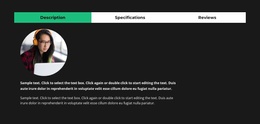
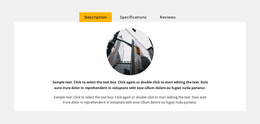
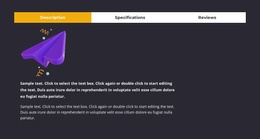
The four tabs give this section a clear structured-information model for a Joomla-oriented page composition. Description holds the active explanatory view, combining a product image with a paragraph and seven-item list. Specifications has its own pane for technical or feature-oriented text, while Reviews and Questions remain separate areas for visitor-facing product information. Keeping these subjects divided makes the section easier to place alongside other managed content without flattening every detail into one long text column.
The Reviews pane is especially distinct because it includes a review prompt and action. That content can remain a focused feedback region within the broader product section, while the Questions pane can hold another type of visitor concern. The image attribution link belongs with the descriptive image content and can be preserved as supporting information within that pane.
Visually, the dark charcoal surround and white panel establish a stable content region, while the blue active tab and muted gray inactive tabs communicate which information group is currently open. In a Joomla-managed page, this block can serve as a reusable product details area whose structured content sits alongside other site content. Nicepage’s Joomla workflow can connect visual design with Joomla content, but the section’s value here comes from its existing tabbed organization and product-information relationships.
Customize with Nicepage
Open this ready-made template in the Joomla Page Builder and customize it visually in the Nicepage editor. Replace demo content, edit page sections, and adapt the design to your project without rebuilding the template from scratch.
Edit Template Offline
2. Create a new page or select existing
3. Click Add new block, search for id 247633 and click enter
Edit Template Online
Create Awesome Websites


Free Nicepage Builder
Keywords
Work With This Template in Joomla
Customize and Install the Joomla Template
Start with this ready-made template instead of building the Joomla design from scratch. Customize its layout, content, typography, images, sections, and other design elements visually in the Nicepage application, then export and install the Joomla Template, Nicepage Extension, and supported content on your Joomla website.
Edit the Template Directly in Joomla
After installation, you can edit the Joomla Template directly in Joomla with the Nicepage Joomla Extension. Customize the Header, Footer, Colors, Fonts, typography, and Page Templates from the Joomla workflow while keeping the site design connected with your CMS content.
Edit Joomla Articles Visually
Use the Nicepage Joomla Extension to open and edit Joomla Articles visually from the Joomla Administrator. Change text, images, sections, layouts, and other page content in the Nicepage editor while continuing to manage the Articles through Joomla.
Joomla Content and Template Integration
Use the customized template together with Joomla Articles, module Positions, menus, forms, Blog Pages, and other supported CMS elements. With the Nicepage Extension used as the Site Style Source, shared design settings can be applied across Joomla Articles while Joomla continues to provide the CMS environment for managing site content.
This workflow combines a ready-made Joomla Template with visual customization, direct template editing in Joomla, and continued content management through the Nicepage Joomla Extension.