Audi aero program car Joomla Template


Edit Template Offline
2. Create new page and search for id 18792
Edit Template Online
Create Awesome Websites


Free Nicepage Builder
Keywords
Vehicle Feature Regions Divide the R8 Content Clearly
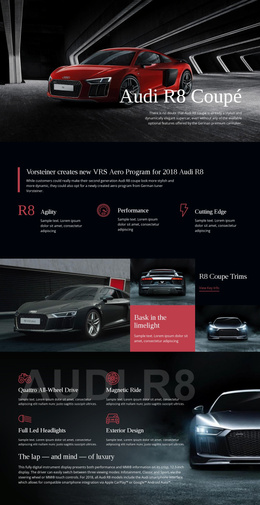
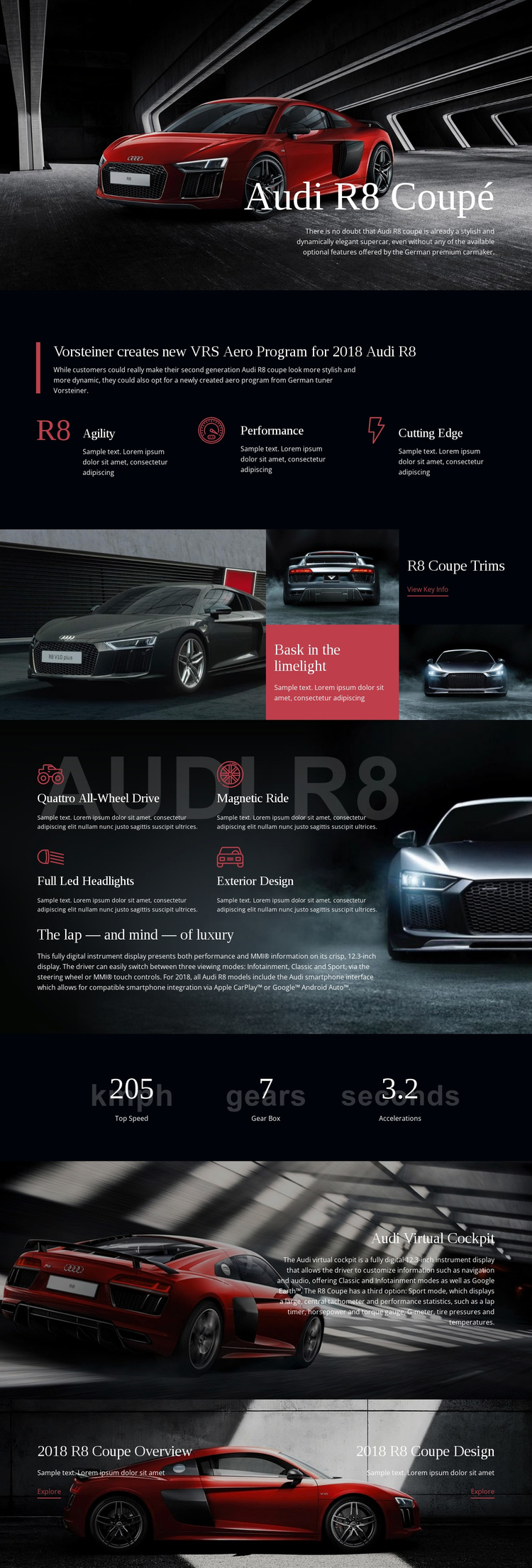
The page divides its information into recognizable regions that suit a CMS-managed vehicle presentation. The opening Audi R8 Coupé introduction establishes the subject, while the following aero program area groups Agility, Performance, and Cutting Edge into a compact set of related information. The trim section adds a different content region: a large vehicle image is paired with smaller image-and-text panels and a “View Key Info” action, giving visual material and explanatory content a shared place.
The technology section provides another structured area for vehicle information. Quattro All-Wheel Drive, Magnetic Ride, Full Led Headlights, and Exterior Design are presented as named features around a longer luxury and cockpit description. The three centered performance figures then work as a separate summary band rather than being mixed into the feature copy. These divisions make the content easier to interpret as coordinated site sections with distinct editorial roles.
The Audi Virtual Cockpit block contributes a focused technology story around the 12.3-inch digital instrument display. At the end, the 2018 R8 Coupe Overview and 2018 R8 Coupe Design panels create two explicit navigation targets. In a Joomla-oriented project, this arrangement can support structured content and menu relationships while preserving the shared dark visual system. The value comes from matching the CMS-managed content areas to the design’s actual information boundaries, not from replacing the page with a generic Joomla layout.
Customize with Nicepage
Open this ready-made template in the Joomla Page Builder and customize it visually in the Nicepage editor. Replace demo content, edit page sections, and adapt the design to your project without rebuilding the template from scratch.
Work With This Template in Joomla
Customize and Install the Joomla Template
Start with this ready-made template instead of building the Joomla design from scratch. Customize its layout, content, typography, images, sections, and other design elements visually in the Nicepage application, then export and install the Joomla Template, Nicepage Extension, and supported content on your Joomla website.
Edit the Template Directly in Joomla
After installation, you can edit the Joomla Template directly in Joomla with the Nicepage Joomla Extension. Customize the Header, Footer, Colors, Fonts, typography, and Page Templates from the Joomla workflow while keeping the site design connected with your CMS content.
Edit Joomla Articles Visually
Use the Nicepage Joomla Extension to open and edit Joomla Articles visually from the Joomla Administrator. Change text, images, sections, layouts, and other page content in the Nicepage editor while continuing to manage the Articles through Joomla.
Joomla Content and Template Integration
Use the customized template together with Joomla Articles, module Positions, menus, forms, Blog Pages, and other supported CMS elements. With the Nicepage Extension used as the Site Style Source, shared design settings can be applied across Joomla Articles while Joomla continues to provide the CMS environment for managing site content.
This workflow combines a ready-made Joomla Template with visual customization, direct template editing in Joomla, and continued content management through the Nicepage Joomla Extension.