Feedback on the work done WordPress Theme


Portrait-Led Feedback Works as Stable WordPress Page Content
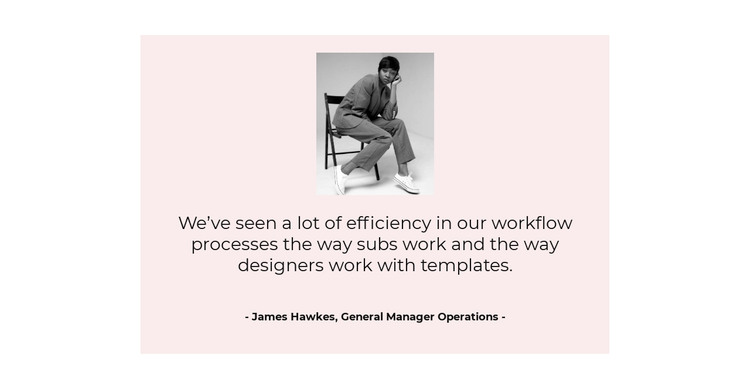
The portrait and quotation give this section a clear page-content role: it presents one piece of feedback rather than a stream of changing editorial entries. The image introduces the speaker visually, the centered quotation carries the main message, and the attribution below names James Hawkes with the displayed role, General Manager Operations. This sequence makes the block suitable for a stable testimonial area on a page managed within a WordPress-oriented project, while the surrounding site can hold other content separately.
The pale pink card provides a contained visual surface for that content. Against the white background, it separates the testimonial from adjacent sections without making the block feel like a separate page. Dark text establishes a readable hierarchy, and the smaller bold attribution remains distinct from the longer quote. Generous spacing supports scanning by preventing the portrait, statement, and source information from collapsing into one dense group.
The section's content model is intentionally narrow: one portrait, one quote, and one attribution, with static presentation rather than a carousel or expandable interaction. That makes it easier to retain as a consistent visual page section while other WordPress-managed areas change around it. It can support a broader services, portfolio, or company-information page by supplying a focused feedback moment, without being treated as a complete WordPress Theme or a whole site structure.
Customize with Nicepage
Open this ready-made template in the WordPress Website Builder and customize it visually in the Nicepage editor. Replace demo content, edit page sections, and adapt the design to your project without rebuilding the template from scratch.
Edit Template Offline
2. Create a new page or select existing
3. Click Add new block, search for id 655774 and click enter
Edit Template Online
Create Awesome Websites


Free Nicepage Builder
Keywords
Manage and Edit This Theme in WordPress
Customize and Install the WordPress Theme
Start with this ready-made theme instead of building the WordPress design from scratch. Customize its layout, content, typography, images, sections, and other design elements visually in Nicepage editor, then export and install the WordPress Theme, Plugin, and Pages on your WordPress site. The Nicepage WordPress Plugin lets you continue working with the site after installation.
Edit the Theme Directly in WordPress
After installation, you can edit the WordPress Theme directly in WordPress with the Nicepage WordPress Plugin. Use Site Style to customize site Colors, Fonts, Header, Footer, Blog, and Post Page Templates while working within your WordPress website.
Edit WordPress Pages Visually
Use the Nicepage WordPress Plugin to edit page content directly from the WordPress admin area. Open a WordPress Page with Nicepage and visually change its text, images, sections, and other page elements while continuing to manage the Page through WordPress.
WordPress Content and Theme Integration
Use the customized theme with WordPress Pages, Posts, Blog and Post Templates, menus, widgets, and other CMS-managed content. Shared theme elements such as Colors, Fonts, Header, Footer, Blog, and Post Page Templates can be managed as part of the overall site design, while WordPress provides the CMS environment for managing site content.
This workflow combines a ready-made WordPress Theme with visual customization, direct theme editing in WordPress, and continued content management through the Nicepage WordPress Plugin.