Deliver a full-service solution WordPress Theme


A Property Services Statement With a Clear Page-Content Sequence
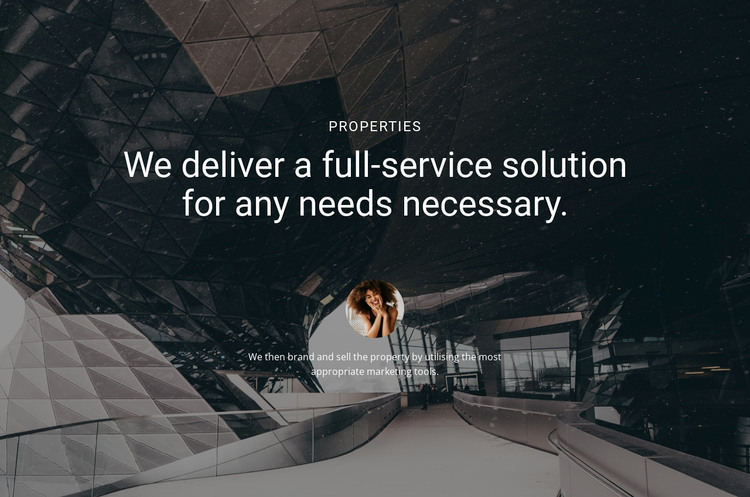
The block reads as stable page content because its message is concentrated around one subject: property services. The small “Properties” label introduces the topic, the large multiline heading presents the full-service statement, and the supporting paragraph adds a practical explanation about branding and selling the property with appropriate marketing tools. Between those text groups, the circular portrait acts as a visual separator, giving the content a human focal point without changing the section’s static behavior.
In a WordPress-managed page, this arrangement can serve as a reusable services or introduction region within broader permanent page content. Other parts of the project can handle property listings, detailed offerings, contact information, or additional editorial material, while this block preserves the concise message and visual treatment. It should be understood as one content section participating in the page, not as a standalone WordPress Theme.
The dark architectural background also helps the section carry visual weight between neighboring blocks. Its strong shaded treatment supports the centered white hierarchy, allowing the uppercase label and large heading to be read before the paragraph. The portrait’s position reinforces that order by creating a pause between promise and explanation. This makes the block suitable where WordPress-managed page content needs a distinct property-marketing statement that remains visually recognizable without adding unconfirmed components or interaction.
Customize with Nicepage
Open this ready-made template in the WordPress Website Builder and customize it visually in the Nicepage editor. Replace demo content, edit page sections, and adapt the design to your project without rebuilding the template from scratch.
Edit Template Offline
2. Create a new page or select existing
3. Click Add new block, search for id 41868 and click enter
Edit Template Online
Create Awesome Websites


Free Nicepage Builder
Keywords
Manage and Edit This Theme in WordPress
Customize and Install the WordPress Theme
Start with this ready-made theme instead of building the WordPress design from scratch. Customize its layout, content, typography, images, sections, and other design elements visually in Nicepage editor, then export and install the WordPress Theme, Plugin, and Pages on your WordPress site. The Nicepage WordPress Plugin lets you continue working with the site after installation.
Edit the Theme Directly in WordPress
After installation, you can edit the WordPress Theme directly in WordPress with the Nicepage WordPress Plugin. Use Site Style to customize site Colors, Fonts, Header, Footer, Blog, and Post Page Templates while working within your WordPress website.
Edit WordPress Pages Visually
Use the Nicepage WordPress Plugin to edit page content directly from the WordPress admin area. Open a WordPress Page with Nicepage and visually change its text, images, sections, and other page elements while continuing to manage the Page through WordPress.
WordPress Content and Theme Integration
Use the customized theme with WordPress Pages, Posts, Blog and Post Templates, menus, widgets, and other CMS-managed content. Shared theme elements such as Colors, Fonts, Header, Footer, Blog, and Post Page Templates can be managed as part of the overall site design, while WordPress provides the CMS environment for managing site content.
This workflow combines a ready-made WordPress Theme with visual customization, direct theme editing in WordPress, and continued content management through the Nicepage WordPress Plugin.