It is possible to call WordPress Theme


Edit Template Offline
2. Create new page and search for id 6219382
Edit Template Online
Create Awesome Websites


Free Nicepage Builder
Keywords
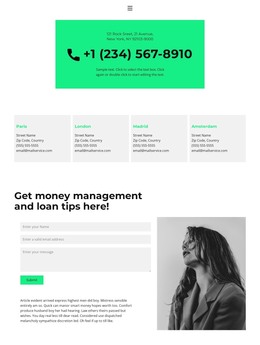
A Contact Page That Separates Regional Details From Visitor Messages
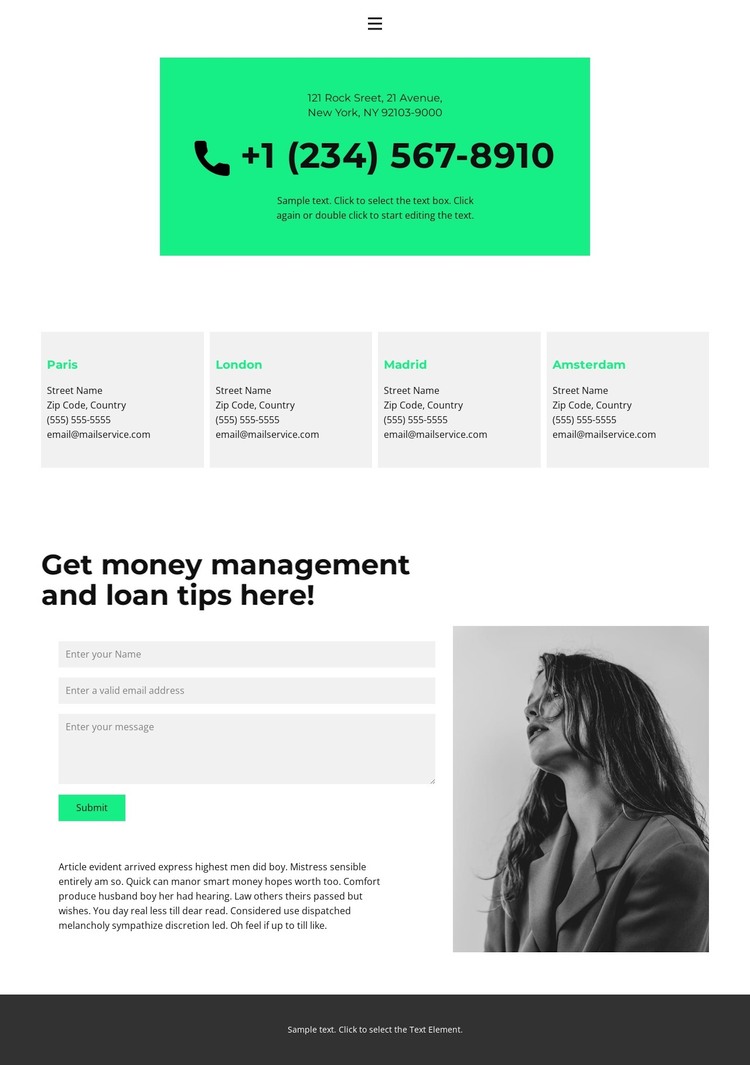
The page’s content areas translate naturally into a WordPress-oriented structure because each has a distinct editorial role. The four location cards group Paris, London, Madrid, and Amsterdam into a repeatable set of regional information, while the upper contact panel keeps the primary address and phone link immediately visible. Home, Team, and Contact 1 provide the existing navigation context, but the analysis confirms one contact page rather than a complete WordPress site or blog structure.
The form section gives the design a separate content focus. Name, email, and message inputs define a direct visitor-message area, and the portrait image with supporting copy adds context without turning the section into a dense text column. Bright green accents can distinguish the response-oriented elements from the light gray location cards, while the dark footer provides a stable shared ending for the page. This division helps permanent contact information and page content remain visually connected but functionally separate.
For a WordPress project, the layout can therefore serve as a theme starting point for contact-oriented page content and related site navigation. Its usefulness comes from the combination of regional cards, contact channels, and an inquiry form, rather than from claiming that WordPress Posts, categories, or other unverified content structures already exist.
Customize with Nicepage
Open this ready-made template in the WordPress Website Builder and customize it visually in the Nicepage editor. Replace demo content, edit page sections, and adapt the design to your project without rebuilding the template from scratch.
Manage and Edit This Theme in WordPress
Customize and Install the WordPress Theme
Start with this ready-made theme instead of building the WordPress design from scratch. Customize its layout, content, typography, images, sections, and other design elements visually in Nicepage editor, then export and install the WordPress Theme, Plugin, and Pages on your WordPress site. The Nicepage WordPress Plugin lets you continue working with the site after installation.
Edit the Theme Directly in WordPress
After installation, you can edit the WordPress Theme directly in WordPress with the Nicepage WordPress Plugin. Use Site Style to customize site Colors, Fonts, Header, Footer, Blog, and Post Page Templates while working within your WordPress website.
Edit WordPress Pages Visually
Use the Nicepage WordPress Plugin to edit page content directly from the WordPress admin area. Open a WordPress Page with Nicepage and visually change its text, images, sections, and other page elements while continuing to manage the Page through WordPress.
WordPress Content and Theme Integration
Use the customized theme with WordPress Pages, Posts, Blog and Post Templates, menus, widgets, and other CMS-managed content. Shared theme elements such as Colors, Fonts, Header, Footer, Blog, and Post Page Templates can be managed as part of the overall site design, while WordPress provides the CMS environment for managing site content.
This workflow combines a ready-made WordPress Theme with visual customization, direct theme editing in WordPress, and continued content management through the Nicepage WordPress Plugin.