Let's count our progress WordPress Theme


A Three-Card Metric Area for Managed Page Content
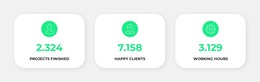
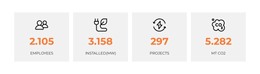
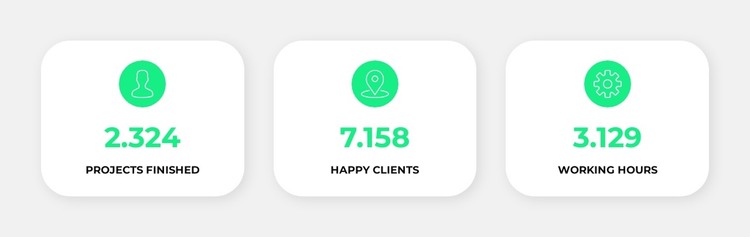
Each card combines an icon, a numeric value, and an uppercase label, making the section suitable for stable, page-oriented information in a WordPress-managed site. The three units remain separate through their white rounded surfaces and soft shadows, yet the shared light gray background and horizontal alignment present them as one statistics area. This structure is different from an editorial post stream: it is a concise content region intended to remain visually consistent while the surrounding page carries broader information.
The repeated pattern can support a services, organization, or project-oriented page by summarizing selected activity or outcome categories alongside more detailed sections. The sample labels for projects finished, happy clients, and working hours demonstrate the content model only; their values should be replaced with accurate material before publication. Because the block contains no verified form, button, or other direct action, it works best as supporting page content rather than as a self-contained response mechanism.
In a WordPress context, the section can remain a reusable visual area within a broader managed page while other content is maintained around it. The key contribution is its compact presentation: three comparable metrics, centered consistently, with green circular accents and large numerals that make the categories easy to scan. The block supplies this one content pattern, not the wider theme or site architecture.
Customize with Nicepage
Open this ready-made template in the WordPress Website Builder and customize it visually in the Nicepage editor. Replace demo content, edit page sections, and adapt the design to your project without rebuilding the template from scratch.
Edit Template Offline
2. Create a new page or select existing
3. Click Add new block, search for id 1902595 and click enter
Edit Template Online
Create Awesome Websites


Free Nicepage Builder
Keywords
Manage and Edit This Theme in WordPress
Customize and Install the WordPress Theme
Start with this ready-made theme instead of building the WordPress design from scratch. Customize its layout, content, typography, images, sections, and other design elements visually in Nicepage editor, then export and install the WordPress Theme, Plugin, and Pages on your WordPress site. The Nicepage WordPress Plugin lets you continue working with the site after installation.
Edit the Theme Directly in WordPress
After installation, you can edit the WordPress Theme directly in WordPress with the Nicepage WordPress Plugin. Use Site Style to customize site Colors, Fonts, Header, Footer, Blog, and Post Page Templates while working within your WordPress website.
Edit WordPress Pages Visually
Use the Nicepage WordPress Plugin to edit page content directly from the WordPress admin area. Open a WordPress Page with Nicepage and visually change its text, images, sections, and other page elements while continuing to manage the Page through WordPress.
WordPress Content and Theme Integration
Use the customized theme with WordPress Pages, Posts, Blog and Post Templates, menus, widgets, and other CMS-managed content. Shared theme elements such as Colors, Fonts, Header, Footer, Blog, and Post Page Templates can be managed as part of the overall site design, while WordPress provides the CMS environment for managing site content.
This workflow combines a ready-made WordPress Theme with visual customization, direct theme editing in WordPress, and continued content management through the Nicepage WordPress Plugin.