Part of your success WordPress Theme



Edit Template Offline
2. Create new page and search for id 6207609
Edit Template Online
Create Awesome Websites


Free Nicepage Builder
Keywords
Projects and recurring content create a WordPress-ready page structure
The six-image Projects gallery gives the page a clear portfolio area alongside the three service cards labeled Visualize it, Create it, and Grow it. This pairing separates work presentation from capability descriptions, making the design suitable for a WordPress-managed agency site where page content can be organized around services and selected projects. The photographic hero and split introduction provide the permanent opening context, while the purple-and-white styling keeps those content areas visually connected.
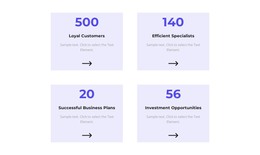
The four portrait-based team cards add a recurring people section rather than another isolated statement. Below them, the three pricing cards labeled For Team, Personal, and Business organize plan names, displayed prices, features, and action buttons into a separate package area. These sections can be interpreted as page-oriented content that a business may maintain and revise over time. The sample names, figures, logos, and prices remain structural evidence of the layout, not verified agency credentials, results, clients, or commercial terms.
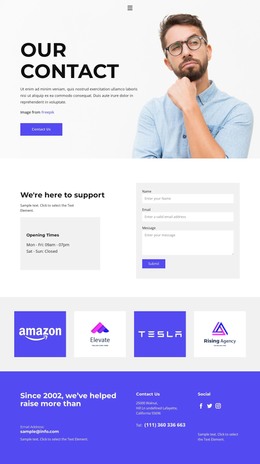
The closing purple area gathers Contact Us messaging, contact details, and social information into a recognizable site endpoint. Together with the service, project, team, and package sections, it gives WordPress content a practical arrangement without claiming that posts, categories, or blog templates already exist. The design can therefore support a WordPress theme interpretation through its distinct page areas and repeated content groups while preserving the original agency presentation.
Customize with Nicepage
Open this ready-made template in the WordPress Website Builder and customize it visually in the Nicepage editor. Replace demo content, edit page sections, and adapt the design to your project without rebuilding the template from scratch.
Manage and Edit This Theme in WordPress
Customize and Install the WordPress Theme
Start with this ready-made theme instead of building the WordPress design from scratch. Customize its layout, content, typography, images, sections, and other design elements visually in Nicepage editor, then export and install the WordPress Theme, Plugin, and Pages on your WordPress site. The Nicepage WordPress Plugin lets you continue working with the site after installation.
Edit the Theme Directly in WordPress
After installation, you can edit the WordPress Theme directly in WordPress with the Nicepage WordPress Plugin. Use Site Style to customize site Colors, Fonts, Header, Footer, Blog, and Post Page Templates while working within your WordPress website.
Edit WordPress Pages Visually
Use the Nicepage WordPress Plugin to edit page content directly from the WordPress admin area. Open a WordPress Page with Nicepage and visually change its text, images, sections, and other page elements while continuing to manage the Page through WordPress.
WordPress Content and Theme Integration
Use the customized theme with WordPress Pages, Posts, Blog and Post Templates, menus, widgets, and other CMS-managed content. Shared theme elements such as Colors, Fonts, Header, Footer, Blog, and Post Page Templates can be managed as part of the overall site design, while WordPress provides the CMS environment for managing site content.
This workflow combines a ready-made WordPress Theme with visual customization, direct theme editing in WordPress, and continued content management through the Nicepage WordPress Plugin.