Daily affirmations WordPress Theme



Stable Performance Content in a WordPress-Managed Page
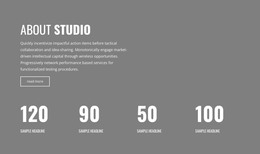
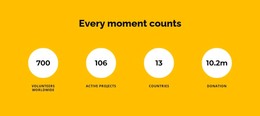
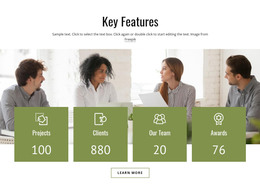
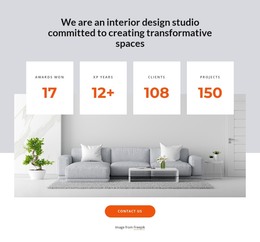
The centered heading and four counter cards make this section read as stable page content rather than a stream of time-sensitive updates. Its subject is introduced once, then organized into four comparable indicators, each combining a large number with an uppercase label over monochrome architectural imagery. The repeated card structure gives the metrics a consistent presentation, while the yellow values distinguish the key figures from the white background and dark typography.
In a WordPress-managed page, this arrangement can function as a reusable business-performance area within a wider content layout. It may sit after an introduction or service explanation, giving visitors a concise summary before they continue to more detailed information. The sample numbers should be replaced with appropriate project content, but the section's content model remains intact: one contextual heading, four visualized indicators, and a centered Read More button.
The button can connect this summary with fuller business information maintained elsewhere in the surrounding site. Its role is therefore broader than decoration, but the block still remains one page section rather than a complete theme or site structure. The static interaction keeps the reading order direct, and the repeated architectural imagery can help distinguish this metrics area from text-heavy WordPress content around it. The result is a focused, visually consistent section that can be maintained alongside other managed page content.
Customize with Nicepage
Open this ready-made template in the WordPress Website Builder and customize it visually in the Nicepage editor. Replace demo content, edit page sections, and adapt the design to your project without rebuilding the template from scratch.
Edit Template Offline
2. Create a new page or select existing
3. Click Add new block, search for id 2234329 and click enter
Edit Template Online
Create Awesome Websites


Free Nicepage Builder
Keywords
Manage and Edit This Theme in WordPress
Customize and Install the WordPress Theme
Start with this ready-made theme instead of building the WordPress design from scratch. Customize its layout, content, typography, images, sections, and other design elements visually in Nicepage editor, then export and install the WordPress Theme, Plugin, and Pages on your WordPress site. The Nicepage WordPress Plugin lets you continue working with the site after installation.
Edit the Theme Directly in WordPress
After installation, you can edit the WordPress Theme directly in WordPress with the Nicepage WordPress Plugin. Use Site Style to customize site Colors, Fonts, Header, Footer, Blog, and Post Page Templates while working within your WordPress website.
Edit WordPress Pages Visually
Use the Nicepage WordPress Plugin to edit page content directly from the WordPress admin area. Open a WordPress Page with Nicepage and visually change its text, images, sections, and other page elements while continuing to manage the Page through WordPress.
WordPress Content and Theme Integration
Use the customized theme with WordPress Pages, Posts, Blog and Post Templates, menus, widgets, and other CMS-managed content. Shared theme elements such as Colors, Fonts, Header, Footer, Blog, and Post Page Templates can be managed as part of the overall site design, while WordPress provides the CMS environment for managing site content.
This workflow combines a ready-made WordPress Theme with visual customization, direct theme editing in WordPress, and continued content management through the Nicepage WordPress Plugin.