Never stop learning WordPress Theme


Stable Learning Content With a Focused WordPress Signup Area
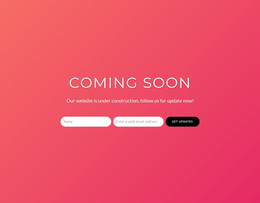
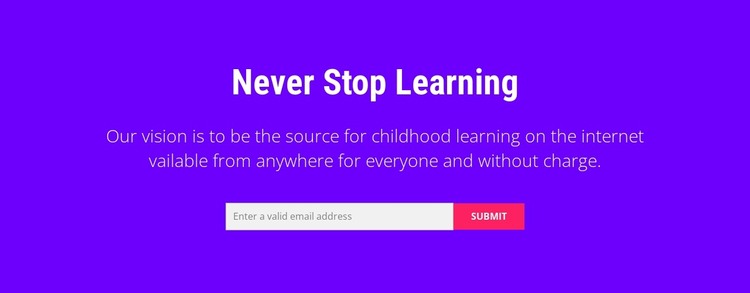
The centered heading and supporting paragraph give this block the character of permanent page content: a concise statement about childhood learning and its online availability. In a WordPress-managed page, the section can present that message consistently while the wider site supplies related resources, course information, or other editorial content. The bright purple field and white typography create a strong visual boundary, and the contrast between the bold heading and lighter paragraph guides readers from the main idea into its explanation.
The email form adds a practical page-content role without making the section structurally complex. One input requests an email address, and the Submit button completes the single response path. Positioned horizontally beneath the copy, the form feels like a direct continuation of the learning message. Its placeholder prompt and status messages indicate the expected interaction, while the final project can replace sample wording and connect the submission process to its chosen audience or resource workflow.
For a WordPress-oriented project, this block can remain a reusable section on a stable education page or campaign-related content area. It is not a standalone WordPress Theme; rather, its value lies in preserving one coherent message, visual treatment, and signup interaction inside the broader theme and page structure.
Customize with Nicepage
Open this ready-made template in the WordPress Website Builder and customize it visually in the Nicepage editor. Replace demo content, edit page sections, and adapt the design to your project without rebuilding the template from scratch.
Edit Template Offline
2. Create a new page or select existing
3. Click Add new block, search for id 2801949 and click enter
Edit Template Online
Create Awesome Websites


Free Nicepage Builder
Keywords
Manage and Edit This Theme in WordPress
Customize and Install the WordPress Theme
Start with this ready-made theme instead of building the WordPress design from scratch. Customize its layout, content, typography, images, sections, and other design elements visually in Nicepage editor, then export and install the WordPress Theme, Plugin, and Pages on your WordPress site. The Nicepage WordPress Plugin lets you continue working with the site after installation.
Edit the Theme Directly in WordPress
After installation, you can edit the WordPress Theme directly in WordPress with the Nicepage WordPress Plugin. Use Site Style to customize site Colors, Fonts, Header, Footer, Blog, and Post Page Templates while working within your WordPress website.
Edit WordPress Pages Visually
Use the Nicepage WordPress Plugin to edit page content directly from the WordPress admin area. Open a WordPress Page with Nicepage and visually change its text, images, sections, and other page elements while continuing to manage the Page through WordPress.
WordPress Content and Theme Integration
Use the customized theme with WordPress Pages, Posts, Blog and Post Templates, menus, widgets, and other CMS-managed content. Shared theme elements such as Colors, Fonts, Header, Footer, Blog, and Post Page Templates can be managed as part of the overall site design, while WordPress provides the CMS environment for managing site content.
This workflow combines a ready-made WordPress Theme with visual customization, direct theme editing in WordPress, and continued content management through the Nicepage WordPress Plugin.