Creative, immersive and breathtaking design WordPress Theme


Edit Template Offline
2. Create new page and search for id 5864845
Edit Template Online
Create Awesome Websites


Free Nicepage Builder
Keywords
Service Cards and Portfolio Entries Create a Strong Theme Content Structure
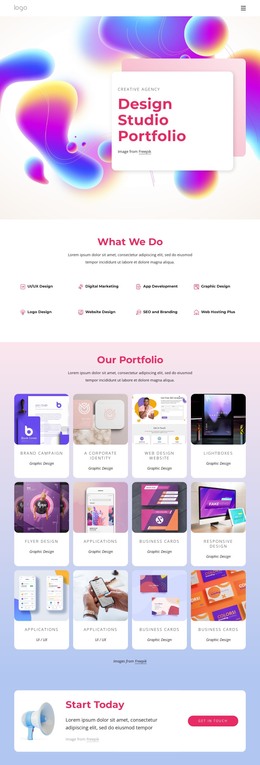
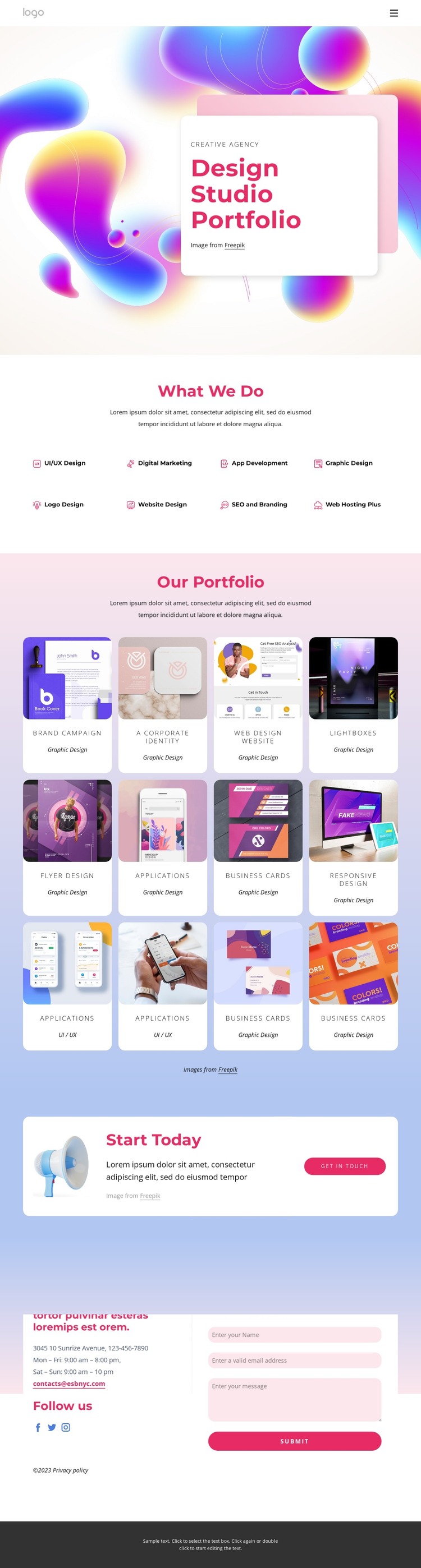
The eight service categories give the design a clear set of permanent content areas for a creative studio site. UI/UX Design, Digital Marketing, App Development, Graphic Design, Logo Design, Website Design, SEO and Branding, and Web Hosting Plus are presented as repeated items rather than as one undifferentiated paragraph. That arrangement makes the offerings easy to interpret as separate areas of page content while preserving the shared visual treatment of the cards.
The twelve-item portfolio provides a different kind of content relationship. Each image-based entry is paired with a project title and category, creating a structured showcase for selected work. Together, the service cards and portfolio entries connect what the studio offers with examples of its creative output. In a WordPress-managed project, that distinction can support a site where core studio information remains visually coordinated while additional editorial or project content is introduced around the existing design. The template itself does not prove that posts or categories are already present, but its repeated content patterns leave room for such future adaptation.
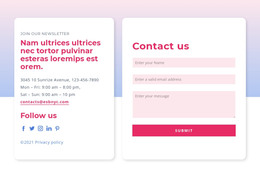
The Start Today panel and contact area define the communication side of the theme. A Get in Touch button creates a clear action point, while the form collects name, email, and message inputs beside newsletter content and Facebook, Twitter, and Instagram links. These areas give the site a practical relationship between presentation, work examples, and inquiry. The colorful palette, rounded white cards, and dark footer can then keep those content areas recognizable as the project grows.
Customize with Nicepage
Open this ready-made template in the WordPress Website Builder and customize it visually in the Nicepage editor. Replace demo content, edit page sections, and adapt the design to your project without rebuilding the template from scratch.
Manage and Edit This Theme in WordPress
Customize and Install the WordPress Theme
Start with this ready-made theme instead of building the WordPress design from scratch. Customize its layout, content, typography, images, sections, and other design elements visually in Nicepage editor, then export and install the WordPress Theme, Plugin, and Pages on your WordPress site. The Nicepage WordPress Plugin lets you continue working with the site after installation.
Edit the Theme Directly in WordPress
After installation, you can edit the WordPress Theme directly in WordPress with the Nicepage WordPress Plugin. Use Site Style to customize site Colors, Fonts, Header, Footer, Blog, and Post Page Templates while working within your WordPress website.
Edit WordPress Pages Visually
Use the Nicepage WordPress Plugin to edit page content directly from the WordPress admin area. Open a WordPress Page with Nicepage and visually change its text, images, sections, and other page elements while continuing to manage the Page through WordPress.
WordPress Content and Theme Integration
Use the customized theme with WordPress Pages, Posts, Blog and Post Templates, menus, widgets, and other CMS-managed content. Shared theme elements such as Colors, Fonts, Header, Footer, Blog, and Post Page Templates can be managed as part of the overall site design, while WordPress provides the CMS environment for managing site content.
This workflow combines a ready-made WordPress Theme with visual customization, direct theme editing in WordPress, and continued content management through the Nicepage WordPress Plugin.