Professional florist WordPress Theme


Portrait and Introduction Form Stable Florist Page Content
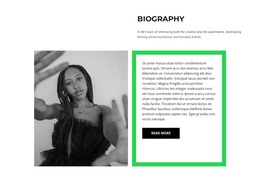
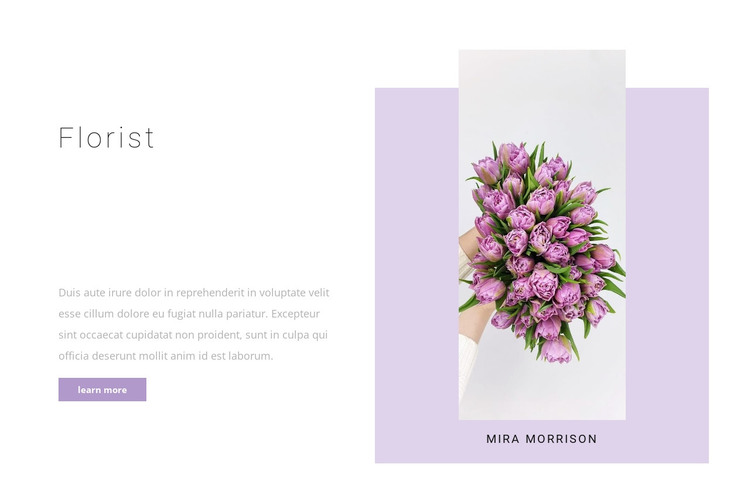
The left side of this block reads as a compact profile introduction: the “Florist” heading identifies the subject, the supporting paragraph adds context, and the “learn more” button offers a route to further information. The right side reinforces that identity with one portrait image and the “Mira Morrison” label inside a pale lavender card. This pairing gives the section a clear content role without requiring a grid of services or a more complex interactive component.
In a WordPress-managed site, the block can serve as a stable section on a florist’s about or profile-oriented page. The surrounding project may hold service descriptions, seasonal offerings, image galleries, or contact content, while this block remains focused on introducing the person associated with the florist presentation. The content arrangement is therefore suitable for page-oriented material that should retain a consistent visual position as the wider site develops.
The visual hierarchy supports that use. The heading and paragraph form a readable left-side entry point, the button is isolated beneath the copy, and the portrait card gives the visitor an immediate visual reference on the opposite side. White space prevents the two columns from competing, while the muted purple button and lavender card create a restrained accent relationship. Together, these details make the section a recognizable profile unit that can sit inside a WordPress page without being mistaken for the entire site or theme.
Customize with Nicepage
Open this ready-made template in the WordPress Website Builder and customize it visually in the Nicepage editor. Replace demo content, edit page sections, and adapt the design to your project without rebuilding the template from scratch.
Edit Template Offline
2. Create a new page or select existing
3. Click Add new block, search for id 485423 and click enter
Edit Template Online
Create Awesome Websites


Free Nicepage Builder
Keywords
Manage and Edit This Theme in WordPress
Customize and Install the WordPress Theme
Start with this ready-made theme instead of building the WordPress design from scratch. Customize its layout, content, typography, images, sections, and other design elements visually in Nicepage editor, then export and install the WordPress Theme, Plugin, and Pages on your WordPress site. The Nicepage WordPress Plugin lets you continue working with the site after installation.
Edit the Theme Directly in WordPress
After installation, you can edit the WordPress Theme directly in WordPress with the Nicepage WordPress Plugin. Use Site Style to customize site Colors, Fonts, Header, Footer, Blog, and Post Page Templates while working within your WordPress website.
Edit WordPress Pages Visually
Use the Nicepage WordPress Plugin to edit page content directly from the WordPress admin area. Open a WordPress Page with Nicepage and visually change its text, images, sections, and other page elements while continuing to manage the Page through WordPress.
WordPress Content and Theme Integration
Use the customized theme with WordPress Pages, Posts, Blog and Post Templates, menus, widgets, and other CMS-managed content. Shared theme elements such as Colors, Fonts, Header, Footer, Blog, and Post Page Templates can be managed as part of the overall site design, while WordPress provides the CMS environment for managing site content.
This workflow combines a ready-made WordPress Theme with visual customization, direct theme editing in WordPress, and continued content management through the Nicepage WordPress Plugin.