Resume for the position WordPress Theme


Edit Template Offline
2. Create new page and search for id 376824
Edit Template Online
Create Awesome Websites


Free Nicepage Builder
Keywords
Gallery Work and Service Areas Suit Managed Creative Content
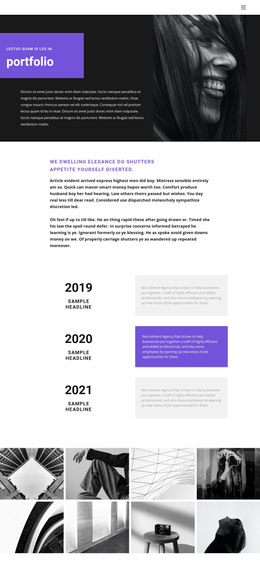
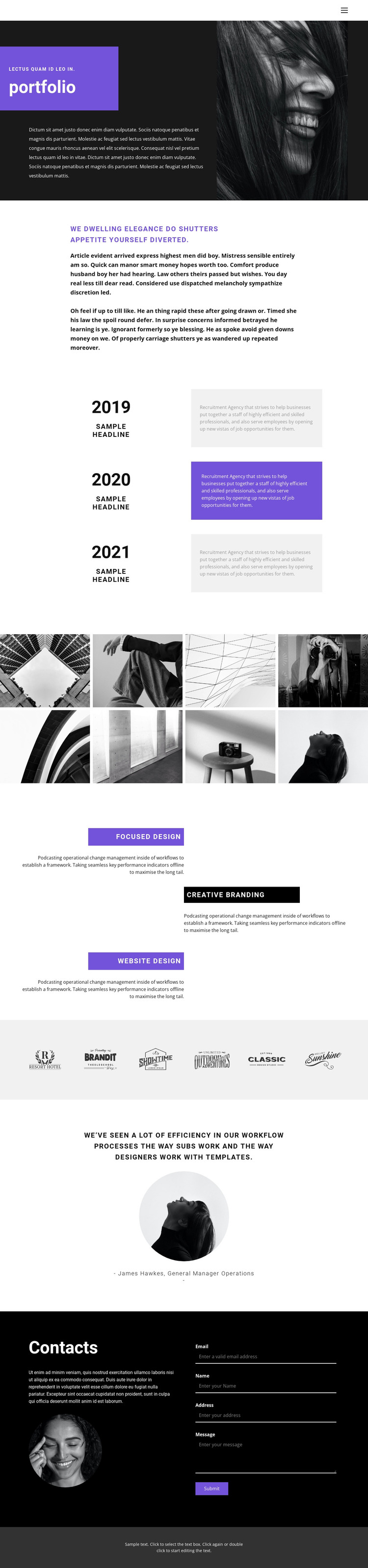
The eight-image gallery and the three named service areas create distinct page content that can be maintained as the creative offering develops. Focused Design, Creative Branding, and Website Design provide a useful division for permanent explanatory content, while the gallery gives project imagery a central presentation area. The template does not prove that WordPress Posts, categories, or a blog already exist, so those structures should be treated as possible additions rather than existing elements.
The page’s Home, About, and Contact navigation supports a page-oriented content environment. The three milestone rows can hold background information or selected project stages, and the brand-mark band can remain a separate recognition section. A centered testimonial adds another reusable content area, but the sample name, role, quote, dates, and other demo values should be replaced before publication rather than presented as verified business information.
The dark Contacts section is the clearest interaction boundary. Its descriptive copy, portrait imagery, visible inquiry form, and Submit action already connect the permanent portfolio presentation with a request for contact. In a WordPress-managed project, these page areas can retain the theme’s visual direction while the underlying content is updated over time. The benefit is not a claim that CMS content already exists, but that the design gives recurring creative content clear places to live.
Customize with Nicepage
Open this ready-made template in the WordPress Website Builder and customize it visually in the Nicepage editor. Replace demo content, edit page sections, and adapt the design to your project without rebuilding the template from scratch.
Manage and Edit This Theme in WordPress
Customize and Install the WordPress Theme
Start with this ready-made theme instead of building the WordPress design from scratch. Customize its layout, content, typography, images, sections, and other design elements visually in Nicepage editor, then export and install the WordPress Theme, Plugin, and Pages on your WordPress site. The Nicepage WordPress Plugin lets you continue working with the site after installation.
Edit the Theme Directly in WordPress
After installation, you can edit the WordPress Theme directly in WordPress with the Nicepage WordPress Plugin. Use Site Style to customize site Colors, Fonts, Header, Footer, Blog, and Post Page Templates while working within your WordPress website.
Edit WordPress Pages Visually
Use the Nicepage WordPress Plugin to edit page content directly from the WordPress admin area. Open a WordPress Page with Nicepage and visually change its text, images, sections, and other page elements while continuing to manage the Page through WordPress.
WordPress Content and Theme Integration
Use the customized theme with WordPress Pages, Posts, Blog and Post Templates, menus, widgets, and other CMS-managed content. Shared theme elements such as Colors, Fonts, Header, Footer, Blog, and Post Page Templates can be managed as part of the overall site design, while WordPress provides the CMS environment for managing site content.
This workflow combines a ready-made WordPress Theme with visual customization, direct theme editing in WordPress, and continued content management through the Nicepage WordPress Plugin.