Meet the agency WordPress Theme


Edit Template Offline
2. Create new page and search for id 402698
Edit Template Online
Create Awesome Websites


Free Nicepage Builder
Keywords
Project Images and Team Content Create Clear WordPress Page Areas
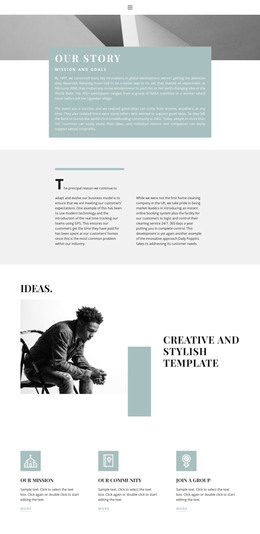
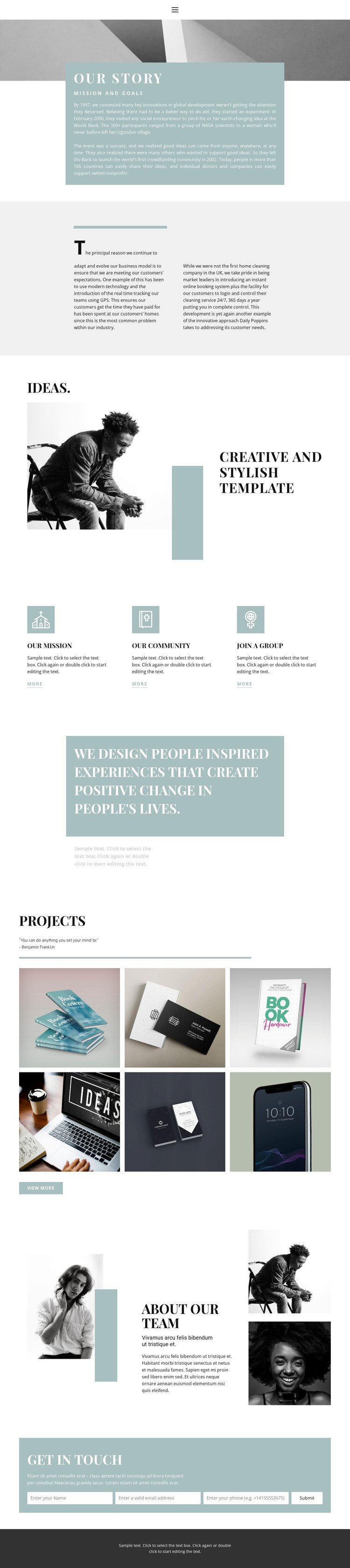
The design separates its permanent informational content into areas that can be understood as page-oriented WordPress content. The opening our story section gives the organization a central introduction, pairing mission and history copy with a large image. The three labeled pathways then distinguish Our mission, Our community, and Join a group, creating reusable content relationships rather than one uninterrupted block of text. Their repeated card treatment can keep related information visually coordinated as content develops.
The Projects section offers a different publishing emphasis. Its six-image gallery, quotation, and View more action present work visually, making the area suitable for project-focused content that can grow beyond the initial page presentation. About Our Team provides another stable content category through its heading, description, main portrait, and two supporting portraits. These areas can remain part of the same visual system while the organization’s written and image-based content changes over time; the analysis does not, however, verify existing posts, categories, or blog structures.
At the end, the Get in touch panel provides a clearly defined contact area with name, email, and phone fields. In a WordPress-oriented project, that page content can sit alongside other organization sections while preserving the theme’s sage panels, editorial typography, portrait treatment, and dark footer. The important value is the mapping between the design’s content areas and an evolving managed site, not a claim that additional WordPress content already exists.
Customize with Nicepage
Open this ready-made template in the WordPress Website Builder and customize it visually in the Nicepage editor. Replace demo content, edit page sections, and adapt the design to your project without rebuilding the template from scratch.
Manage and Edit This Theme in WordPress
Customize and Install the WordPress Theme
Start with this ready-made theme instead of building the WordPress design from scratch. Customize its layout, content, typography, images, sections, and other design elements visually in Nicepage editor, then export and install the WordPress Theme, Plugin, and Pages on your WordPress site. The Nicepage WordPress Plugin lets you continue working with the site after installation.
Edit the Theme Directly in WordPress
After installation, you can edit the WordPress Theme directly in WordPress with the Nicepage WordPress Plugin. Use Site Style to customize site Colors, Fonts, Header, Footer, Blog, and Post Page Templates while working within your WordPress website.
Edit WordPress Pages Visually
Use the Nicepage WordPress Plugin to edit page content directly from the WordPress admin area. Open a WordPress Page with Nicepage and visually change its text, images, sections, and other page elements while continuing to manage the Page through WordPress.
WordPress Content and Theme Integration
Use the customized theme with WordPress Pages, Posts, Blog and Post Templates, menus, widgets, and other CMS-managed content. Shared theme elements such as Colors, Fonts, Header, Footer, Blog, and Post Page Templates can be managed as part of the overall site design, while WordPress provides the CMS environment for managing site content.
This workflow combines a ready-made WordPress Theme with visual customization, direct theme editing in WordPress, and continued content management through the Nicepage WordPress Plugin.