People from our team WordPress Theme


Three Profile Entries Provide Stable People Content for a WordPress Page
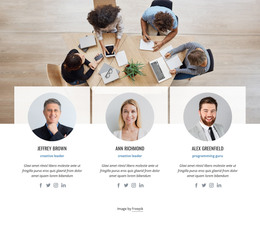
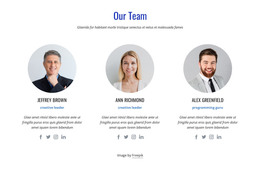
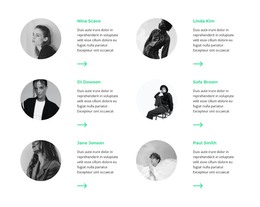
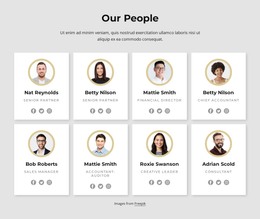
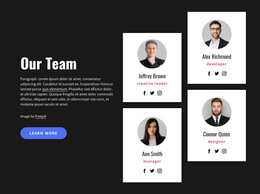
The three cards read as a stable people-focused content area that can participate in a WordPress-managed page. Each entry combines a circular portrait with a name and a short descriptive paragraph, creating a consistent unit for presenting profile information. The matching structure suits permanent team or staff content because visitors can see Stella Larson, Nick Johnson, and Olga Ivanova together rather than navigating through separate profile views.
The block's equal three-column row gives the content a clear visual pattern, while the centered alignment keeps each portrait associated with its own name and description. Light rectangular cards sit against a warm beige background, providing separation without introducing a complex component. Uppercase names create a repeated typographic cue that helps visitors scan the people in order, and the static interaction keeps the content immediately available within the page.
In a WordPress-oriented project, this section can occupy a stable team area while the broader site manages other page content around it. The block itself does not need to carry blog, category, or site-wide responsibilities; its contribution is the clearly bounded presentation of three people. If profiles later require different editorial handling, the visual arrangement can still serve as the page-level design reference, while the surrounding WordPress content model supplies whatever broader management the project needs.
Customize with Nicepage
Open this ready-made template in the WordPress Website Builder and customize it visually in the Nicepage editor. Replace demo content, edit page sections, and adapt the design to your project without rebuilding the template from scratch.
Edit Template Offline
2. Create a new page or select existing
3. Click Add new block, search for id 2471412 and click enter
Edit Template Online
Create Awesome Websites


Free Nicepage Builder
Keywords
Manage and Edit This Theme in WordPress
Customize and Install the WordPress Theme
Start with this ready-made theme instead of building the WordPress design from scratch. Customize its layout, content, typography, images, sections, and other design elements visually in Nicepage editor, then export and install the WordPress Theme, Plugin, and Pages on your WordPress site. The Nicepage WordPress Plugin lets you continue working with the site after installation.
Edit the Theme Directly in WordPress
After installation, you can edit the WordPress Theme directly in WordPress with the Nicepage WordPress Plugin. Use Site Style to customize site Colors, Fonts, Header, Footer, Blog, and Post Page Templates while working within your WordPress website.
Edit WordPress Pages Visually
Use the Nicepage WordPress Plugin to edit page content directly from the WordPress admin area. Open a WordPress Page with Nicepage and visually change its text, images, sections, and other page elements while continuing to manage the Page through WordPress.
WordPress Content and Theme Integration
Use the customized theme with WordPress Pages, Posts, Blog and Post Templates, menus, widgets, and other CMS-managed content. Shared theme elements such as Colors, Fonts, Header, Footer, Blog, and Post Page Templates can be managed as part of the overall site design, while WordPress provides the CMS environment for managing site content.
This workflow combines a ready-made WordPress Theme with visual customization, direct theme editing in WordPress, and continued content management through the Nicepage WordPress Plugin.