Brand and customer strategy WordPress Theme


Permanent company content around two clear actions
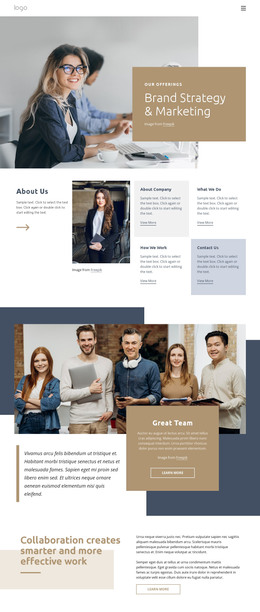
The upper-right group reads as stable company information: “About Our Company” is paired with supporting paragraph content, a red circular accent, and a “learn more” action. The lower-left group adds a separate editorial point of view through “We believe bold ideas can be a force for good.”, another paragraph, and a “Contact us” action. This distinction allows the section to present lasting organization information while also giving visitors a direct route toward more contact-oriented content.
The two groups are not arranged as a simple list. They occupy opposing areas of the white central panel, with two overlapping circular portraits creating a visual connection between them. The light gray outer background frames the panel, and red rounded buttons repeat the red accent beside the company introduction. The larger company heading and bold statement heading establish a hierarchy that helps visitors scan the section before choosing either action.
In a WordPress-managed project, this block can function as permanent about or company content inside a broader page. Other CMS-managed areas may handle additional pages or regularly changing material, while this section keeps its focused relationship between introduction, belief statement, portraits, and actions. The block contributes a reusable content region rather than acting as a complete WordPress theme.
Customize with Nicepage
Open this ready-made template in the WordPress Website Builder and customize it visually in the Nicepage editor. Replace demo content, edit page sections, and adapt the design to your project without rebuilding the template from scratch.
Edit Template Offline
2. Create a new page or select existing
3. Click Add new block, search for id 2470017 and click enter
Edit Template Online
Create Awesome Websites


Free Nicepage Builder
Keywords
Manage and Edit This Theme in WordPress
Customize and Install the WordPress Theme
Start with this ready-made theme instead of building the WordPress design from scratch. Customize its layout, content, typography, images, sections, and other design elements visually in Nicepage editor, then export and install the WordPress Theme, Plugin, and Pages on your WordPress site. The Nicepage WordPress Plugin lets you continue working with the site after installation.
Edit the Theme Directly in WordPress
After installation, you can edit the WordPress Theme directly in WordPress with the Nicepage WordPress Plugin. Use Site Style to customize site Colors, Fonts, Header, Footer, Blog, and Post Page Templates while working within your WordPress website.
Edit WordPress Pages Visually
Use the Nicepage WordPress Plugin to edit page content directly from the WordPress admin area. Open a WordPress Page with Nicepage and visually change its text, images, sections, and other page elements while continuing to manage the Page through WordPress.
WordPress Content and Theme Integration
Use the customized theme with WordPress Pages, Posts, Blog and Post Templates, menus, widgets, and other CMS-managed content. Shared theme elements such as Colors, Fonts, Header, Footer, Blog, and Post Page Templates can be managed as part of the overall site design, while WordPress provides the CMS environment for managing site content.
This workflow combines a ready-made WordPress Theme with visual customization, direct theme editing in WordPress, and continued content management through the Nicepage WordPress Plugin.