From zero to victory WordPress Theme


Icon-Led Capability Content for a WordPress-Managed Page
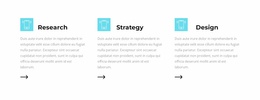
The introductory copy gives this block a stable page-content role: the About label and “A Founder Branding Agency” heading state the subject, while the supporting paragraph provides room for a short explanation. A turquoise divider then shifts attention toward the three feature entries. Their repeated structure is especially clear in the vertical arrangement, where each circular icon anchors a title and description to its right. UI/UX Development, Databass Planning, and World Business are presented as separate capability units rather than blended into a single service paragraph.
In a WordPress-managed project, the section can support permanent branding or services content on a page while retaining its own visual organization. The repeated icons help visitors scan the available capabilities, and the typography separates primary labels from lighter supporting text without adding interaction. The white background gives the block a neutral place within a wider page, while turquoise accents can connect the divider and item markers to related design choices elsewhere. Other page sections can provide deeper service details, examples, proof, or contact actions around this focused capability area. Its compact vertical rhythm also allows neighboring content to follow without competing with the feature list.
Customize with Nicepage
Open this ready-made template in the WordPress Website Builder and customize it visually in the Nicepage editor. Replace demo content, edit page sections, and adapt the design to your project without rebuilding the template from scratch.
Edit Template Offline
2. Create a new page or select existing
3. Click Add new block, search for id 2407119 and click enter
Edit Template Online
Create Awesome Websites


Free Nicepage Builder
Keywords
Manage and Edit This Theme in WordPress
Customize and Install the WordPress Theme
Start with this ready-made theme instead of building the WordPress design from scratch. Customize its layout, content, typography, images, sections, and other design elements visually in Nicepage editor, then export and install the WordPress Theme, Plugin, and Pages on your WordPress site. The Nicepage WordPress Plugin lets you continue working with the site after installation.
Edit the Theme Directly in WordPress
After installation, you can edit the WordPress Theme directly in WordPress with the Nicepage WordPress Plugin. Use Site Style to customize site Colors, Fonts, Header, Footer, Blog, and Post Page Templates while working within your WordPress website.
Edit WordPress Pages Visually
Use the Nicepage WordPress Plugin to edit page content directly from the WordPress admin area. Open a WordPress Page with Nicepage and visually change its text, images, sections, and other page elements while continuing to manage the Page through WordPress.
WordPress Content and Theme Integration
Use the customized theme with WordPress Pages, Posts, Blog and Post Templates, menus, widgets, and other CMS-managed content. Shared theme elements such as Colors, Fonts, Header, Footer, Blog, and Post Page Templates can be managed as part of the overall site design, while WordPress provides the CMS environment for managing site content.
This workflow combines a ready-made WordPress Theme with visual customization, direct theme editing in WordPress, and continued content management through the Nicepage WordPress Plugin.