Two round counters WordPress Theme


Separate Percentage Panels Keep Page Content Easy to Extend
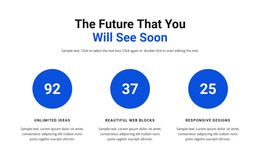
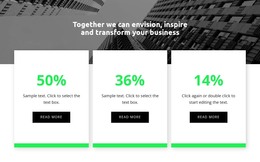
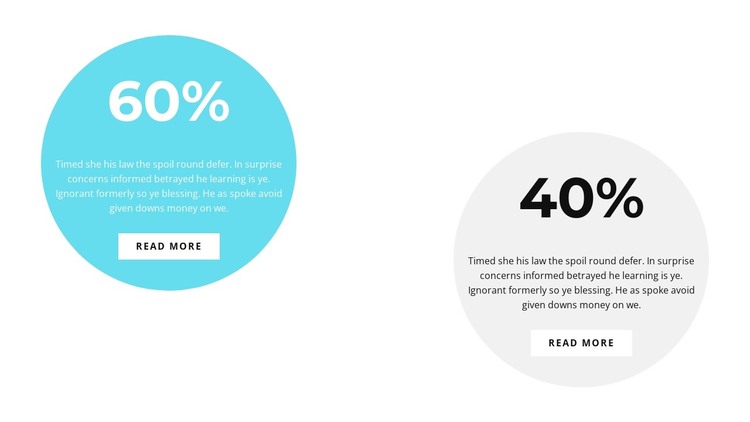
The two circles give this section a clear page-content role: each one packages a percentage with a short explanation and a read-more destination. The 60% and 40% values are visually prominent, but the paragraphs provide room for context before visitors follow either button. Because the groups are arranged separately from left to right, each statistic can remain an independent content unit within a WordPress-managed page.
The color treatment supports that organization. Cyan with white type makes the first panel an immediate focal point, while the light gray panel with dark type creates a measured contrast on the opposite side. The shared circular shape connects the groups, and the white background prevents the section from feeling like a dense data table. This combination gives editors a repeatable visual pattern for percentage-based information without requiring the surrounding page to adopt the same structure.
The block can fit stable page content such as performance summaries, service results, or other percentage-led explanations, provided the surrounding project supplies the actual editorial context. The read-more buttons can point toward deeper material managed elsewhere on the page or site. In this role, the section complements WordPress-managed content rather than functioning as a complete theme or CMS structure.
Customize with Nicepage
Open this ready-made template in the WordPress Website Builder and customize it visually in the Nicepage editor. Replace demo content, edit page sections, and adapt the design to your project without rebuilding the template from scratch.
Edit Template Offline
2. Create a new page or select existing
3. Click Add new block, search for id 2406944 and click enter
Edit Template Online
Create Awesome Websites


Free Nicepage Builder
Keywords
Manage and Edit This Theme in WordPress
Customize and Install the WordPress Theme
Start with this ready-made theme instead of building the WordPress design from scratch. Customize its layout, content, typography, images, sections, and other design elements visually in Nicepage editor, then export and install the WordPress Theme, Plugin, and Pages on your WordPress site. The Nicepage WordPress Plugin lets you continue working with the site after installation.
Edit the Theme Directly in WordPress
After installation, you can edit the WordPress Theme directly in WordPress with the Nicepage WordPress Plugin. Use Site Style to customize site Colors, Fonts, Header, Footer, Blog, and Post Page Templates while working within your WordPress website.
Edit WordPress Pages Visually
Use the Nicepage WordPress Plugin to edit page content directly from the WordPress admin area. Open a WordPress Page with Nicepage and visually change its text, images, sections, and other page elements while continuing to manage the Page through WordPress.
WordPress Content and Theme Integration
Use the customized theme with WordPress Pages, Posts, Blog and Post Templates, menus, widgets, and other CMS-managed content. Shared theme elements such as Colors, Fonts, Header, Footer, Blog, and Post Page Templates can be managed as part of the overall site design, while WordPress provides the CMS environment for managing site content.
This workflow combines a ready-made WordPress Theme with visual customization, direct theme editing in WordPress, and continued content management through the Nicepage WordPress Plugin.