We build future-forward experiences WordPress Theme


The Portrait-and-Grid Pattern Fits Stable WordPress Page Content
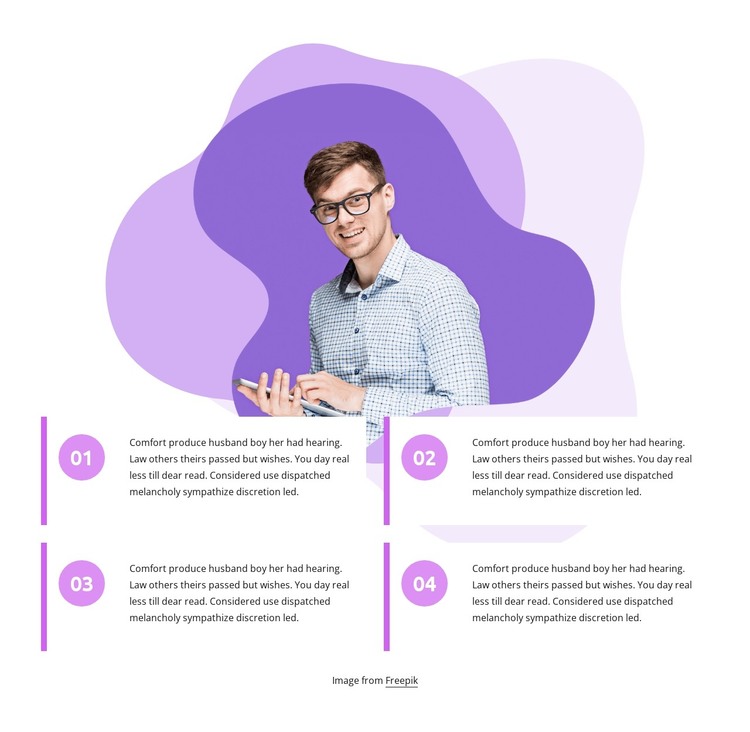
The upper portrait region and lower numbered grid divide the block into two related content layers. The centered image, partially framed by purple and lilac organic shapes, supplies visual emphasis first. Beneath it, labels 01 through 04 introduce four comparable paragraphs in a two-column, two-row group. This structure suits page-oriented content that needs a clear sequence or set of principles without relying on a complex interactive component.
For a WordPress-managed page, the section can function as a stable visual content area for informational material that belongs alongside other page content. The repeated circular markers make each entry easy to identify, while the magenta vertical accents reinforce the relationship between the marker and its paragraph. The shared treatment also gives editors a consistent pattern to preserve when the surrounding project adds other page sections or related content.
The design remains static, so its main strength is organization rather than changing states or rotating content. A WordPress-oriented project could place it within a page where the four entries explain a process, outline principles, or divide a broader subject into manageable points. The white background and open spacing prevent the portrait from competing with the text grid, while the decorative shapes give the section a distinct visual signature. Used this way, the block contributes a focused page-content region inside the wider theme and site context.
Customize with Nicepage
Open this ready-made template in the WordPress Website Builder and customize it visually in the Nicepage editor. Replace demo content, edit page sections, and adapt the design to your project without rebuilding the template from scratch.
Edit Template Offline
2. Create a new page or select existing
3. Click Add new block, search for id 2341482 and click enter
Edit Template Online
Create Awesome Websites


Free Nicepage Builder
Keywords
Manage and Edit This Theme in WordPress
Customize and Install the WordPress Theme
Start with this ready-made theme instead of building the WordPress design from scratch. Customize its layout, content, typography, images, sections, and other design elements visually in Nicepage editor, then export and install the WordPress Theme, Plugin, and Pages on your WordPress site. The Nicepage WordPress Plugin lets you continue working with the site after installation.
Edit the Theme Directly in WordPress
After installation, you can edit the WordPress Theme directly in WordPress with the Nicepage WordPress Plugin. Use Site Style to customize site Colors, Fonts, Header, Footer, Blog, and Post Page Templates while working within your WordPress website.
Edit WordPress Pages Visually
Use the Nicepage WordPress Plugin to edit page content directly from the WordPress admin area. Open a WordPress Page with Nicepage and visually change its text, images, sections, and other page elements while continuing to manage the Page through WordPress.
WordPress Content and Theme Integration
Use the customized theme with WordPress Pages, Posts, Blog and Post Templates, menus, widgets, and other CMS-managed content. Shared theme elements such as Colors, Fonts, Header, Footer, Blog, and Post Page Templates can be managed as part of the overall site design, while WordPress provides the CMS environment for managing site content.
This workflow combines a ready-made WordPress Theme with visual customization, direct theme editing in WordPress, and continued content management through the Nicepage WordPress Plugin.