Effective leaders WordPress Theme


Structured Service Content for a WordPress-Managed Page
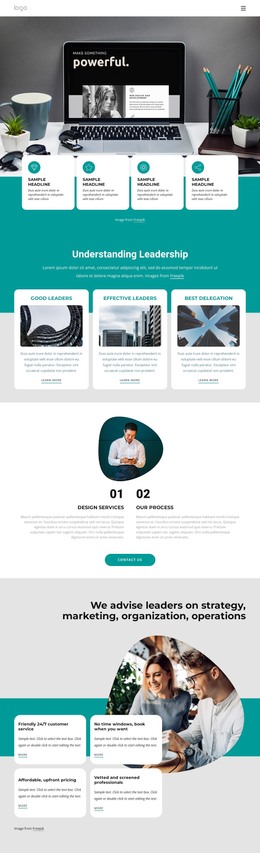
The heading and supporting paragraph establish the block as stable informational content rather than a temporary announcement. “We advise leaders on strategy” introduces the consulting subject, and the wide workspace image provides a visual setting before the reader reaches the three service cards. Strategy, Planning, and Marketing divide the offering into clear page-content categories, each supported by its own descriptive paragraph and directional icon.
For a WordPress-oriented interpretation, the main value is the way the section packages related information into a repeatable visual unit. The three cards share the same white surface, yellow-orange vertical accent, and horizontal placement, so the categories can be read as parts of one service area. At the same time, their individual labels and descriptions keep the content distinct. The overlap with the rounded image creates a connected presentation that is more specific than a plain text list, while the light gray background gives the section a defined place within a larger page.
This block can therefore serve as permanent services content on a WordPress-managed page, with other page areas handling broader company information, proof, contact details, or changing editorial material. The CMS context surrounds the section; it does not alter the verified arrangement of the heading, image, and cards. If content needs to be maintained through a Nicepage WordPress project, the WordPress Theme, Plugin, and Pages workflow provides relevant project context while this block remains one reusable page section.
Customize with Nicepage
Open this ready-made template in the WordPress Website Builder and customize it visually in the Nicepage editor. Replace demo content, edit page sections, and adapt the design to your project without rebuilding the template from scratch.
Edit Template Offline
2. Create a new page or select existing
3. Click Add new block, search for id 1673411 and click enter
Edit Template Online
Create Awesome Websites


Free Nicepage Builder
Keywords
Manage and Edit This Theme in WordPress
Customize and Install the WordPress Theme
Start with this ready-made theme instead of building the WordPress design from scratch. Customize its layout, content, typography, images, sections, and other design elements visually in Nicepage editor, then export and install the WordPress Theme, Plugin, and Pages on your WordPress site. The Nicepage WordPress Plugin lets you continue working with the site after installation.
Edit the Theme Directly in WordPress
After installation, you can edit the WordPress Theme directly in WordPress with the Nicepage WordPress Plugin. Use Site Style to customize site Colors, Fonts, Header, Footer, Blog, and Post Page Templates while working within your WordPress website.
Edit WordPress Pages Visually
Use the Nicepage WordPress Plugin to edit page content directly from the WordPress admin area. Open a WordPress Page with Nicepage and visually change its text, images, sections, and other page elements while continuing to manage the Page through WordPress.
WordPress Content and Theme Integration
Use the customized theme with WordPress Pages, Posts, Blog and Post Templates, menus, widgets, and other CMS-managed content. Shared theme elements such as Colors, Fonts, Header, Footer, Blog, and Post Page Templates can be managed as part of the overall site design, while WordPress provides the CMS environment for managing site content.
This workflow combines a ready-made WordPress Theme with visual customization, direct theme editing in WordPress, and continued content management through the Nicepage WordPress Plugin.