Digital agency services WordPress Theme


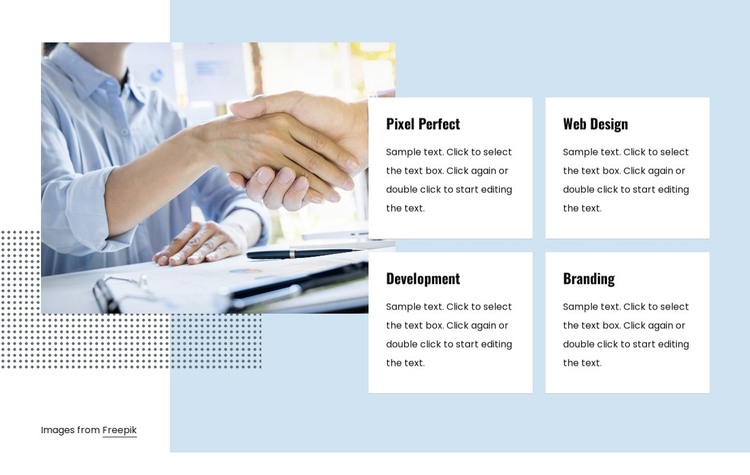
The service cards provide stable page content beside a visual anchor
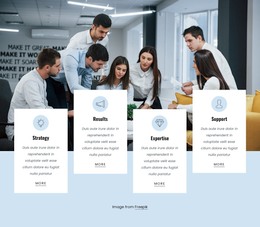
The four cards translate the section’s service content into a repeatable page pattern. Pixel Perfect, Web Design, Development, and Branding are separated into clear units, allowing a WordPress-managed page to present several permanent capabilities without combining them into one dense paragraph. The two-by-two arrangement gives each service similar visual weight, while the compact headings make the group scannable. The description areas use placeholder-style text, so the final page content can be written around the actual services represented by the section.
A large handshake photograph occupies the left side and supplies the human business context for the card group. On the right, white rectangular cards sit against pale geometric shapes, with black text and generous spacing preserving the distinction between each service. This relationship makes the block suitable for a stable services area within a WordPress-oriented page, while other content around it can address introductions, case studies, or contact information. The visible Freepik image credit is part of the supplied section content and should be considered when replacing or publishing the image. The block can participate in WordPress-managed page content without being treated as a complete WordPress theme.
Customize with Nicepage
Open this ready-made template in the WordPress Website Builder and customize it visually in the Nicepage editor. Replace demo content, edit page sections, and adapt the design to your project without rebuilding the template from scratch.
Edit Template Offline
2. Create a new page or select existing
3. Click Add new block, search for id 118930 and click enter
Edit Template Online
Create Awesome Websites


Free Nicepage Builder
Keywords
Manage and Edit This Theme in WordPress
Customize and Install the WordPress Theme
Start with this ready-made theme instead of building the WordPress design from scratch. Customize its layout, content, typography, images, sections, and other design elements visually in Nicepage editor, then export and install the WordPress Theme, Plugin, and Pages on your WordPress site. The Nicepage WordPress Plugin lets you continue working with the site after installation.
Edit the Theme Directly in WordPress
After installation, you can edit the WordPress Theme directly in WordPress with the Nicepage WordPress Plugin. Use Site Style to customize site Colors, Fonts, Header, Footer, Blog, and Post Page Templates while working within your WordPress website.
Edit WordPress Pages Visually
Use the Nicepage WordPress Plugin to edit page content directly from the WordPress admin area. Open a WordPress Page with Nicepage and visually change its text, images, sections, and other page elements while continuing to manage the Page through WordPress.
WordPress Content and Theme Integration
Use the customized theme with WordPress Pages, Posts, Blog and Post Templates, menus, widgets, and other CMS-managed content. Shared theme elements such as Colors, Fonts, Header, Footer, Blog, and Post Page Templates can be managed as part of the overall site design, while WordPress provides the CMS environment for managing site content.
This workflow combines a ready-made WordPress Theme with visual customization, direct theme editing in WordPress, and continued content management through the Nicepage WordPress Plugin.