Client business guide WordPress Theme



Stable Guide Content for a WordPress-Managed Page
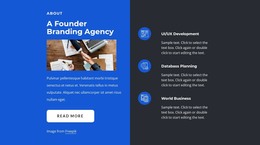
The single “Client Welcome Guide” heading and supporting paragraph form a durable informational unit suited to permanent page content. The paragraph currently uses sample placeholder wording, so it can be replaced with the site’s actual welcome-guide explanation while preserving the narrow panel and its established hierarchy. The heading remains the primary entry point, and the paragraph provides the supporting detail needed to introduce the subject.
The workspace photograph adds a second content role without turning into another text destination. Its overhead view of office and desk items provides visual context for the client-facing message, while the bright image balances the muted blue-gray panel. Since the image occupies most of the block’s width, it can give a WordPress-managed page a strong visual pause between denser content areas.
Within a broader WordPress site, the section can sit on a services or client-information page while other page content handles deeper explanations, editorial material, or contact actions. The block’s stable heading-and-paragraph structure makes it easier to treat as reusable page content rather than a time-sensitive feed. Nicepage supports editing page content through its WordPress workflow, but the concrete value here remains the prepared relationship between the client guide message and the workspace image. The surrounding WordPress project supplies its wider publishing context, while this section keeps one focused communication role.
Customize with Nicepage
Open this ready-made template in the WordPress Website Builder and customize it visually in the Nicepage editor. Replace demo content, edit page sections, and adapt the design to your project without rebuilding the template from scratch.
Edit Template Offline
2. Create a new page or select existing
3. Click Add new block, search for id 110266 and click enter
Edit Template Online
Create Awesome Websites


Free Nicepage Builder
Keywords
Manage and Edit This Theme in WordPress
Customize and Install the WordPress Theme
Start with this ready-made theme instead of building the WordPress design from scratch. Customize its layout, content, typography, images, sections, and other design elements visually in Nicepage editor, then export and install the WordPress Theme, Plugin, and Pages on your WordPress site. The Nicepage WordPress Plugin lets you continue working with the site after installation.
Edit the Theme Directly in WordPress
After installation, you can edit the WordPress Theme directly in WordPress with the Nicepage WordPress Plugin. Use Site Style to customize site Colors, Fonts, Header, Footer, Blog, and Post Page Templates while working within your WordPress website.
Edit WordPress Pages Visually
Use the Nicepage WordPress Plugin to edit page content directly from the WordPress admin area. Open a WordPress Page with Nicepage and visually change its text, images, sections, and other page elements while continuing to manage the Page through WordPress.
WordPress Content and Theme Integration
Use the customized theme with WordPress Pages, Posts, Blog and Post Templates, menus, widgets, and other CMS-managed content. Shared theme elements such as Colors, Fonts, Header, Footer, Blog, and Post Page Templates can be managed as part of the overall site design, while WordPress provides the CMS environment for managing site content.
This workflow combines a ready-made WordPress Theme with visual customization, direct theme editing in WordPress, and continued content management through the Nicepage WordPress Plugin.