We offer hiking tours Template



Edit Template Offline
2. Create new page and search for id 3826456
Edit Template Online
Create Awesome Websites


Free Nicepage Builder
Keywords
Six destinations give the travel story a strong visual center
The six named destinations are the most distinctive organizing idea in this design. Dolomite Alps, Iceland, Ethiopia, New Zealand, Nepal, and Kenia appear as image-led tiles, allowing location and landscape to carry much of the page’s meaning. This makes the template a useful option for an adventure travel project that needs to communicate variety through photography rather than relying on dense explanatory text.
The destination collage is supported by a clear set of related content. Four activity cards identify Sport Activities, Trekking, Climbing, and Mountain Bikes, giving the visual locations a practical travel context. Four additional experience cards extend the offer toward Traveler Tools, Explore the World, Adventure Vacations, and Luxurious Hotels. Testimonials, the Why Us explanation, and the Deals & Discounts block add reassurance and promotional depth without replacing the central outdoor character.
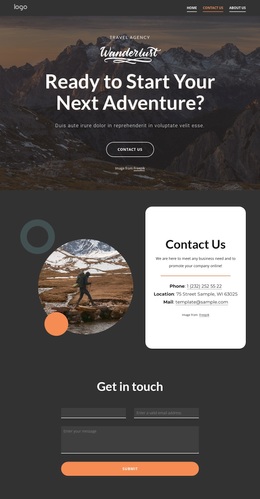
The design also covers the response needs of a travel organization. A dark expert-contact section introduces a direct phone route, the red signup band supports email collection, and the final Contact Us area provides an inquiry form with contact details. Together, these elements make the page more than a gallery: it is a ready-made choice for projects that want landscape storytelling, recognizable adventure categories, destination coverage, and several practical ways for interested travelers to begin a conversation.
Customize with Nicepage
Open this ready-made template in the Template Builder and customize it visually in the Nicepage editor. Replace demo content, edit page sections, and adapt the design to your project without rebuilding the template from scratch.
Start With a Ready-Made Template
Choose a Design for a New Page
Use a ready-made template as a starting point instead of creating every page from a blank canvas. When adding a new page in Nicepage, browse available designs, compare different layouts, and choose an option that already fits the general purpose and visual direction of your project.
Browse Different Page Designs
Explore Page Designs using search, thematic categories, Design Sets, and full-page previews. The collection includes layouts for different subjects and page purposes, making it easier to compare alternatives before selecting a design to customize.
Customize the Selected Template
After choosing a design, create the page and continue editing it visually in Nicepage. Replace the demo content, adjust images, typography, colors, sections, and other elements, and adapt the ready-made layout to your own content instead of rebuilding the design from the beginning.
Explore More Design Directions
If the first option does not match your project closely enough, return to the design collection and compare other templates before committing to a layout. This makes the template library useful not only for faster page creation, but also for exploring different visual approaches and finding a suitable starting point for a new project.
This workflow gives you access to a broad collection of ready-made designs that can be selected, compared, and customized according to the needs of each new page or project.