Island Travel Template


Edit Template Offline
2. Create new page and search for id 20994
Edit Template Online
Create Awesome Websites


Free Nicepage Builder
Keywords
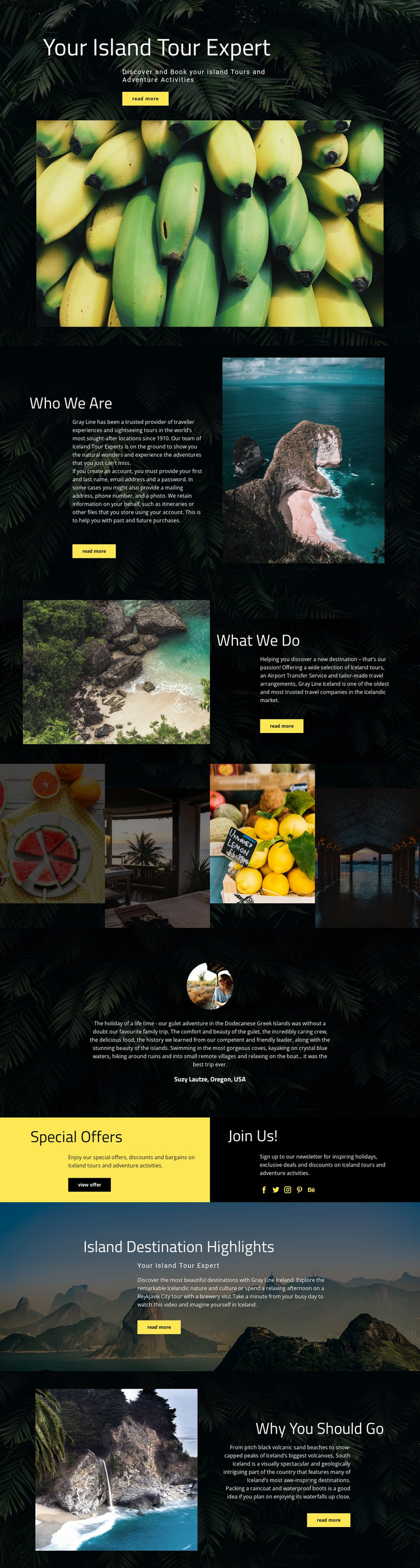
Four Destination Images Give the Travel Story Its Center
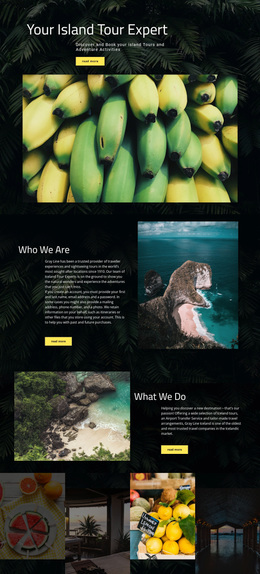
The four-image destination showcase is one of the clearest reasons to choose Island Travel as a starting design. It gives the page a compact visual statement between the service explanation and the testimonial, allowing Iceland landscapes and activities to carry information that would otherwise require more text. The gallery works with the surrounding dark spacing and saturated photography, so the design feels built around travel discovery rather than a generic service-list arrangement.
The content coverage is also broad without becoming disconnected. “Your Island Tour Expert” establishes a clear travel identity, “What We Do” introduces Iceland tours, airport transfers, tailor-made arrangements, and adventure activities, and the later destination sections bring attention to Reykjavik and South Iceland. This combination makes the page suitable for a project that needs to present both practical travel services and the visual reasons to visit a place. The service content explains what is offered, while the scenic sections show what the experience is about.
A testimonial, special-offer panel, newsletter promotion, and social links add further layers to the choice. They create room for reassurance, timely promotions, continued contact, and social connection without replacing the main destination story. The bright yellow buttons provide visible points of emphasis against the dark backgrounds, while large condensed headings and split layouts keep the page editorial and easy to scan. Island Travel is therefore most distinctive where strong photography, travel-service coverage, and promotional content need to operate as one coherent presentation.
Customize with Nicepage
Open this ready-made template in the Template Builder and customize it visually in the Nicepage editor. Replace demo content, edit page sections, and adapt the design to your project without rebuilding the template from scratch.
Start With a Ready-Made Template
Choose a Design for a New Page
Use a ready-made template as a starting point instead of creating every page from a blank canvas. When adding a new page in Nicepage, browse available designs, compare different layouts, and choose an option that already fits the general purpose and visual direction of your project.
Browse Different Page Designs
Explore Page Designs using search, thematic categories, Design Sets, and full-page previews. The collection includes layouts for different subjects and page purposes, making it easier to compare alternatives before selecting a design to customize.
Customize the Selected Template
After choosing a design, create the page and continue editing it visually in Nicepage. Replace the demo content, adjust images, typography, colors, sections, and other elements, and adapt the ready-made layout to your own content instead of rebuilding the design from the beginning.
Explore More Design Directions
If the first option does not match your project closely enough, return to the design collection and compare other templates before committing to a layout. This makes the template library useful not only for faster page creation, but also for exploring different visual approaches and finding a suitable starting point for a new project.
This workflow gives you access to a broad collection of ready-made designs that can be selected, compared, and customized according to the needs of each new page or project.