Best Places to Visit Template


Edit Template Offline
2. Create new page and search for id 14154
Edit Template Online
Create Awesome Websites


Free Nicepage Builder
Keywords
Destination Cards Meet Magazine-Style Travel Storytelling
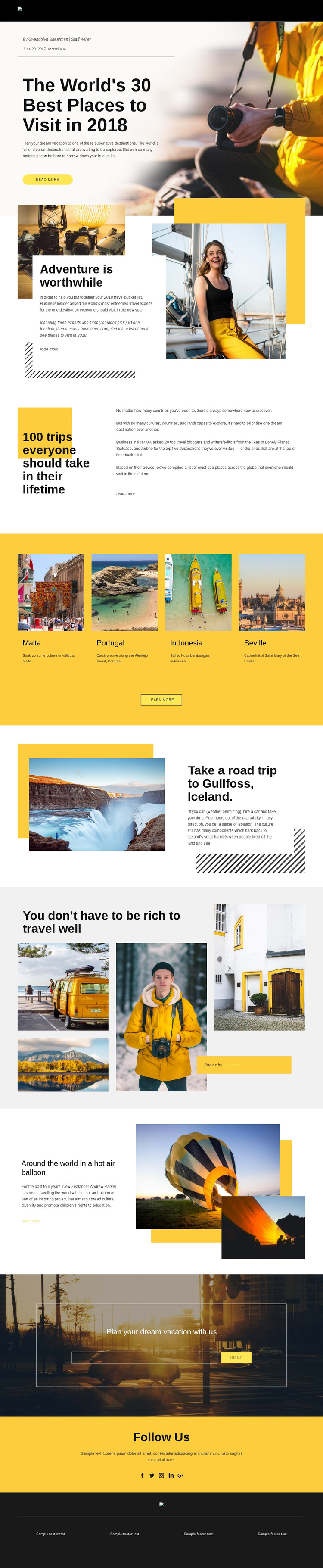
The four destination cards give this design an immediately recognizable content core: Malta, Portugal, Indonesia, and Seville appear as distinct places within a shared visual arrangement. That compact grid is balanced by larger editorial stories, including the opening feature, “Adventure is worthwhile,” the lifetime-trip introduction, the Gullfoss, Iceland section, and the hot-air-balloon story. The result is not simply a list of destinations; it combines quick discovery with longer narrative moments.
The visual direction supports projects where photography should carry as much meaning as explanatory copy. Large travel images, layered collages, asymmetric split sections, and a bold black, white, and yellow palette create a magazine-like presentation with clear changes in scale. Readers can scan destination cards, pause on a featured story, or continue through the photography-led sections according to their interest.
The email subscription area adds practical content coverage for a travel publication or inspiration service by connecting the editorial experience with an invitation to plan a dream vacation. Social links extend the same theme into a follow-oriented closing section. As a template choice, its strongest distinction is the relationship between destination variety, visual storytelling, and a defined subscriber opportunity—not a generic promise of a complete travel business website.
Customize with Nicepage
Open this ready-made template in the Template Builder and customize it visually in the Nicepage editor. Replace demo content, edit page sections, and adapt the design to your project without rebuilding the template from scratch.
Start With a Ready-Made Template
Choose a Design for a New Page
Use a ready-made template as a starting point instead of creating every page from a blank canvas. When adding a new page in Nicepage, browse available designs, compare different layouts, and choose an option that already fits the general purpose and visual direction of your project.
Browse Different Page Designs
Explore Page Designs using search, thematic categories, Design Sets, and full-page previews. The collection includes layouts for different subjects and page purposes, making it easier to compare alternatives before selecting a design to customize.
Customize the Selected Template
After choosing a design, create the page and continue editing it visually in Nicepage. Replace the demo content, adjust images, typography, colors, sections, and other elements, and adapt the ready-made layout to your own content instead of rebuilding the design from the beginning.
Explore More Design Directions
If the first option does not match your project closely enough, return to the design collection and compare other templates before committing to a layout. This makes the template library useful not only for faster page creation, but also for exploring different visual approaches and finding a suitable starting point for a new project.
This workflow gives you access to a broad collection of ready-made designs that can be selected, compared, and customized according to the needs of each new page or project.