Mission To Mars Template


Edit Template Offline
2. Create new page and search for id 12792
Edit Template Online
Create Awesome Websites


Free Nicepage Builder
Keywords
Rocket Imagery Leads Into a Layered InSight Story
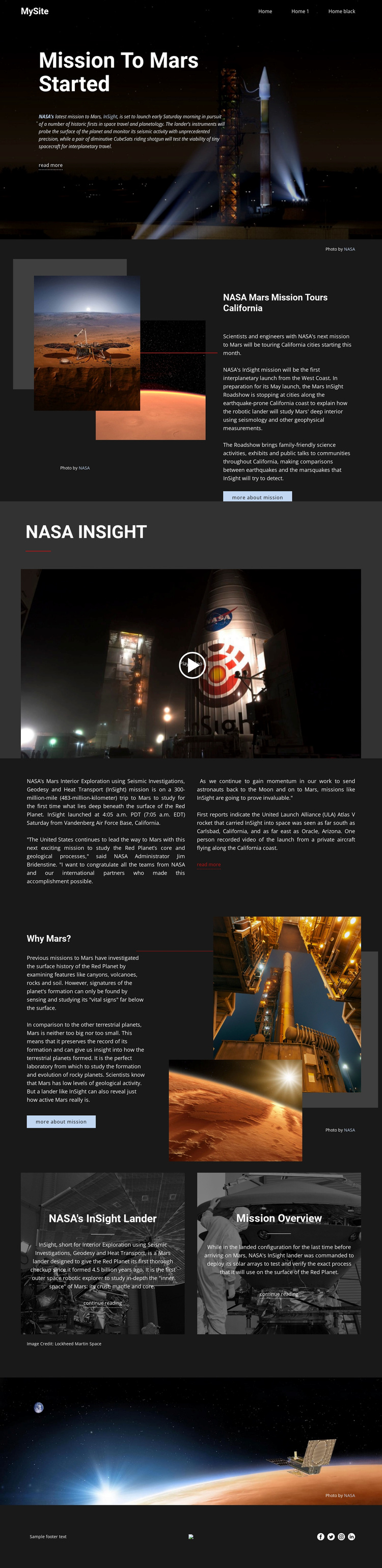
The rocket-launch hero immediately establishes a visual subject and gives the page a stronger point of view than a generic information layout. From there, the design combines several kinds of mission content: the California roadshow feature connects the subject with public talks and exhibits, the NASA INSIGHT video creates a prominent media moment, and the two-column text section accommodates denser launch and research explanation. This range makes the template useful for projects where imagery and editorial context need to work together.
The “Why Mars?” section adds a second layer of distinction. Instead of treating the mission only as a launch event, it places scientific reasoning beside Mars and spacecraft images. Two image-backed panels then extend the story through “NASA’s InSight lander” and “Mission Overview,” giving related reading its own visual treatment. The dark charcoal setting, white editorial type, generous spacing, and orange and blue accents reinforce the space-focused direction without requiring excessive decoration.
This is a strong design option for a science feature, exploration story, museum-style presentation, or other subject that depends on visual evidence and explanatory copy. Its main choice advantage is content coverage: the layout can introduce a subject, present media, explain context, offer related reading, and finish with a memorable image. It is more specific than a general corporate or service template because the composition is built around an unfolding editorial narrative.
Customize with Nicepage
Open this ready-made template in the Template Builder and customize it visually in the Nicepage editor. Replace demo content, edit page sections, and adapt the design to your project without rebuilding the template from scratch.
Start With a Ready-Made Template
Choose a Design for a New Page
Use a ready-made template as a starting point instead of creating every page from a blank canvas. When adding a new page in Nicepage, browse available designs, compare different layouts, and choose an option that already fits the general purpose and visual direction of your project.
Browse Different Page Designs
Explore Page Designs using search, thematic categories, Design Sets, and full-page previews. The collection includes layouts for different subjects and page purposes, making it easier to compare alternatives before selecting a design to customize.
Customize the Selected Template
After choosing a design, create the page and continue editing it visually in Nicepage. Replace the demo content, adjust images, typography, colors, sections, and other elements, and adapt the ready-made layout to your own content instead of rebuilding the design from the beginning.
Explore More Design Directions
If the first option does not match your project closely enough, return to the design collection and compare other templates before committing to a layout. This makes the template library useful not only for faster page creation, but also for exploring different visual approaches and finding a suitable starting point for a new project.
This workflow gives you access to a broad collection of ready-made designs that can be selected, compared, and customized according to the needs of each new page or project.