Four Seasons Template


Edit Template Offline
2. Create new page and search for id 12874
Edit Template Online
Create Awesome Websites


Free Nicepage Builder
Keywords
An Ocean-View Villa Story Anchors the Review Choice
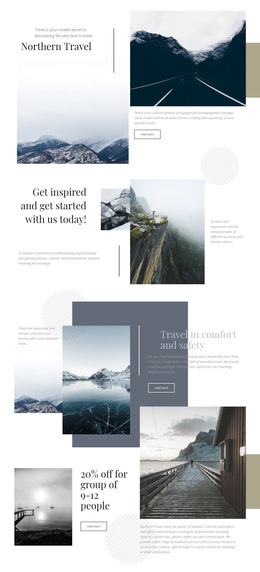
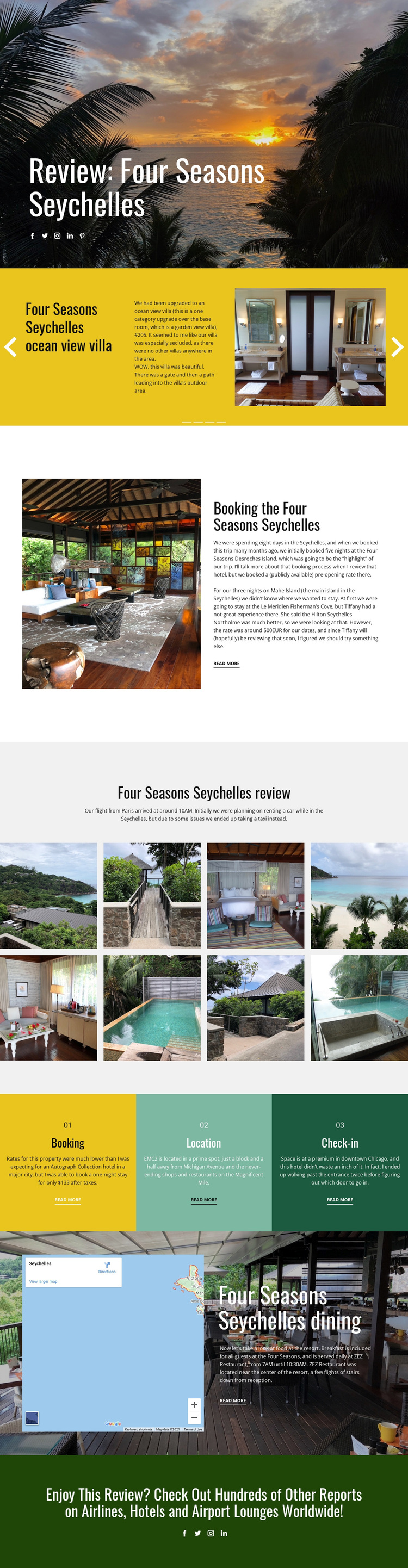
The design is worth considering when a travel project needs photography to carry the subject while text supplies focused context. The sunset opening establishes a strong destination mood immediately, and the ocean-view villa slider gives the featured accommodation a dedicated presentation rather than treating it as one item in a generic service grid. The eight-image resort gallery then expands that visual emphasis, making the page feel like a report built around place, atmosphere, and observed experience.
Its content coverage also separates this option from layouts centered only on a hotel introduction. Three colored topic panels organize booking, location, and check-in, so practical review information remains visible without overwhelming the photography. The map-and-dining section adds geographic and hospitality context through the ZEZ Restaurant reference, while read-more links create room for deeper reports. The final invitation to explore airline, hotel, and airport-lounge coverage gives the page a broader editorial setting. Together, these relationships make Four Seasons a useful design choice for destination reviews, travel publications, or hospitality content that needs both visual appeal and organized reporting. Its distinction is not a claim about generic customization; it is the combination of a resort-specific narrative, multiple evidence formats, and a clear path from one featured review to a wider collection of travel reports.
Customize with Nicepage
Open this ready-made template in the Template Builder and customize it visually in the Nicepage editor. Replace demo content, edit page sections, and adapt the design to your project without rebuilding the template from scratch.
Start With a Ready-Made Template
Choose a Design for a New Page
Use a ready-made template as a starting point instead of creating every page from a blank canvas. When adding a new page in Nicepage, browse available designs, compare different layouts, and choose an option that already fits the general purpose and visual direction of your project.
Browse Different Page Designs
Explore Page Designs using search, thematic categories, Design Sets, and full-page previews. The collection includes layouts for different subjects and page purposes, making it easier to compare alternatives before selecting a design to customize.
Customize the Selected Template
After choosing a design, create the page and continue editing it visually in Nicepage. Replace the demo content, adjust images, typography, colors, sections, and other elements, and adapt the ready-made layout to your own content instead of rebuilding the design from the beginning.
Explore More Design Directions
If the first option does not match your project closely enough, return to the design collection and compare other templates before committing to a layout. This makes the template library useful not only for faster page creation, but also for exploring different visual approaches and finding a suitable starting point for a new project.
This workflow gives you access to a broad collection of ready-made designs that can be selected, compared, and customized according to the needs of each new page or project.