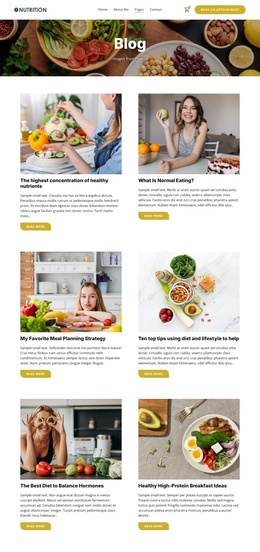
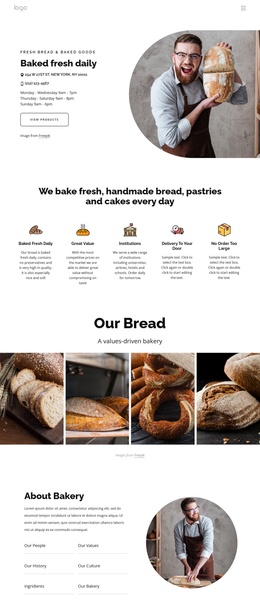
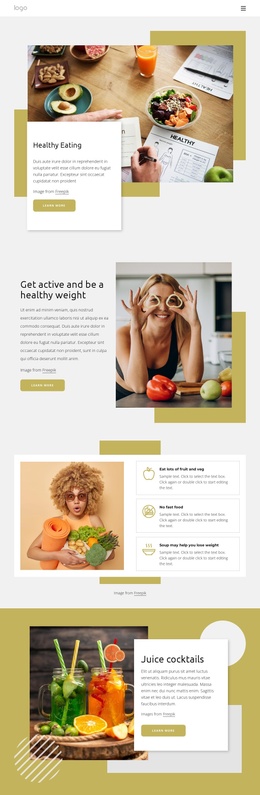
Dine in Elegant Style Joomla Template


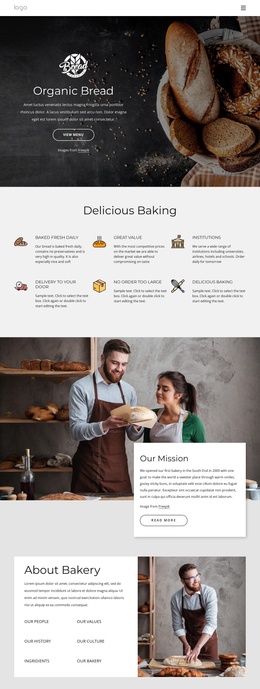
Six Structured Dish Records Fit a Joomla Content Region
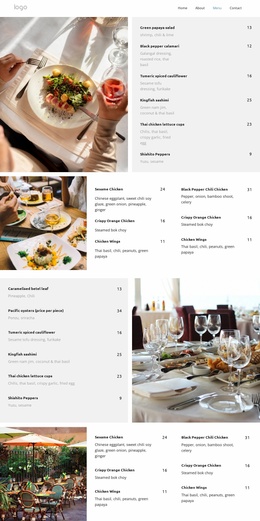
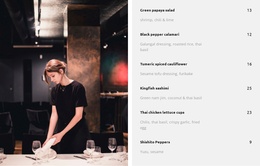
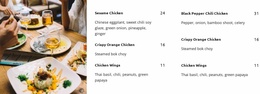
The right side of the section behaves as a compact structured information area. Six menu entries are presented in a consistent sequence, and every entry carries the same three kinds of information: a dish name, a descriptive ingredient line, and a numeric price. That repeated model makes the section suitable for a restaurant content region where visitors need to compare several dishes without leaving the visual context provided by the dining photograph.
The left image and right menu panel also give the block a stable visual boundary. The image establishes the setting, while the light gray panel keeps the textual content readable and separates each item through generous vertical spacing. Bold names provide the strongest scan point, muted descriptions add detail, and right-aligned prices support quick comparison. The six displayed values—13, 12, 16, 25, 23, and 9—are part of the visible menu arrangement and can be treated as content fields for this section.
In a Joomla-oriented project, the block can serve as a reusable restaurant information region alongside other CMS-managed content. The broader site may handle additional pages and editorial areas, while this section retains its focused menu role. Its static presentation keeps all six entries visible together, making the visual arrangement useful even when the surrounding Joomla content changes.
Customize with Nicepage
Open this ready-made template in the Joomla Page Builder and customize it visually in the Nicepage editor. Replace demo content, edit page sections, and adapt the design to your project without rebuilding the template from scratch.
Edit Template Offline
2. Create a new page or select existing
3. Click Add new block, search for id 6332515 and click enter
Edit Template Online
Create Awesome Websites


Free Nicepage Builder
Keywords
Work With This Template in Joomla
Customize and Install the Joomla Template
Start with this ready-made template instead of building the Joomla design from scratch. Customize its layout, content, typography, images, sections, and other design elements visually in the Nicepage application, then export and install the Joomla Template, Nicepage Extension, and supported content on your Joomla website.
Edit the Template Directly in Joomla
After installation, you can edit the Joomla Template directly in Joomla with the Nicepage Joomla Extension. Customize the Header, Footer, Colors, Fonts, typography, and Page Templates from the Joomla workflow while keeping the site design connected with your CMS content.
Edit Joomla Articles Visually
Use the Nicepage Joomla Extension to open and edit Joomla Articles visually from the Joomla Administrator. Change text, images, sections, layouts, and other page content in the Nicepage editor while continuing to manage the Articles through Joomla.
Joomla Content and Template Integration
Use the customized template together with Joomla Articles, module Positions, menus, forms, Blog Pages, and other supported CMS elements. With the Nicepage Extension used as the Site Style Source, shared design settings can be applied across Joomla Articles while Joomla continues to provide the CMS environment for managing site content.
This workflow combines a ready-made Joomla Template with visual customization, direct template editing in Joomla, and continued content management through the Nicepage Joomla Extension.