Join Us Tonight Joomla Template


Edit Template Offline
2. Create new page and search for id 6331042
Edit Template Online
Create Awesome Websites


Free Nicepage Builder
Keywords
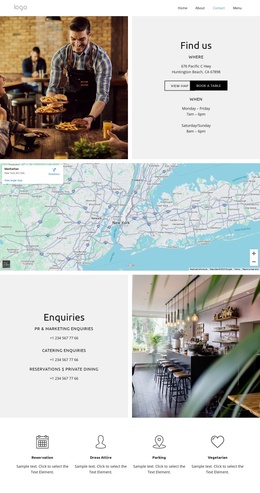
Enquiries and guest details divide the restaurant content into manageable regions
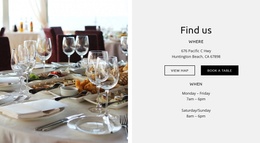
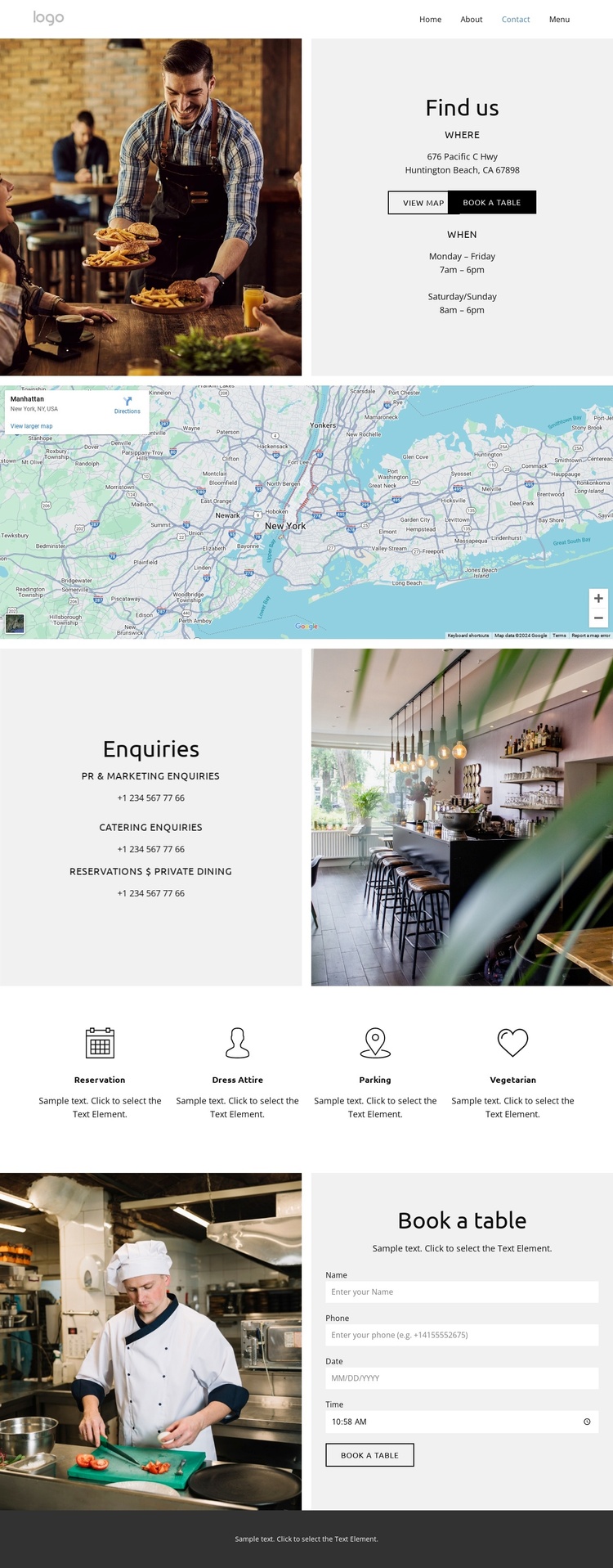
The page separates several kinds of restaurant information into regions that can be interpreted as structured CMS content. The opening Find us area groups location, hours, map access, and reservation action around a prominent restaurant image. Beneath it, the full-width map acts as a distinct location region rather than being mixed into the introductory text. This separation gives navigation and content management a clear relationship: visitors can identify the venue first, then review its geographic context.
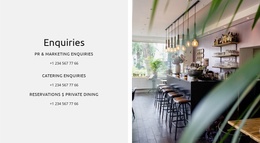
The Enquiries section provides another useful division. PR and marketing, catering, and reservations or private dining are presented as different enquiry categories beside an interior restaurant image. That arrangement supports a structured information model without asserting that any particular CMS article or module already exists. The page also includes phone contact details, giving the enquiry area a direct communication role alongside the visual content.
The reservation block introduces a more specific service area through date selection, time slots, and a booking calendar beside a chef image. Four repeated guest-information cards then organize Reservation, Dress Attire, Parking, and Vegetarian topics into parallel content units. In a Joomla project, these regions could provide a coordinated visual framework for managed restaurant information, while the dark footer supplies a consistent closing area for shared site details. The design therefore supports both broad contact navigation and clearly separated operational content.
Customize with Nicepage
Open this ready-made template in the Joomla Page Builder and customize it visually in the Nicepage editor. Replace demo content, edit page sections, and adapt the design to your project without rebuilding the template from scratch.
Work With This Template in Joomla
Customize and Install the Joomla Template
Start with this ready-made template instead of building the Joomla design from scratch. Customize its layout, content, typography, images, sections, and other design elements visually in the Nicepage application, then export and install the Joomla Template, Nicepage Extension, and supported content on your Joomla website.
Edit the Template Directly in Joomla
After installation, you can edit the Joomla Template directly in Joomla with the Nicepage Joomla Extension. Customize the Header, Footer, Colors, Fonts, typography, and Page Templates from the Joomla workflow while keeping the site design connected with your CMS content.
Edit Joomla Articles Visually
Use the Nicepage Joomla Extension to open and edit Joomla Articles visually from the Joomla Administrator. Change text, images, sections, layouts, and other page content in the Nicepage editor while continuing to manage the Articles through Joomla.
Joomla Content and Template Integration
Use the customized template together with Joomla Articles, module Positions, menus, forms, Blog Pages, and other supported CMS elements. With the Nicepage Extension used as the Site Style Source, shared design settings can be applied across Joomla Articles while Joomla continues to provide the CMS environment for managing site content.
This workflow combines a ready-made Joomla Template with visual customization, direct template editing in Joomla, and continued content management through the Nicepage Joomla Extension.