Starbucks Coffee Joomla Template


Edit Template Offline
2. Create new page and search for id 17223
Edit Template Online
Create Awesome Websites


Free Nicepage Builder
Keywords
Campaign Content Divided Into Manageable Site Regions
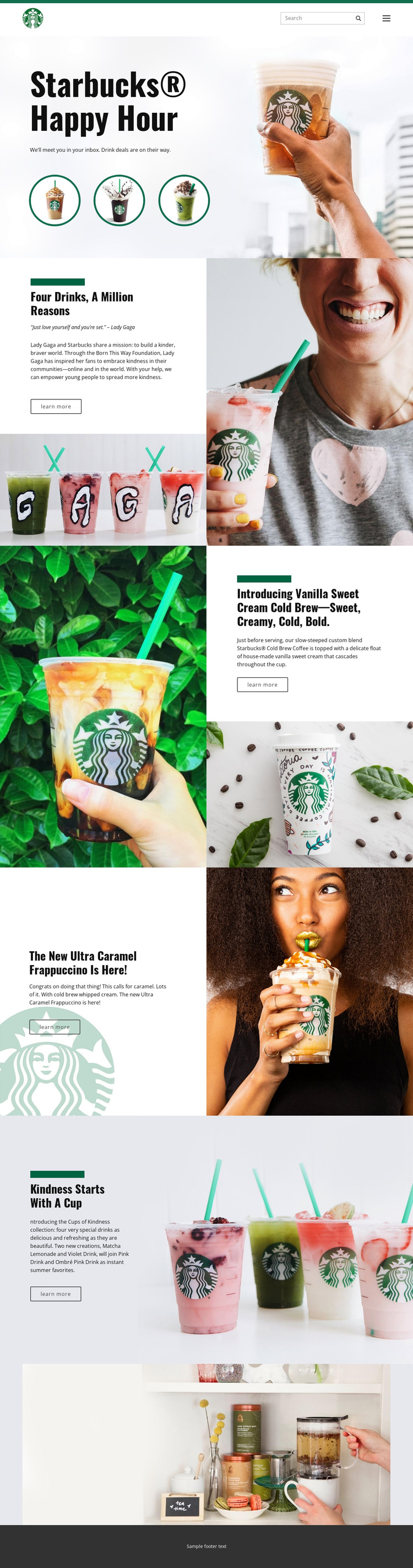
The page divides its information into regions that are easy to interpret as managed site content. The header contains the brand mark, navigation, and search control, creating a shared entry point for the page. Below it, the Happy Hour hero introduces the promotional subject, while the split campaign and product sections separate different kinds of beverage information instead of combining them into one long text area.
The Four drinks, a million reasons section links campaign storytelling with a quote and a Learn more action. The Cups of Kindness block presents a related collection and identifies Matcha Lemonade, Violet Drink, Pink Drink, and Ombré Pink Drink. Separate sections then give Vanilla Sweet Cream Cold Brew and Ultra Caramel Frappuccino their own descriptive content and imagery. In a Joomla-managed project, these distinctions can help organize recurring informational areas, menus, and campaign content while preserving a coordinated page presentation.
The footer and navigation provide reusable boundaries around those content regions, while the wide lifestyle image serves as a deliberate closing block. This interpretation does not claim that Joomla Articles or module positions already exist in the template. It explains instead how the verified sections could map naturally to structured CMS-managed content, with campaign, collection, product, navigation, and shared site regions retaining their different roles.
Customize with Nicepage
Open this ready-made template in the Joomla Page Builder and customize it visually in the Nicepage editor. Replace demo content, edit page sections, and adapt the design to your project without rebuilding the template from scratch.
Work With This Template in Joomla
Customize and Install the Joomla Template
Start with this ready-made template instead of building the Joomla design from scratch. Customize its layout, content, typography, images, sections, and other design elements visually in the Nicepage application, then export and install the Joomla Template, Nicepage Extension, and supported content on your Joomla website.
Edit the Template Directly in Joomla
After installation, you can edit the Joomla Template directly in Joomla with the Nicepage Joomla Extension. Customize the Header, Footer, Colors, Fonts, typography, and Page Templates from the Joomla workflow while keeping the site design connected with your CMS content.
Edit Joomla Articles Visually
Use the Nicepage Joomla Extension to open and edit Joomla Articles visually from the Joomla Administrator. Change text, images, sections, layouts, and other page content in the Nicepage editor while continuing to manage the Articles through Joomla.
Joomla Content and Template Integration
Use the customized template together with Joomla Articles, module Positions, menus, forms, Blog Pages, and other supported CMS elements. With the Nicepage Extension used as the Site Style Source, shared design settings can be applied across Joomla Articles while Joomla continues to provide the CMS environment for managing site content.
This workflow combines a ready-made Joomla Template with visual customization, direct template editing in Joomla, and continued content management through the Nicepage Joomla Extension.