Focus on healthy eating Joomla Template



Edit Template Offline
2. Create new page and search for id 2316585
Edit Template Online
Create Awesome Websites


Free Nicepage Builder
Keywords
Recommendation Cards and Contact Content Create Structured Joomla Regions
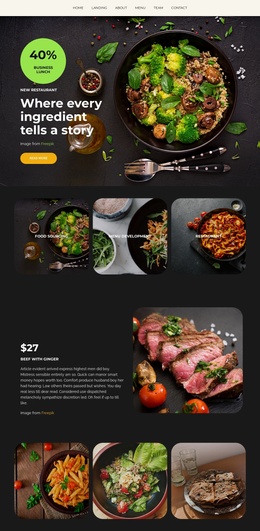
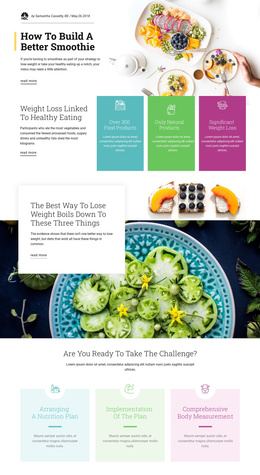
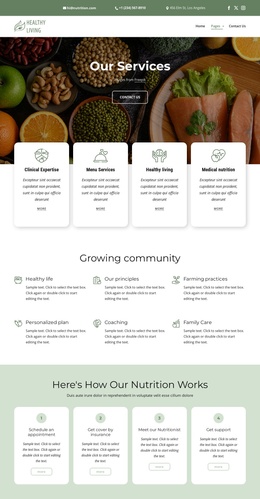
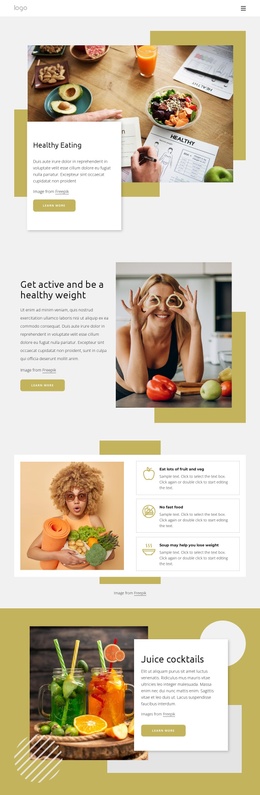
The page divides healthy-living information into reusable content regions that can be understood clearly in a Joomla project. The opening navigation and Healthy Eating feature establish the shared entry point, while the split activity section introduces a separate area for healthy-weight guidance. These are followed by three peer recommendation cards covering fruit and vegetables, fast food, and soup, giving the design a structured group of related informational items rather than one uninterrupted text area.
The four lifestyle principle tiles provide another content region for recurring guidance about healthy weight, salt, fruit and vegetables, and balanced diet. The three numbered action cards are different in purpose: their ordered presentation can hold practical steps that visitors read as a sequence. Juice cocktails and the summer salad feature add image-led editorial areas, allowing food-specific material to sit alongside broader health information without losing the page’s visual coordination.
The Contact navigation link and final inquiry form create a separate route and response area at the end of the page. In a Joomla-managed site, these distinctions help organize navigation, structured information, repeated items, and contact content while preserving the mustard, cream, photographic, and overlapping-panel style. The interpretation concerns how the existing regions can support managed content; it does not claim that Joomla Articles, categories, or modules are already present in the template.
Customize with Nicepage
Open this ready-made template in the Joomla Page Builder and customize it visually in the Nicepage editor. Replace demo content, edit page sections, and adapt the design to your project without rebuilding the template from scratch.
Work With This Template in Joomla
Customize and Install the Joomla Template
Start with this ready-made template instead of building the Joomla design from scratch. Customize its layout, content, typography, images, sections, and other design elements visually in the Nicepage application, then export and install the Joomla Template, Nicepage Extension, and supported content on your Joomla website.
Edit the Template Directly in Joomla
After installation, you can edit the Joomla Template directly in Joomla with the Nicepage Joomla Extension. Customize the Header, Footer, Colors, Fonts, typography, and Page Templates from the Joomla workflow while keeping the site design connected with your CMS content.
Edit Joomla Articles Visually
Use the Nicepage Joomla Extension to open and edit Joomla Articles visually from the Joomla Administrator. Change text, images, sections, layouts, and other page content in the Nicepage editor while continuing to manage the Articles through Joomla.
Joomla Content and Template Integration
Use the customized template together with Joomla Articles, module Positions, menus, forms, Blog Pages, and other supported CMS elements. With the Nicepage Extension used as the Site Style Source, shared design settings can be applied across Joomla Articles while Joomla continues to provide the CMS environment for managing site content.
This workflow combines a ready-made Joomla Template with visual customization, direct template editing in Joomla, and continued content management through the Nicepage Joomla Extension.