Nutrition blog Joomla Template


Edit Template Offline
2. Create new page and search for id 6437926
Edit Template Online
Create Awesome Websites


Free Nicepage Builder
Keywords
Service regions and article groups support structured Joomla content
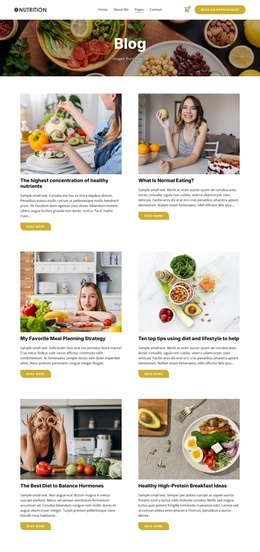
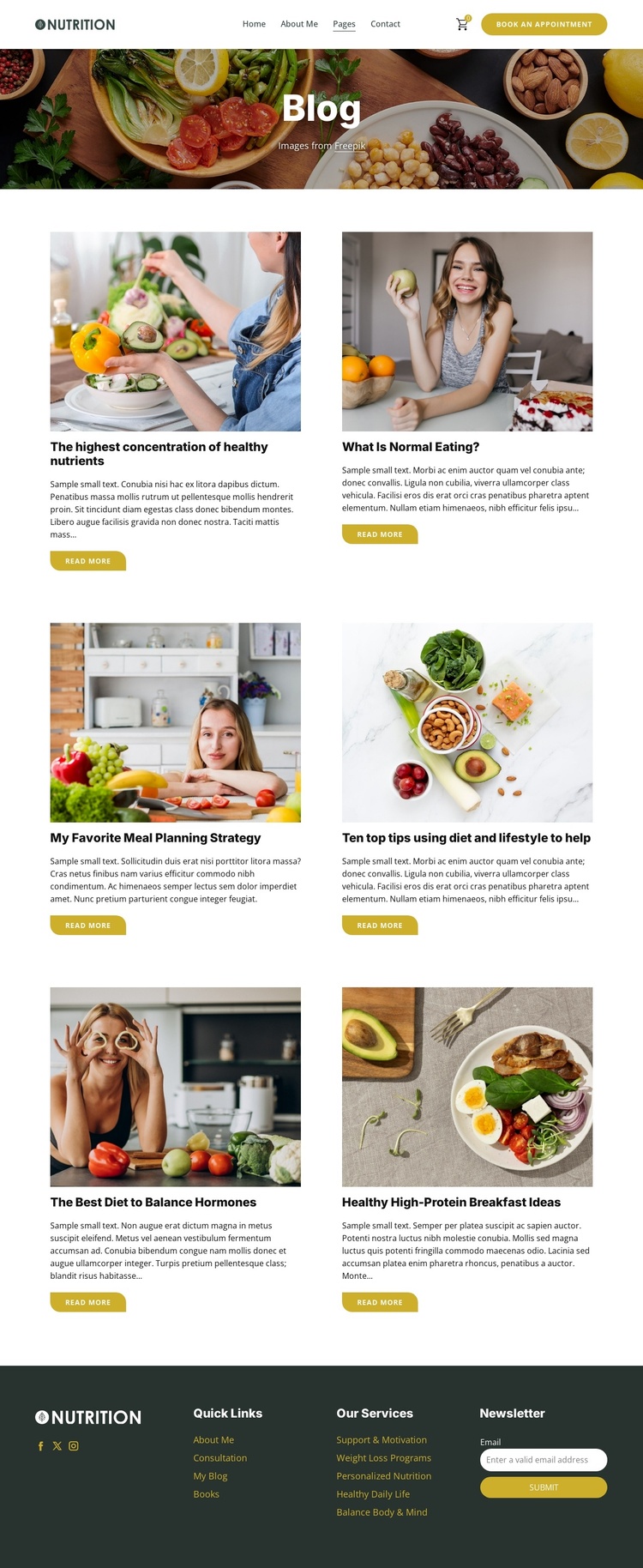
The six article cards provide a clear repeated content group for nutrition and wellness material. Each item has a defined image, title, excerpt, and Read More action, so the page separates article discovery from the detailed content that visitors may open later. That structure can be useful when a Joomla project needs recurring informational content presented within a consistent visual region, without claiming that specific Joomla Articles already exist in the source template.
The header and footer contribute shared site regions around the article group. Navigation links such as About Me, Pages, and Contact give the design a route structure, while the Book An Appointment button highlights a service-oriented destination. In the footer, Quick Links and Our Services distinguish general navigation from offerings such as Support & Motivation, Weight Loss Programs, Personalized Nutrition, Healthy Daily Life, and Balance Body & Mind. Social links and the newsletter form add separate communication areas rather than competing with the article list.
This division between recurring article content, navigation, service labels, and subscription content makes the design adaptable to a CMS-managed Joomla site. The page keeps its editorial identity while its content areas can be organized around the project’s own publishing needs. The important point is the relationship between the verified regions: the article grid carries ongoing information, while shared header and footer areas frame navigation, services, and audience contact.
Customize with Nicepage
Open this ready-made template in the Joomla Page Builder and customize it visually in the Nicepage editor. Replace demo content, edit page sections, and adapt the design to your project without rebuilding the template from scratch.
Work With This Template in Joomla
Customize and Install the Joomla Template
Start with this ready-made template instead of building the Joomla design from scratch. Customize its layout, content, typography, images, sections, and other design elements visually in the Nicepage application, then export and install the Joomla Template, Nicepage Extension, and supported content on your Joomla website.
Edit the Template Directly in Joomla
After installation, you can edit the Joomla Template directly in Joomla with the Nicepage Joomla Extension. Customize the Header, Footer, Colors, Fonts, typography, and Page Templates from the Joomla workflow while keeping the site design connected with your CMS content.
Edit Joomla Articles Visually
Use the Nicepage Joomla Extension to open and edit Joomla Articles visually from the Joomla Administrator. Change text, images, sections, layouts, and other page content in the Nicepage editor while continuing to manage the Articles through Joomla.
Joomla Content and Template Integration
Use the customized template together with Joomla Articles, module Positions, menus, forms, Blog Pages, and other supported CMS elements. With the Nicepage Extension used as the Site Style Source, shared design settings can be applied across Joomla Articles while Joomla continues to provide the CMS environment for managing site content.
This workflow combines a ready-made Joomla Template with visual customization, direct template editing in Joomla, and continued content management through the Nicepage Joomla Extension.