Grocery Store Joomla Template


Edit Template Offline
2. Create new page and search for id 6650573
Edit Template Online
Create Awesome Websites


Free Nicepage Builder
Keywords
Departments, Services, and Contact Regions for Structured Grocery Content
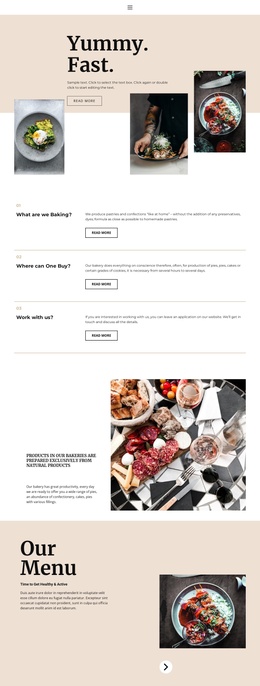
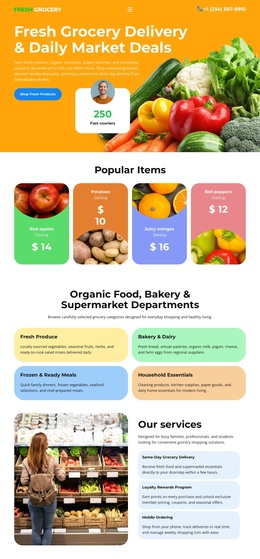
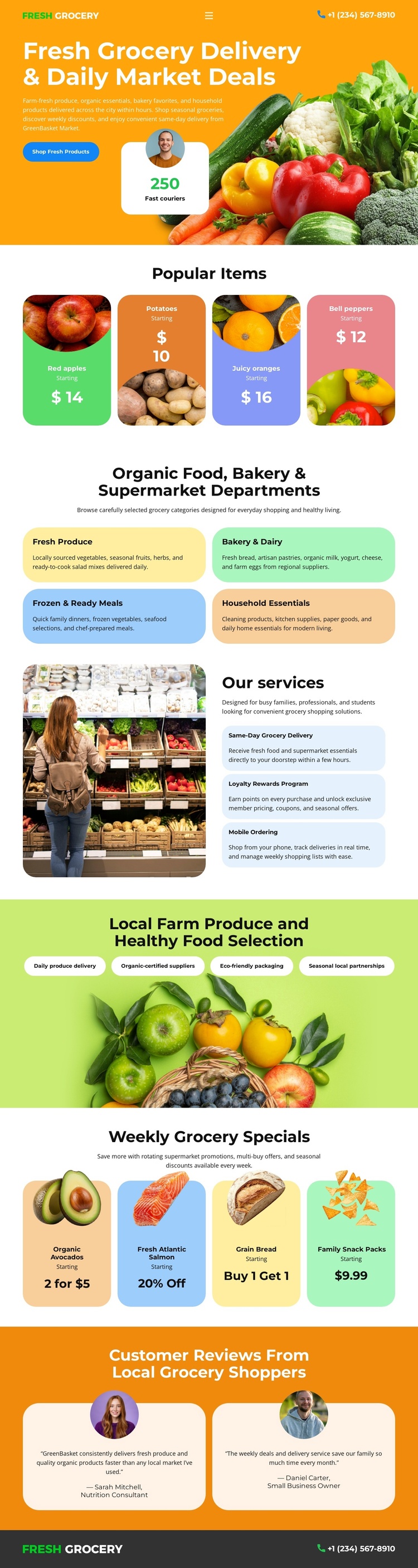
The six department panels give the design a particularly useful content division for a grocery site. Fresh Produce, Bakery & Dairy, Fresh & Ready Meals, and Household Essentials are presented as labeled category areas, with additional panels completing the department overview. These structured regions can support organized retail information while the four Popular Items cards provide a separate place for featured products. The distinction between categories and featured goods helps prevent the page from becoming one undifferentiated product list.
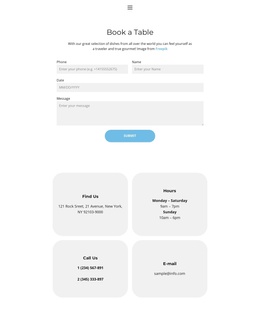
The service section adds another reusable region by pairing a grocery photograph with same-day delivery, loyalty rewards, and mobile ordering. Those labels describe different service topics, so they can be maintained as related but separate content areas. Weekly specials supply a recurring promotional pattern, while the two customer review cards add a distinct feedback section. Navigation, the Shop Fresh Products action, and phone contacts connect these regions to the visitor's shopping path without requiring the layout to be rebuilt. In a Joomla project, the design therefore offers a practical visual arrangement for structured grocery content: a promotional opening, department information, featured goods, service areas, specials, reviews, and contact details. The page can be adapted with Joomla-managed content while preserving those relationships rather than treating the CMS as a reason to change the design.
Customize with Nicepage
Open this ready-made template in the Joomla Page Builder and customize it visually in the Nicepage editor. Replace demo content, edit page sections, and adapt the design to your project without rebuilding the template from scratch.
Work With This Template in Joomla
Customize and Install the Joomla Template
Start with this ready-made template instead of building the Joomla design from scratch. Customize its layout, content, typography, images, sections, and other design elements visually in the Nicepage application, then export and install the Joomla Template, Nicepage Extension, and supported content on your Joomla website.
Edit the Template Directly in Joomla
After installation, you can edit the Joomla Template directly in Joomla with the Nicepage Joomla Extension. Customize the Header, Footer, Colors, Fonts, typography, and Page Templates from the Joomla workflow while keeping the site design connected with your CMS content.
Edit Joomla Articles Visually
Use the Nicepage Joomla Extension to open and edit Joomla Articles visually from the Joomla Administrator. Change text, images, sections, layouts, and other page content in the Nicepage editor while continuing to manage the Articles through Joomla.
Joomla Content and Template Integration
Use the customized template together with Joomla Articles, module Positions, menus, forms, Blog Pages, and other supported CMS elements. With the Nicepage Extension used as the Site Style Source, shared design settings can be applied across Joomla Articles while Joomla continues to provide the CMS environment for managing site content.
This workflow combines a ready-made Joomla Template with visual customization, direct template editing in Joomla, and continued content management through the Nicepage Joomla Extension.