About our business principle WordPress Theme


Permanent Profile Content With a Clear Publishing Structure
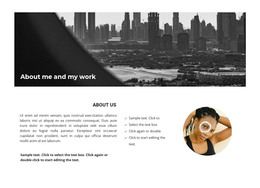
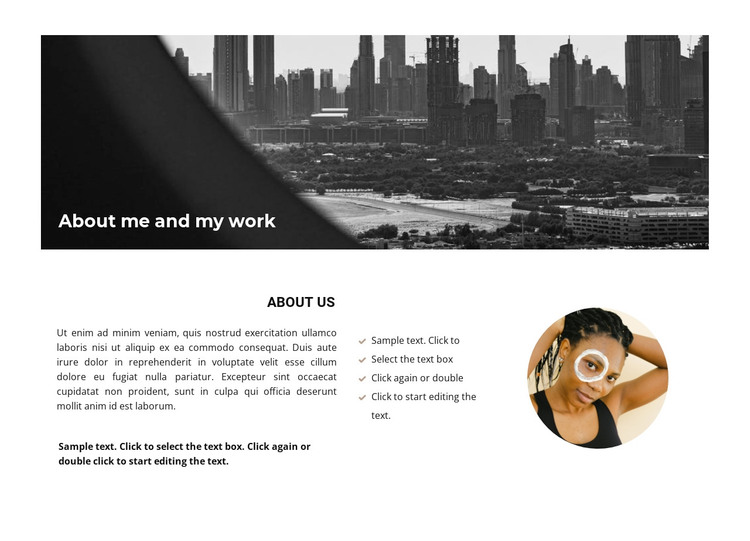
The “About me and my work” banner gives this section a clear introductory identity, while the “About Us” region provides the content structure that a WordPress-managed page can present as stable profile information. The wide monochrome cityscape and dark diagonal overlay establish the visual opening, and the white title separates the section’s introduction from the detailed content that follows.
The lower layout divides the message into three useful content areas. Explanatory paragraphs occupy the left, a four-item list organizes supporting points in the center, and one circular portrait gives the right side a personal visual reference. This arrangement is suited to information that changes less frequently than editorial posts, such as a professional biography, work approach, or practice introduction. The placeholder text and list entries can be replaced with the final page content while the visual relationships remain intact.
In a WordPress Theme context, the block can function as one reusable page-content region rather than as the theme itself. The wider project can manage other pages and publishing needs around it, while this section preserves its About role. Nicepage’s WordPress workflow can support editing page content, but the important value here is the block’s stable combination of profile text, repeated supporting points, portrait imagery, and consistent visual treatment.
Customize with Nicepage
Open this ready-made template in the WordPress Website Builder and customize it visually in the Nicepage editor. Replace demo content, edit page sections, and adapt the design to your project without rebuilding the template from scratch.
Edit Template Offline
2. Create a new page or select existing
3. Click Add new block, search for id 781427 and click enter
Edit Template Online
Create Awesome Websites


Free Nicepage Builder
Keywords
Manage and Edit This Theme in WordPress
Customize and Install the WordPress Theme
Start with this ready-made theme instead of building the WordPress design from scratch. Customize its layout, content, typography, images, sections, and other design elements visually in Nicepage editor, then export and install the WordPress Theme, Plugin, and Pages on your WordPress site. The Nicepage WordPress Plugin lets you continue working with the site after installation.
Edit the Theme Directly in WordPress
After installation, you can edit the WordPress Theme directly in WordPress with the Nicepage WordPress Plugin. Use Site Style to customize site Colors, Fonts, Header, Footer, Blog, and Post Page Templates while working within your WordPress website.
Edit WordPress Pages Visually
Use the Nicepage WordPress Plugin to edit page content directly from the WordPress admin area. Open a WordPress Page with Nicepage and visually change its text, images, sections, and other page elements while continuing to manage the Page through WordPress.
WordPress Content and Theme Integration
Use the customized theme with WordPress Pages, Posts, Blog and Post Templates, menus, widgets, and other CMS-managed content. Shared theme elements such as Colors, Fonts, Header, Footer, Blog, and Post Page Templates can be managed as part of the overall site design, while WordPress provides the CMS environment for managing site content.
This workflow combines a ready-made WordPress Theme with visual customization, direct theme editing in WordPress, and continued content management through the Nicepage WordPress Plugin.