How our company work WordPress Theme


A Stable Taxi Process Area for WordPress Page Content
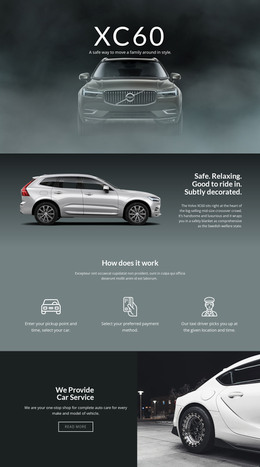
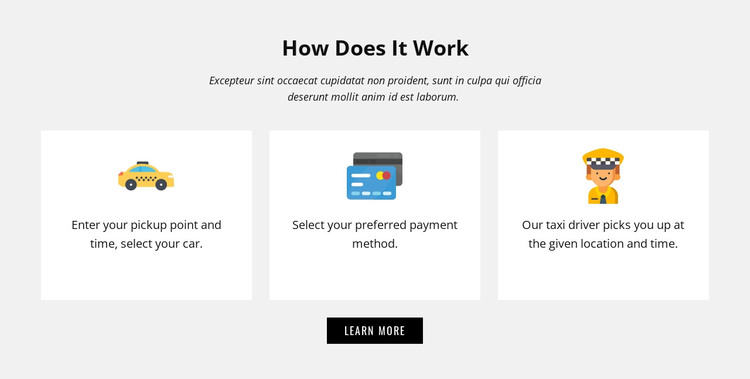
The heading “How Does It Work” gives this block a clear page-content identity, while the three cards turn the taxi service explanation into an ordered sequence. The opening card focuses on entering a pickup point and time and selecting a car, so visitors can understand the information required at the start. The middle card isolates preferred payment selection as its own decision. The final card describes the expected service outcome: a taxi driver picks up the passenger at the specified location and time. These details make the section suitable for permanent service information rather than a stream of unrelated updates.
The layout supports that role through a centered introduction, three evenly sized card columns, and a centered “Learn More” button below. Colorful circular icons help distinguish the repeated items, while white rectangular cards stand out against the light gray section background. In a WordPress-managed page, this block can remain a reusable visual content area while the wider project handles other pages, articles, or site functions around it. The button can point toward additional information without making the section itself a complete booking flow. Its fixed process structure also gives editors a clear content pattern to maintain when the surrounding page grows or changes.
Customize with Nicepage
Open this ready-made template in the WordPress Website Builder and customize it visually in the Nicepage editor. Replace demo content, edit page sections, and adapt the design to your project without rebuilding the template from scratch.
Edit Template Offline
2. Create a new page or select existing
3. Click Add new block, search for id 67388 and click enter
Edit Template Online
Create Awesome Websites


Free Nicepage Builder
Keywords
Manage and Edit This Theme in WordPress
Customize and Install the WordPress Theme
Start with this ready-made theme instead of building the WordPress design from scratch. Customize its layout, content, typography, images, sections, and other design elements visually in Nicepage editor, then export and install the WordPress Theme, Plugin, and Pages on your WordPress site. The Nicepage WordPress Plugin lets you continue working with the site after installation.
Edit the Theme Directly in WordPress
After installation, you can edit the WordPress Theme directly in WordPress with the Nicepage WordPress Plugin. Use Site Style to customize site Colors, Fonts, Header, Footer, Blog, and Post Page Templates while working within your WordPress website.
Edit WordPress Pages Visually
Use the Nicepage WordPress Plugin to edit page content directly from the WordPress admin area. Open a WordPress Page with Nicepage and visually change its text, images, sections, and other page elements while continuing to manage the Page through WordPress.
WordPress Content and Theme Integration
Use the customized theme with WordPress Pages, Posts, Blog and Post Templates, menus, widgets, and other CMS-managed content. Shared theme elements such as Colors, Fonts, Header, Footer, Blog, and Post Page Templates can be managed as part of the overall site design, while WordPress provides the CMS environment for managing site content.
This workflow combines a ready-made WordPress Theme with visual customization, direct theme editing in WordPress, and continued content management through the Nicepage WordPress Plugin.