Musical explosion WordPress Theme



Edit Template Offline
2. Create new page and search for id 1305316
Edit Template Online
Create Awesome Websites


Free Nicepage Builder
Keywords
Recurring Events and Permanent Venue Content Share One Visual System
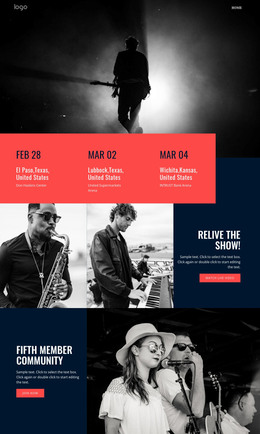
The page separates relatively permanent venue information from content that may change more often. The amenities block presents the club’s standing offer—VIP Zone, Bar, Restaurant, Hookah, Karaoke, Dance Floor, Discount Cards, and Lounge Area—as one stable informational region. By contrast, the three event cards create a repeated pattern for dates, titles, images, and more links, making them a natural focus for regularly updated programming without treating the sample event details as permanent facts.
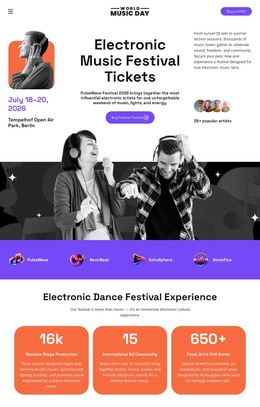
The performer content adds another editorial layer. The four-image DJ and musician gallery can introduce talent visually, while the Festivals & Shows block gives a specific show or campaign a prominent image, title, and Buy ticket action. Social links beside the Dance Festival content connect the promotional material with the venue’s wider audience presence. These relationships give the design more than a single static announcement: they combine enduring page content with areas that can be refreshed as the entertainment schedule changes.
The final party-booking section provides a separate contact-oriented destination for private events or reservations. Together with shared navigation and footer content, these regions can support a WordPress-managed site while retaining the neon palette, dark surfaces, display typography, and image-led character. The theme’s value lies in keeping permanent venue information, recurring event content, performer presentation, and booking contact visually coordinated rather than forcing each content type into a disconnected layout.
Customize with Nicepage
Open this ready-made template in the WordPress Website Builder and customize it visually in the Nicepage editor. Replace demo content, edit page sections, and adapt the design to your project without rebuilding the template from scratch.
Manage and Edit This Theme in WordPress
Customize and Install the WordPress Theme
Start with this ready-made theme instead of building the WordPress design from scratch. Customize its layout, content, typography, images, sections, and other design elements visually in Nicepage editor, then export and install the WordPress Theme, Plugin, and Pages on your WordPress site. The Nicepage WordPress Plugin lets you continue working with the site after installation.
Edit the Theme Directly in WordPress
After installation, you can edit the WordPress Theme directly in WordPress with the Nicepage WordPress Plugin. Use Site Style to customize site Colors, Fonts, Header, Footer, Blog, and Post Page Templates while working within your WordPress website.
Edit WordPress Pages Visually
Use the Nicepage WordPress Plugin to edit page content directly from the WordPress admin area. Open a WordPress Page with Nicepage and visually change its text, images, sections, and other page elements while continuing to manage the Page through WordPress.
WordPress Content and Theme Integration
Use the customized theme with WordPress Pages, Posts, Blog and Post Templates, menus, widgets, and other CMS-managed content. Shared theme elements such as Colors, Fonts, Header, Footer, Blog, and Post Page Templates can be managed as part of the overall site design, while WordPress provides the CMS environment for managing site content.
This workflow combines a ready-made WordPress Theme with visual customization, direct theme editing in WordPress, and continued content management through the Nicepage WordPress Plugin.