Modern gadgets WordPress Theme


Edit Template Offline
2. Create new page and search for id 366151
Edit Template Online
Create Awesome Websites


Free Nicepage Builder
Keywords
Page-Oriented Game and Gadget Content Fits a WordPress Theme Structure
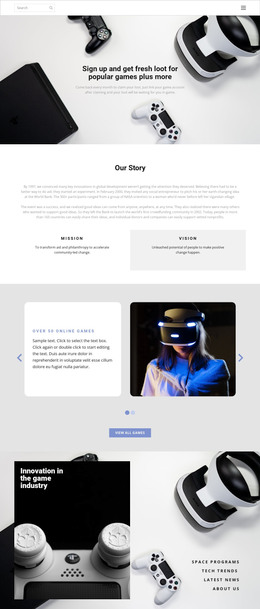
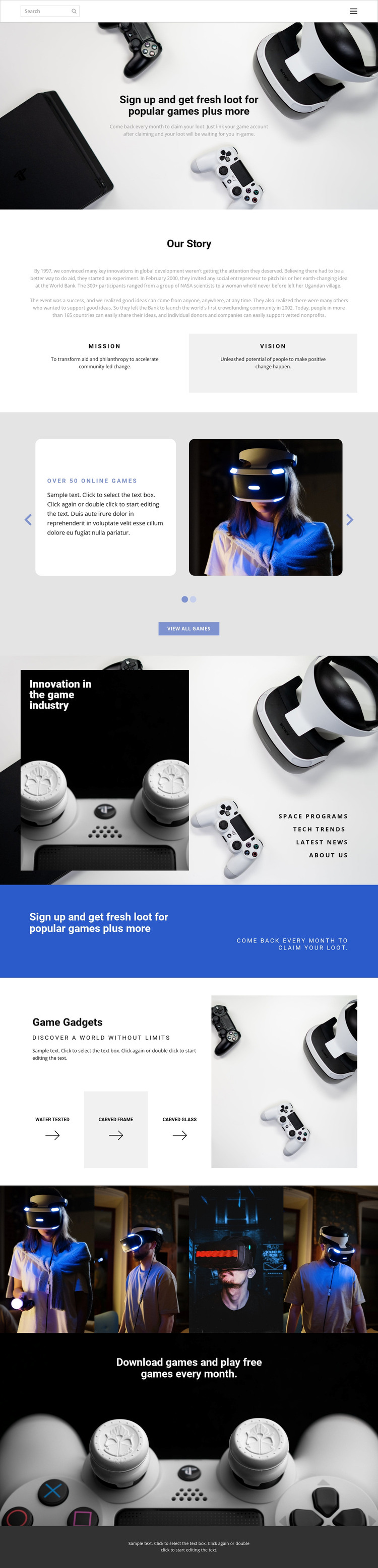
The design separates permanent page content into recognizable areas that can be maintained within a WordPress-oriented site. The opening signup message can serve as the main page introduction, while the Our Story section provides durable organizational content through Mission and Vision labels. Home, About, and Contact navigation reinforces that page-oriented structure, with each link representing a distinct content destination rather than merely a visual control.
The featured-game carousel gives the design a repeated content relationship: each of its two slides combines gaming imagery, promotional text, controls, pagination, and a View all games action. That structure can guide the presentation of selected game content while leaving room for the project to determine how additional material is managed. The innovation section offers another editorial grouping through Space programs, Tech Trends, Latest news, and About Us, making it suitable for related informational or regularly updated content without claiming that posts or categories already exist.
The Game Gadgets block works as a product- or feature-oriented page area, pairing a device image with Water Tested, Carved Frame, and Carved Glass labels. The four-image gallery adds a visual media section, while the blue signup band and closing download banner preserve the main promotional direction. These relationships allow a WordPress theme implementation to keep permanent pages, recurring editorial content, visual media, and response-focused sections within one coherent gaming design.
Customize with Nicepage
Open this ready-made template in the WordPress Website Builder and customize it visually in the Nicepage editor. Replace demo content, edit page sections, and adapt the design to your project without rebuilding the template from scratch.
Manage and Edit This Theme in WordPress
Customize and Install the WordPress Theme
Start with this ready-made theme instead of building the WordPress design from scratch. Customize its layout, content, typography, images, sections, and other design elements visually in Nicepage editor, then export and install the WordPress Theme, Plugin, and Pages on your WordPress site. The Nicepage WordPress Plugin lets you continue working with the site after installation.
Edit the Theme Directly in WordPress
After installation, you can edit the WordPress Theme directly in WordPress with the Nicepage WordPress Plugin. Use Site Style to customize site Colors, Fonts, Header, Footer, Blog, and Post Page Templates while working within your WordPress website.
Edit WordPress Pages Visually
Use the Nicepage WordPress Plugin to edit page content directly from the WordPress admin area. Open a WordPress Page with Nicepage and visually change its text, images, sections, and other page elements while continuing to manage the Page through WordPress.
WordPress Content and Theme Integration
Use the customized theme with WordPress Pages, Posts, Blog and Post Templates, menus, widgets, and other CMS-managed content. Shared theme elements such as Colors, Fonts, Header, Footer, Blog, and Post Page Templates can be managed as part of the overall site design, while WordPress provides the CMS environment for managing site content.
This workflow combines a ready-made WordPress Theme with visual customization, direct theme editing in WordPress, and continued content management through the Nicepage WordPress Plugin.