The Rise of EVs WordPress Theme


Stable Phone Content With a Distinctive Visual Section Pattern
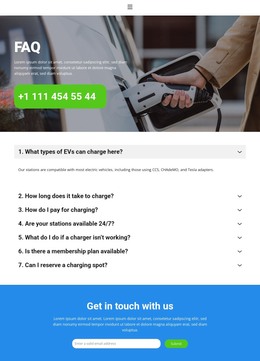
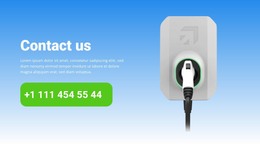
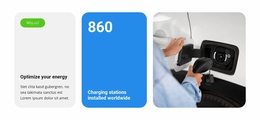
The heading and supporting paragraph give the block a durable page-content role: they introduce a contact subject rather than a time-sensitive editorial item. The phone number is the central practical detail, and its green rounded panel separates it from the surrounding white typography. On the opposite side, the electric vehicle charging-station image adds visual context and helps identify the section’s subject without requiring additional content objects. The blue gradient unifies the two regions while keeping the contact message legible.
Within a WordPress-oriented project, this arrangement can remain a stable contact section on a page while the wider site manages other publishable content around it. The block itself is not a complete WordPress Theme; it is one visual and content region that can participate in a broader theme-managed page. Its two-column structure also gives the section a repeatable pattern: informational text and phone contact remain grouped on the left, with a relevant image on the right. That pattern can be retained when the surrounding page is updated, provided the contact copy and phone detail are maintained as the intended content. The result is a practical CMS content area with a clear visual identity, rather than a claim about posts, categories, or other structures not shown inside the section.
Customize with Nicepage
Open this ready-made template in the WordPress Website Builder and customize it visually in the Nicepage editor. Replace demo content, edit page sections, and adapt the design to your project without rebuilding the template from scratch.
Edit Template Offline
2. Create a new page or select existing
3. Click Add new block, search for id 6410972 and click enter
Edit Template Online
Create Awesome Websites


Free Nicepage Builder
Keywords
Manage and Edit This Theme in WordPress
Customize and Install the WordPress Theme
Start with this ready-made theme instead of building the WordPress design from scratch. Customize its layout, content, typography, images, sections, and other design elements visually in Nicepage editor, then export and install the WordPress Theme, Plugin, and Pages on your WordPress site. The Nicepage WordPress Plugin lets you continue working with the site after installation.
Edit the Theme Directly in WordPress
After installation, you can edit the WordPress Theme directly in WordPress with the Nicepage WordPress Plugin. Use Site Style to customize site Colors, Fonts, Header, Footer, Blog, and Post Page Templates while working within your WordPress website.
Edit WordPress Pages Visually
Use the Nicepage WordPress Plugin to edit page content directly from the WordPress admin area. Open a WordPress Page with Nicepage and visually change its text, images, sections, and other page elements while continuing to manage the Page through WordPress.
WordPress Content and Theme Integration
Use the customized theme with WordPress Pages, Posts, Blog and Post Templates, menus, widgets, and other CMS-managed content. Shared theme elements such as Colors, Fonts, Header, Footer, Blog, and Post Page Templates can be managed as part of the overall site design, while WordPress provides the CMS environment for managing site content.
This workflow combines a ready-made WordPress Theme with visual customization, direct theme editing in WordPress, and continued content management through the Nicepage WordPress Plugin.