Our cities WordPress Theme


Stable City Content With a Clear Page-Oriented Structure
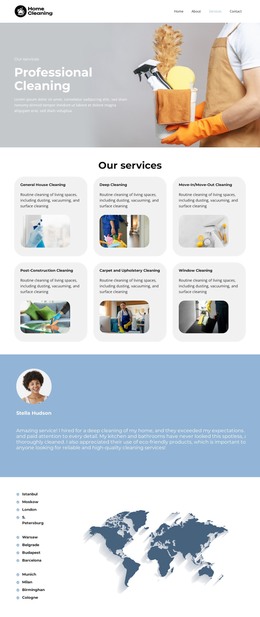
The city names read as stable page content: twelve locations organized into three vertical lists, each using the same circular marker treatment. That structure fits a WordPress-managed locations or organization page because the information is compact, recognizable, and easy to review as one permanent content area. The list itself carries the factual message, while the repeated markers provide visual consistency across the group.
The world map illustration gives the page section a supporting geographic frame. It sits beside the text rather than replacing it, so the actual city labels remain available as readable content. Dark blue type contrasts with the white background, and the pale blue markers relate to the blue-gray map without creating a separate visual hierarchy. This balance makes the section suitable for a page where locations need to be visible as curated geographic information presented beside a supporting illustration.
A WordPress-oriented project can place this block within a broader page that contains organizational information, services, projects, or contact content. The section’s visual pattern can remain consistent while surrounding page content changes over time. Its static interaction also keeps the role straightforward: it presents a curated group of locations, leaving publishing workflows, navigation, and any dynamic content to the wider WordPress-managed page. The result is a reusable content region with a clear geographic purpose and a stable visual arrangement.
Customize with Nicepage
Open this ready-made template in the WordPress Website Builder and customize it visually in the Nicepage editor. Replace demo content, edit page sections, and adapt the design to your project without rebuilding the template from scratch.
Edit Template Offline
2. Create a new page or select existing
3. Click Add new block, search for id 6400997 and click enter
Edit Template Online
Create Awesome Websites


Free Nicepage Builder
Keywords
Manage and Edit This Theme in WordPress
Customize and Install the WordPress Theme
Start with this ready-made theme instead of building the WordPress design from scratch. Customize its layout, content, typography, images, sections, and other design elements visually in Nicepage editor, then export and install the WordPress Theme, Plugin, and Pages on your WordPress site. The Nicepage WordPress Plugin lets you continue working with the site after installation.
Edit the Theme Directly in WordPress
After installation, you can edit the WordPress Theme directly in WordPress with the Nicepage WordPress Plugin. Use Site Style to customize site Colors, Fonts, Header, Footer, Blog, and Post Page Templates while working within your WordPress website.
Edit WordPress Pages Visually
Use the Nicepage WordPress Plugin to edit page content directly from the WordPress admin area. Open a WordPress Page with Nicepage and visually change its text, images, sections, and other page elements while continuing to manage the Page through WordPress.
WordPress Content and Theme Integration
Use the customized theme with WordPress Pages, Posts, Blog and Post Templates, menus, widgets, and other CMS-managed content. Shared theme elements such as Colors, Fonts, Header, Footer, Blog, and Post Page Templates can be managed as part of the overall site design, while WordPress provides the CMS environment for managing site content.
This workflow combines a ready-made WordPress Theme with visual customization, direct theme editing in WordPress, and continued content management through the Nicepage WordPress Plugin.