Without the complexity Website Template


A Distinct Trial Signup Section for a Broader Site
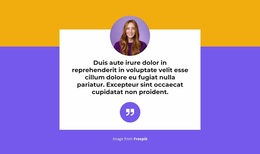
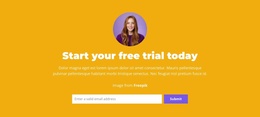
The heading “Start your free trial today” establishes a specific content area that can be reused wherever a website project needs a concise invitation and email response. The circular portrait gives the section a recognizable visual marker, while the centered white text and supporting paragraph keep the message contained in one readable region. Against the solid golden-orange background, the purple portrait acts as a separate accent rather than competing with the signup copy.
The form completes this section’s role with one email input and a Submit control arranged horizontally beneath the message. That compact structure makes the block suitable for a reusable trial or subscription area without turning it into a general contact section. The image credit line remains part of the internal content grouping, so the portrait and its attribution stay connected to the visual introduction above the form.
Within a broader Website Template project, this block can provide a stable response-oriented section while other blocks handle introductions, product explanations, benefits, proof, or detailed contact information. Its value is the clear relationship between invitation and email capture: visitors encounter one focused message, one supporting visual, and one defined response point. The surrounding project can repeat the same visual direction elsewhere or place this section where a trial invitation naturally follows more explanatory content.
Customize with Nicepage
Open this ready-made template in the Website Template Builder and customize it visually in the Nicepage editor. Replace demo content, edit page sections, and adapt the design to your project without rebuilding the template from scratch.
Edit Template Offline
2. Create a new page or select existing
3. Click Add new block, search for id 6200636 and click enter
Edit Template Online
Create Awesome Websites


Free Nicepage Builder
Keywords
Use This Block in a Broader Website Template Project
Treat the Block as One Reusable Site Section
A website project is assembled from multiple pages and sections. The analyzed block provides one reusable content area—such as services, About, testimonials, pricing, gallery, team, or contact—while the rest of the site supplies other page-level functions.
Coordinate the Section With Other Pages
Use the Pages panel to manage the pages of the broader project. The block can remain one consistent section pattern while related pages add deeper information or different content without implying that the Block ID itself contains those pages.
Expand With Matching Designs
When additional pages or sections are needed, Page Design Sets can help locate matching Page and Block Designs. This can extend the visual direction around the existing block while keeping the site's other content areas separate.
This workflow treats the block as a reusable building unit inside a larger Website Template project, not as a complete website foundation on its own.