Text and businessman WordPress Theme


Four numbered capabilities create a stable page-content pattern
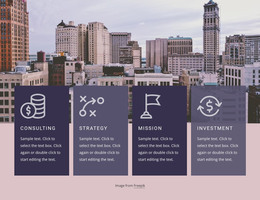
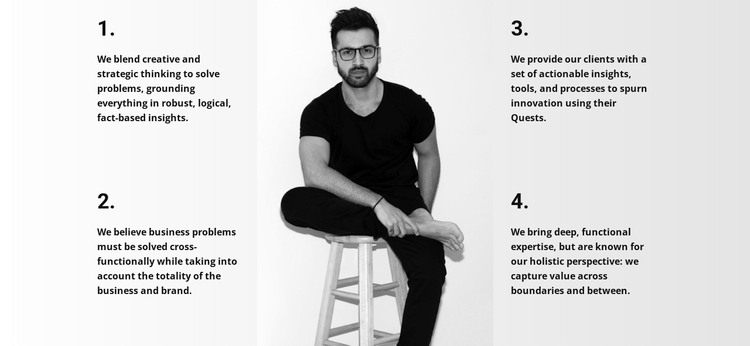
The two left-side statements and two right-side statements give this block a clear permanent-content structure for a WordPress-managed page. Rather than presenting one uninterrupted essay, it separates consulting ideas into four numbered units. The first item connects creative and strategic thinking with fact-based insights, and the second focuses on problem solving across business and brand. On the opposite side, the third brings together actionable insights, tools, processes, and innovation, while the fourth emphasizes functional expertise and a holistic perspective.
That arrangement makes the section suitable for a services, capabilities, or methodology area where visitors need to scan several related ideas without losing their connection. The centered monochrome portrait does not function as another content item; it creates a visual pause between the two text groups and gives the section a recognizable identity. Bold numbering establishes sequence, while the light neutral background and generous whitespace prevent the compact paragraphs from merging into a dense column.
Within a WordPress-oriented project, this block can serve as stable page content that explains an organization’s working principles or consulting approach. The broader site can manage additional pages and regularly maintained material around it, while this section retains its focused four-part message. Its static layout also keeps the content relationship visible and predictable when the block is reused as part of a larger page design.
Customize with Nicepage
Open this ready-made template in the WordPress Website Builder and customize it visually in the Nicepage editor. Replace demo content, edit page sections, and adapt the design to your project without rebuilding the template from scratch.
Edit Template Offline
2. Create a new page or select existing
3. Click Add new block, search for id 61977 and click enter
Edit Template Online
Create Awesome Websites


Free Nicepage Builder
Keywords
Manage and Edit This Theme in WordPress
Customize and Install the WordPress Theme
Start with this ready-made theme instead of building the WordPress design from scratch. Customize its layout, content, typography, images, sections, and other design elements visually in Nicepage editor, then export and install the WordPress Theme, Plugin, and Pages on your WordPress site. The Nicepage WordPress Plugin lets you continue working with the site after installation.
Edit the Theme Directly in WordPress
After installation, you can edit the WordPress Theme directly in WordPress with the Nicepage WordPress Plugin. Use Site Style to customize site Colors, Fonts, Header, Footer, Blog, and Post Page Templates while working within your WordPress website.
Edit WordPress Pages Visually
Use the Nicepage WordPress Plugin to edit page content directly from the WordPress admin area. Open a WordPress Page with Nicepage and visually change its text, images, sections, and other page elements while continuing to manage the Page through WordPress.
WordPress Content and Theme Integration
Use the customized theme with WordPress Pages, Posts, Blog and Post Templates, menus, widgets, and other CMS-managed content. Shared theme elements such as Colors, Fonts, Header, Footer, Blog, and Post Page Templates can be managed as part of the overall site design, while WordPress provides the CMS environment for managing site content.
This workflow combines a ready-made WordPress Theme with visual customization, direct theme editing in WordPress, and continued content management through the Nicepage WordPress Plugin.