User-centric and innovative digital products WordPress Theme

Edit Template Offline
2. Create new page and search for id 6172019
Edit Template Online
Create Awesome Websites


Free Nicepage Builder
Keywords
Eight Service Areas Give the WordPress Content a Clear Page Structure
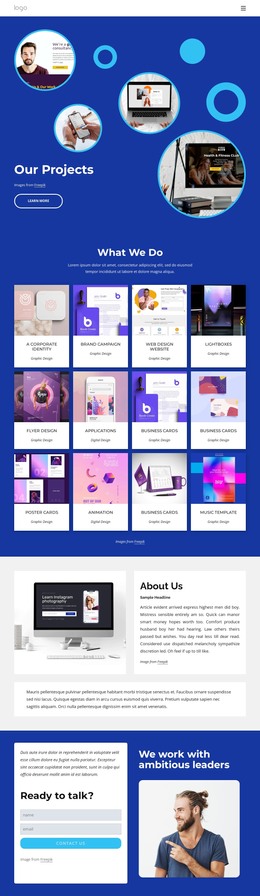
The eight-item What We Do section gives this design a strong set of permanent page content areas for a digital-services site. UI/UX Design, Digital Marketing, App Development, Graphic Design, Logo Design, Website Design, SEO and Branding, and Web Hosting Plus can be presented as related company capabilities rather than isolated promotional fragments. The hero establishes the shared subject first, so the service labels have a clear context when visitors move through the page.
The Who We Are and mission sections add page-oriented identity content. One pairs a circular technology image with an overlapping description card, while the other places the statement about harmonizing human design with digital technology beside a portrait and geometric accents. The three ecommerce offering cards then provide a separate content group for No-limit Hosting, Online Store, and Sell Online. These repeated cards could remain part of the same visual system while their text and images are maintained as the project develops.
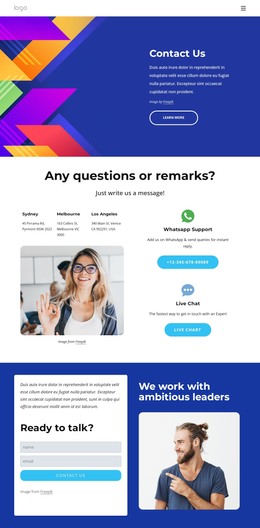
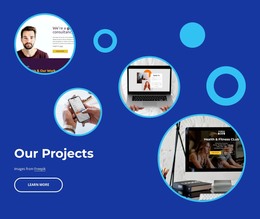
The six brand marks and the analytics-focused section create a reference-oriented area before the contact block. Name and email inputs give the closing section a defined inquiry role, while the shared navigation connects company information with Contact Us and Our Projects. In a WordPress-managed site, these page areas can remain visually coordinated as content is updated, without claiming that blog posts or other unverified CMS structures already exist.
Customize with Nicepage
Open this ready-made template in the WordPress Website Builder and customize it visually in the Nicepage editor. Replace demo content, edit page sections, and adapt the design to your project without rebuilding the template from scratch.
Manage and Edit This Theme in WordPress
Customize and Install the WordPress Theme
Start with this ready-made theme instead of building the WordPress design from scratch. Customize its layout, content, typography, images, sections, and other design elements visually in Nicepage editor, then export and install the WordPress Theme, Plugin, and Pages on your WordPress site. The Nicepage WordPress Plugin lets you continue working with the site after installation.
Edit the Theme Directly in WordPress
After installation, you can edit the WordPress Theme directly in WordPress with the Nicepage WordPress Plugin. Use Site Style to customize site Colors, Fonts, Header, Footer, Blog, and Post Page Templates while working within your WordPress website.
Edit WordPress Pages Visually
Use the Nicepage WordPress Plugin to edit page content directly from the WordPress admin area. Open a WordPress Page with Nicepage and visually change its text, images, sections, and other page elements while continuing to manage the Page through WordPress.
WordPress Content and Theme Integration
Use the customized theme with WordPress Pages, Posts, Blog and Post Templates, menus, widgets, and other CMS-managed content. Shared theme elements such as Colors, Fonts, Header, Footer, Blog, and Post Page Templates can be managed as part of the overall site design, while WordPress provides the CMS environment for managing site content.
This workflow combines a ready-made WordPress Theme with visual customization, direct theme editing in WordPress, and continued content management through the Nicepage WordPress Plugin.