Get in touch below WordPress Theme
Edit Template Offline
2. Create new page and search for id 6174117
Edit Template Online
Create Awesome Websites


Free Nicepage Builder
Keywords
Location Content and Direct Support Give the Theme Useful Page Roles
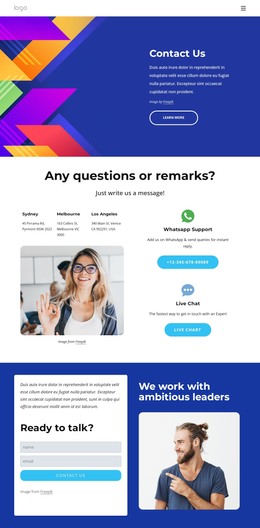
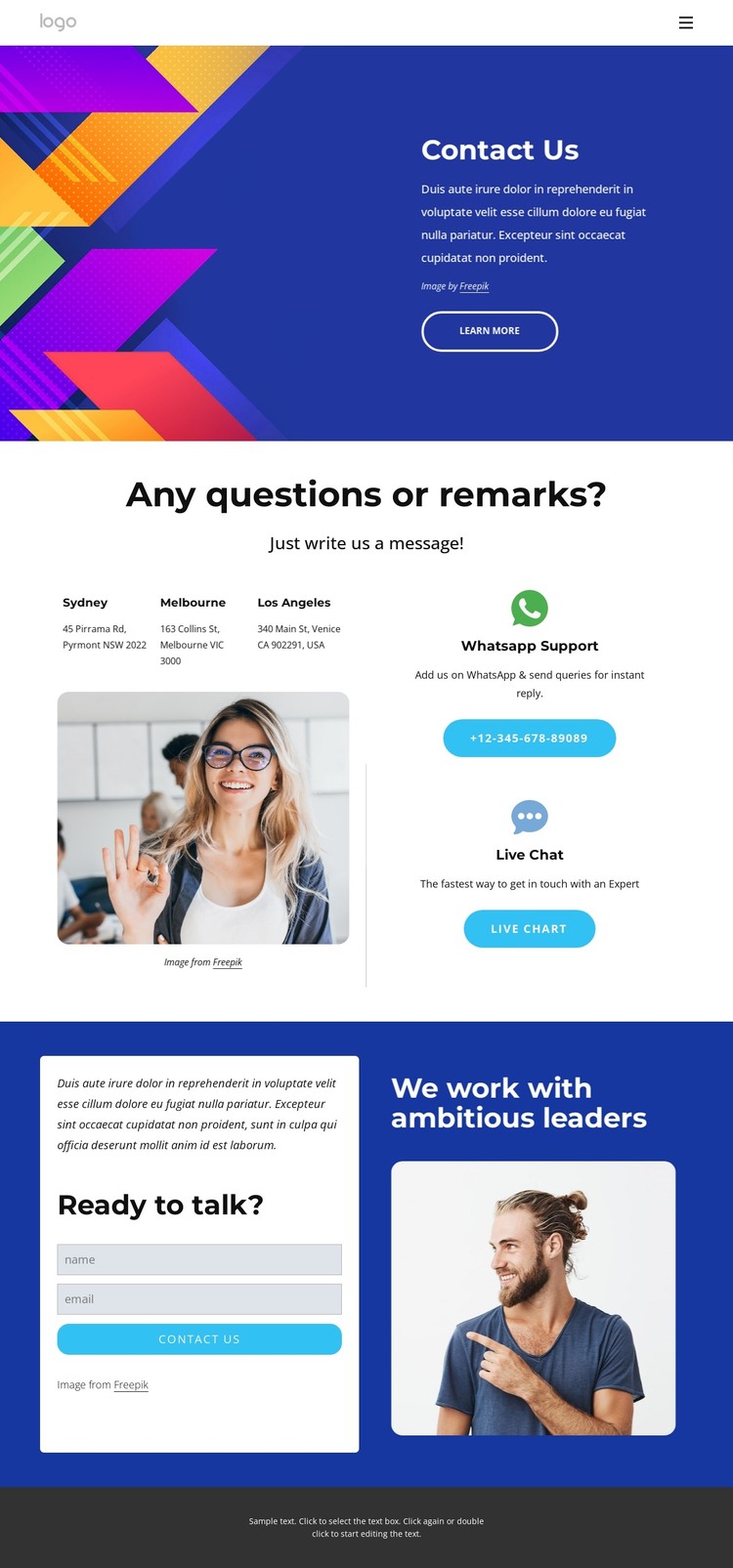
The contact design separates permanent page information from visitor response content in a way that suits a WordPress-managed site. The Contact Us hero can serve as the primary page introduction, with navigation, a blue text panel, vivid imagery, and a Learn more action establishing the page context. The following section gives location information its own role through entries for Sydney, Melbourne, and Los Angeles, rather than burying those details inside general copy.
The same area also highlights WhatsApp Support and Live Chat, creating recurring service-oriented content that can remain visible as the contact page develops. In contrast, the Ready to talk? block is centered on an inquiry: visitors provide a name and email address through the form and use the Contact us action. The portrait and We work with ambitious leaders heading make this response area feel connected to the people or organization behind the page, without turning placeholder content into verified business claims.
For a WordPress theme, this division creates clear page content and reusable visual roles: introduction, locations, support channels, inquiry details, and footer information. The bold blue, purple, orange, and cyan accents, white content areas, rounded imagery, and pill-shaped actions preserve a recognizable theme character across those roles. If the project later adds regularly updated material, the existing navigation and shared footer provide a visual framework around the contact-focused page content.
Customize with Nicepage
Open this ready-made template in the WordPress Website Builder and customize it visually in the Nicepage editor. Replace demo content, edit page sections, and adapt the design to your project without rebuilding the template from scratch.
Manage and Edit This Theme in WordPress
Customize and Install the WordPress Theme
Start with this ready-made theme instead of building the WordPress design from scratch. Customize its layout, content, typography, images, sections, and other design elements visually in Nicepage editor, then export and install the WordPress Theme, Plugin, and Pages on your WordPress site. The Nicepage WordPress Plugin lets you continue working with the site after installation.
Edit the Theme Directly in WordPress
After installation, you can edit the WordPress Theme directly in WordPress with the Nicepage WordPress Plugin. Use Site Style to customize site Colors, Fonts, Header, Footer, Blog, and Post Page Templates while working within your WordPress website.
Edit WordPress Pages Visually
Use the Nicepage WordPress Plugin to edit page content directly from the WordPress admin area. Open a WordPress Page with Nicepage and visually change its text, images, sections, and other page elements while continuing to manage the Page through WordPress.
WordPress Content and Theme Integration
Use the customized theme with WordPress Pages, Posts, Blog and Post Templates, menus, widgets, and other CMS-managed content. Shared theme elements such as Colors, Fonts, Header, Footer, Blog, and Post Page Templates can be managed as part of the overall site design, while WordPress provides the CMS environment for managing site content.
This workflow combines a ready-made WordPress Theme with visual customization, direct theme editing in WordPress, and continued content management through the Nicepage WordPress Plugin.