We shape brands WordPress Theme


A stable capabilities section for WordPress-managed page content
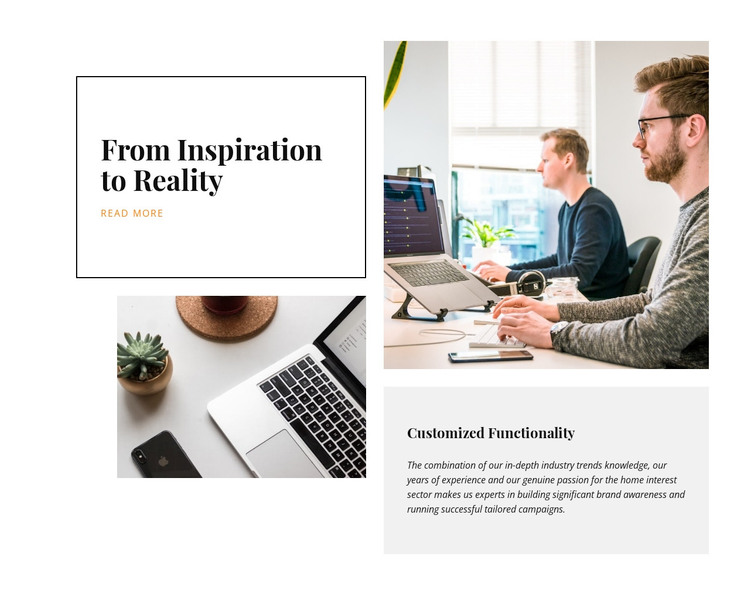
The bordered “From Inspiration to Reality” card provides a compact introductory message, and its “read more” link gives that message a clear next-step point. Beside it, the “Customized Functionality” panel supplies more sustained explanation through a paragraph focused on industry trends, experience, brand awareness, and tailored campaigns. This combination reads as stable About or capabilities content that can sit on a WordPress-managed page without depending on time-sensitive posts or a separate content feed.
The visual structure reinforces that page role. Two workplace and laptop photographs are arranged around the text: one occupies the lower-left area beside the main card, while the larger upper-right image sits above the light-gray supporting panel. The offset four-part composition creates separation between the introductory and explanatory groups, while the white background, thin black border, large serif type, smaller italic copy, and orange link keep them connected. Because the interaction is static, the block communicates through hierarchy and placement rather than a carousel, tab, or expandable component. In a broader WordPress project, this section can remain a reusable visual content area while other page sections handle navigation, deeper information, or additional actions. It is page content within that environment, not a standalone WordPress theme.
Customize with Nicepage
Open this ready-made template in the WordPress Website Builder and customize it visually in the Nicepage editor. Replace demo content, edit page sections, and adapt the design to your project without rebuilding the template from scratch.
Edit Template Offline
2. Create a new page or select existing
3. Click Add new block, search for id 61663 and click enter
Edit Template Online
Create Awesome Websites


Free Nicepage Builder
Keywords
Manage and Edit This Theme in WordPress
Customize and Install the WordPress Theme
Start with this ready-made theme instead of building the WordPress design from scratch. Customize its layout, content, typography, images, sections, and other design elements visually in Nicepage editor, then export and install the WordPress Theme, Plugin, and Pages on your WordPress site. The Nicepage WordPress Plugin lets you continue working with the site after installation.
Edit the Theme Directly in WordPress
After installation, you can edit the WordPress Theme directly in WordPress with the Nicepage WordPress Plugin. Use Site Style to customize site Colors, Fonts, Header, Footer, Blog, and Post Page Templates while working within your WordPress website.
Edit WordPress Pages Visually
Use the Nicepage WordPress Plugin to edit page content directly from the WordPress admin area. Open a WordPress Page with Nicepage and visually change its text, images, sections, and other page elements while continuing to manage the Page through WordPress.
WordPress Content and Theme Integration
Use the customized theme with WordPress Pages, Posts, Blog and Post Templates, menus, widgets, and other CMS-managed content. Shared theme elements such as Colors, Fonts, Header, Footer, Blog, and Post Page Templates can be managed as part of the overall site design, while WordPress provides the CMS environment for managing site content.
This workflow combines a ready-made WordPress Theme with visual customization, direct theme editing in WordPress, and continued content management through the Nicepage WordPress Plugin.