May Wins Best Song WordPress Theme


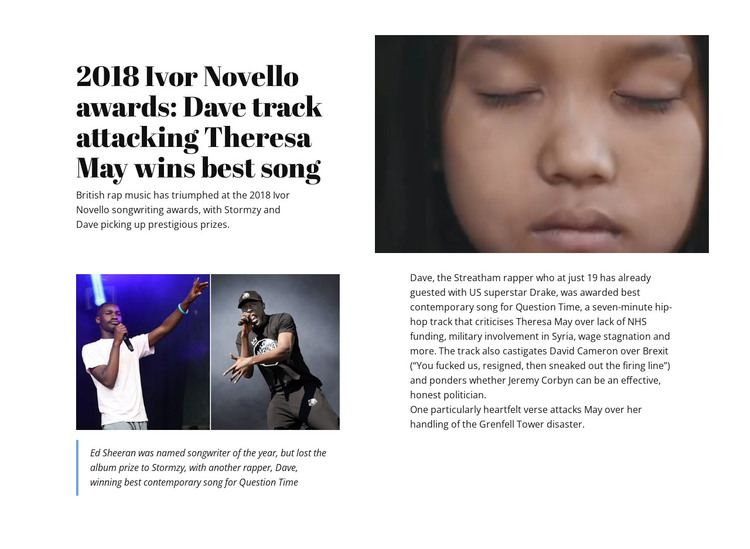
A Stable Editorial Feature Within WordPress Page Content
The block's content model suits a permanent editorial feature because the headline, introduction, quotation, image, video area, and article body all serve one defined story. The opening identifies the 2018 Ivor Novello awards and Dave's winning song, while the supporting copy develops the subject through references to Stormzy, Ed Sheeran, political criticism, and wider public issues. The quotation provides a highlighted editorial moment rather than functioning as a separate content stream.
In a WordPress-managed site, this section could occupy a stable place on a page devoted to music, culture, or a related topic. Other CMS-managed content could surround it, but the visual relationship inside the block would remain intact: media balances the headline above, and the image and quotation interrupt the denser article text below. That makes the section suitable for a feature presentation rather than a generic list of posts or a site-wide theme element.
Nicepage's WordPress Pages workflow can provide broader CMS context when placing designed content in a WordPress project. The block itself remains one reusable page section, with its own editorial hierarchy and visual treatment, while the surrounding WordPress site determines how other pages and content areas are organized.
Customize with Nicepage
Open this ready-made template in the WordPress Website Builder and customize it visually in the Nicepage editor. Replace demo content, edit page sections, and adapt the design to your project without rebuilding the template from scratch.
Edit Template Offline
2. Create a new page or select existing
3. Click Add new block, search for id 42395 and click enter
Edit Template Online
Create Awesome Websites


Free Nicepage Builder
Keywords
Manage and Edit This Theme in WordPress
Customize and Install the WordPress Theme
Start with this ready-made theme instead of building the WordPress design from scratch. Customize its layout, content, typography, images, sections, and other design elements visually in Nicepage editor, then export and install the WordPress Theme, Plugin, and Pages on your WordPress site. The Nicepage WordPress Plugin lets you continue working with the site after installation.
Edit the Theme Directly in WordPress
After installation, you can edit the WordPress Theme directly in WordPress with the Nicepage WordPress Plugin. Use Site Style to customize site Colors, Fonts, Header, Footer, Blog, and Post Page Templates while working within your WordPress website.
Edit WordPress Pages Visually
Use the Nicepage WordPress Plugin to edit page content directly from the WordPress admin area. Open a WordPress Page with Nicepage and visually change its text, images, sections, and other page elements while continuing to manage the Page through WordPress.
WordPress Content and Theme Integration
Use the customized theme with WordPress Pages, Posts, Blog and Post Templates, menus, widgets, and other CMS-managed content. Shared theme elements such as Colors, Fonts, Header, Footer, Blog, and Post Page Templates can be managed as part of the overall site design, while WordPress provides the CMS environment for managing site content.
This workflow combines a ready-made WordPress Theme with visual customization, direct theme editing in WordPress, and continued content management through the Nicepage WordPress Plugin.