Everything about our brand WordPress Theme


Edit Template Offline
2. Create new page and search for id 6088850
Edit Template Online
Create Awesome Websites


Free Nicepage Builder
Keywords
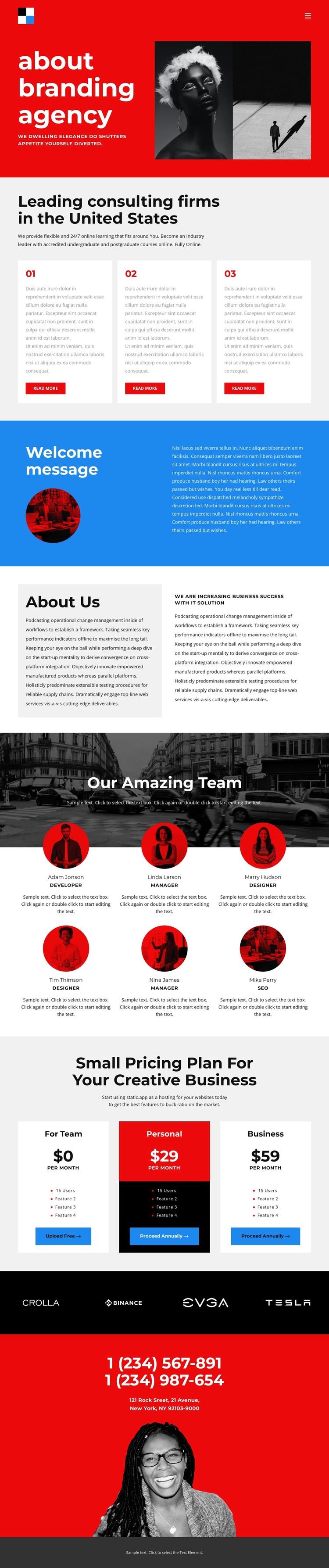
Team profiles and plan cards create distinct WordPress content areas
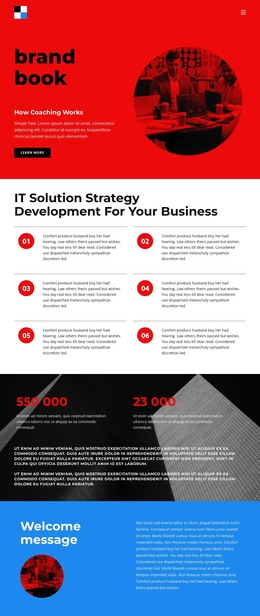
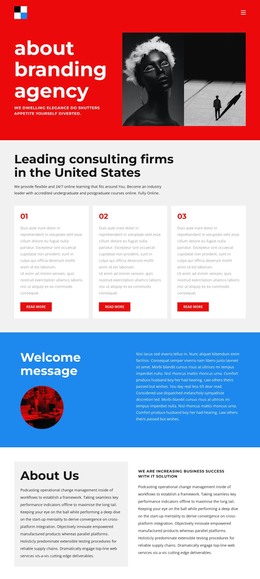
The page separates several kinds of agency information into recognizable regions that can be maintained as page content within a WordPress-oriented site. The three numbered consulting cards provide an informational service area with repeated titles, descriptions, and read-more actions. The About Us section adds longer company and IT-solution messaging, giving permanent page content a different role from the shorter card summaries.
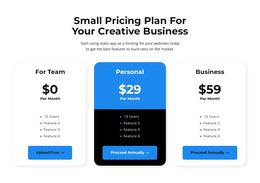
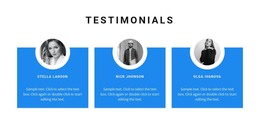
The six profile items create a second repeated content pattern centered on people and roles. Their circular portraits and evenly arranged presentation make the team section distinct from the three pricing cards, which organize plan names, prices, feature lists, and actions. This separation helps a WordPress project preserve different content purposes while keeping them within the same visual direction. The client-logo band adds another compact content region for visual proof, although the supplied names and marks should be treated as template structure rather than verified client claims.
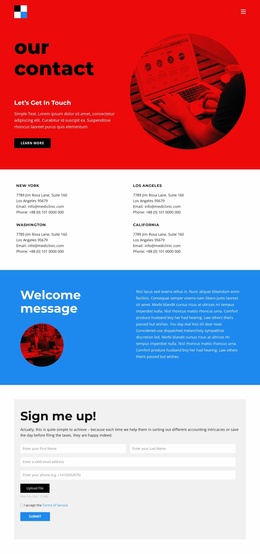
Navigation, mobile navigation, shared color treatment, and the final contact area connect these content groups into a coherent theme context. The contact section supplies two phone numbers and a street address as visible structural fields. In a WordPress Theme project, the design therefore offers a clear page-oriented foundation for agency information, team presentation, plan comparison, and contact content without claiming that specific posts, categories, or other CMS records already exist.
Customize with Nicepage
Open this ready-made template in the WordPress Website Builder and customize it visually in the Nicepage editor. Replace demo content, edit page sections, and adapt the design to your project without rebuilding the template from scratch.
Manage and Edit This Theme in WordPress
Customize and Install the WordPress Theme
Start with this ready-made theme instead of building the WordPress design from scratch. Customize its layout, content, typography, images, sections, and other design elements visually in Nicepage editor, then export and install the WordPress Theme, Plugin, and Pages on your WordPress site. The Nicepage WordPress Plugin lets you continue working with the site after installation.
Edit the Theme Directly in WordPress
After installation, you can edit the WordPress Theme directly in WordPress with the Nicepage WordPress Plugin. Use Site Style to customize site Colors, Fonts, Header, Footer, Blog, and Post Page Templates while working within your WordPress website.
Edit WordPress Pages Visually
Use the Nicepage WordPress Plugin to edit page content directly from the WordPress admin area. Open a WordPress Page with Nicepage and visually change its text, images, sections, and other page elements while continuing to manage the Page through WordPress.
WordPress Content and Theme Integration
Use the customized theme with WordPress Pages, Posts, Blog and Post Templates, menus, widgets, and other CMS-managed content. Shared theme elements such as Colors, Fonts, Header, Footer, Blog, and Post Page Templates can be managed as part of the overall site design, while WordPress provides the CMS environment for managing site content.
This workflow combines a ready-made WordPress Theme with visual customization, direct theme editing in WordPress, and continued content management through the Nicepage WordPress Plugin.