Creativity rules online WordPress Theme



A Stable Page Content Region With Message and Visual Context
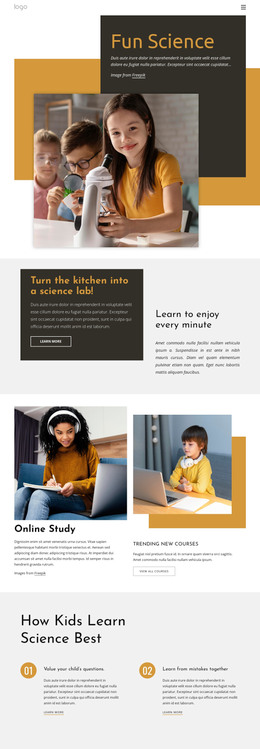
The heading “Read Creativity Rules Online” gives this section a clear page-content role, while the outlined “learn more” button provides a defined next step for readers who want additional information. The portrait on the right adds visual context to the introduction, and its overlap with the orange panel and yellow rectangle creates a distinctive arrangement that can remain consistent when the section is reused. The design is static, with no confirmed carousel, form, or other interactive component inside the block.
In a WordPress-oriented project, this content can fit naturally as a stable section on a page about creativity, learning, or related editorial material. The block can carry the introductory message and visual emphasis, while the broader site handles other page content, publishing needs, and surrounding navigation. The demonstration image-credit line is part of the section’s content model, but the portrait itself is best treated as supporting visual material rather than a claim about a named person or organization.
The orange panel and right-side portrait also make the section easy to identify within a longer page. A site editor can preserve the relationship between the heading, action, and image while adapting the wording or destination to the project’s actual content. In this context, the block functions as a reusable WordPress page region, not as a standalone theme or complete site, and its value comes from keeping one focused introduction visually coherent.
Customize with Nicepage
Open this ready-made template in the WordPress Website Builder and customize it visually in the Nicepage editor. Replace demo content, edit page sections, and adapt the design to your project without rebuilding the template from scratch.
Edit Template Offline
2. Create a new page or select existing
3. Click Add new block, search for id 544785 and click enter
Edit Template Online
Create Awesome Websites


Free Nicepage Builder
Keywords
Manage and Edit This Theme in WordPress
Customize and Install the WordPress Theme
Start with this ready-made theme instead of building the WordPress design from scratch. Customize its layout, content, typography, images, sections, and other design elements visually in Nicepage editor, then export and install the WordPress Theme, Plugin, and Pages on your WordPress site. The Nicepage WordPress Plugin lets you continue working with the site after installation.
Edit the Theme Directly in WordPress
After installation, you can edit the WordPress Theme directly in WordPress with the Nicepage WordPress Plugin. Use Site Style to customize site Colors, Fonts, Header, Footer, Blog, and Post Page Templates while working within your WordPress website.
Edit WordPress Pages Visually
Use the Nicepage WordPress Plugin to edit page content directly from the WordPress admin area. Open a WordPress Page with Nicepage and visually change its text, images, sections, and other page elements while continuing to manage the Page through WordPress.
WordPress Content and Theme Integration
Use the customized theme with WordPress Pages, Posts, Blog and Post Templates, menus, widgets, and other CMS-managed content. Shared theme elements such as Colors, Fonts, Header, Footer, Blog, and Post Page Templates can be managed as part of the overall site design, while WordPress provides the CMS environment for managing site content.
This workflow combines a ready-made WordPress Theme with visual customization, direct theme editing in WordPress, and continued content management through the Nicepage WordPress Plugin.