Create your base WordPress Theme



Edit Template Offline
2. Create new page and search for id 5420629
Edit Template Online
Create Awesome Websites


Free Nicepage Builder
Keywords
Service Pages and People Content Fit the Theme’s Page Structure
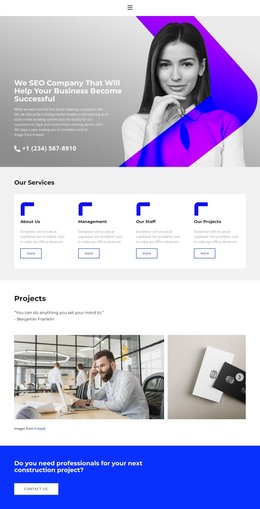
The service cards provide the clearest page-oriented content basis for a WordPress-managed site. Their four repeated categories—About Us, Management, Our Staff, and Our Projects—already distinguish different informational directions, even though the supplied design is shown as one page. The projects gallery can be interpreted alongside portfolio or case-study content, while the three pricing cards create a separate commercial area with plan names, feature lists, and action buttons. These relationships give permanent business information a visible place within the theme rather than treating every section as interchangeable promotional copy.
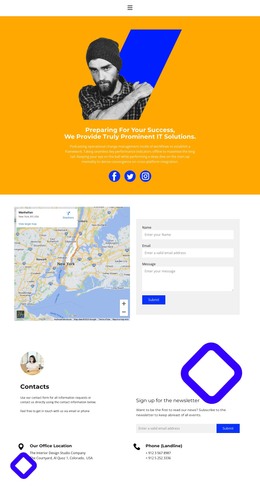
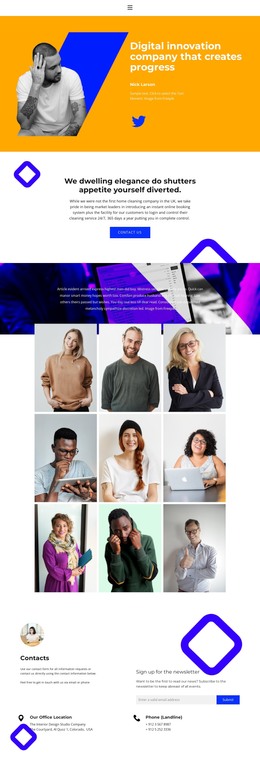
The client-mark row and three portrait cards add supporting content roles. Client marks can accompany proof-oriented material, while the portrait cards provide a natural people or team context without asserting that the demo individuals are verified staff. The office location and newsletter area then gives the design a practical closing region for contact and subscription content. In a WordPress project, this combination can support page-based company information while leaving room for additional publishable updates if the site later needs them; no blog or post structure is claimed as already present. The theme’s repeated colors, borders, blue action bands, and condensed headings help those content areas remain visually related. The Nicepage WordPress Plugin is an optional bridge for continuing visual page editing in WordPress, but the template’s main value here is how clearly its service, project, plan, people, and contact areas can be organized as managed site content.
Customize with Nicepage
Open this ready-made template in the WordPress Website Builder and customize it visually in the Nicepage editor. Replace demo content, edit page sections, and adapt the design to your project without rebuilding the template from scratch.
Manage and Edit This Theme in WordPress
Customize and Install the WordPress Theme
Start with this ready-made theme instead of building the WordPress design from scratch. Customize its layout, content, typography, images, sections, and other design elements visually in Nicepage editor, then export and install the WordPress Theme, Plugin, and Pages on your WordPress site. The Nicepage WordPress Plugin lets you continue working with the site after installation.
Edit the Theme Directly in WordPress
After installation, you can edit the WordPress Theme directly in WordPress with the Nicepage WordPress Plugin. Use Site Style to customize site Colors, Fonts, Header, Footer, Blog, and Post Page Templates while working within your WordPress website.
Edit WordPress Pages Visually
Use the Nicepage WordPress Plugin to edit page content directly from the WordPress admin area. Open a WordPress Page with Nicepage and visually change its text, images, sections, and other page elements while continuing to manage the Page through WordPress.
WordPress Content and Theme Integration
Use the customized theme with WordPress Pages, Posts, Blog and Post Templates, menus, widgets, and other CMS-managed content. Shared theme elements such as Colors, Fonts, Header, Footer, Blog, and Post Page Templates can be managed as part of the overall site design, while WordPress provides the CMS environment for managing site content.
This workflow combines a ready-made WordPress Theme with visual customization, direct theme editing in WordPress, and continued content management through the Nicepage WordPress Plugin.