Economics consulting WordPress Theme



Edit Template Offline
2. Create new page and search for id 5356561
Edit Template Online
Create Awesome Websites


Free Nicepage Builder
Keywords
Service categories and insight areas support structured WordPress content
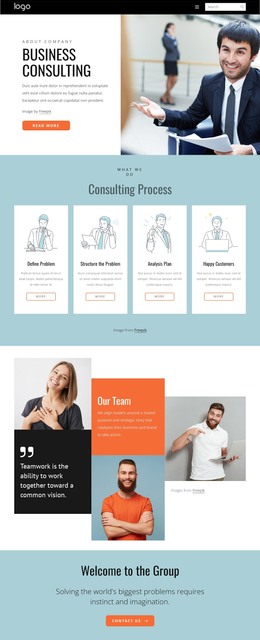
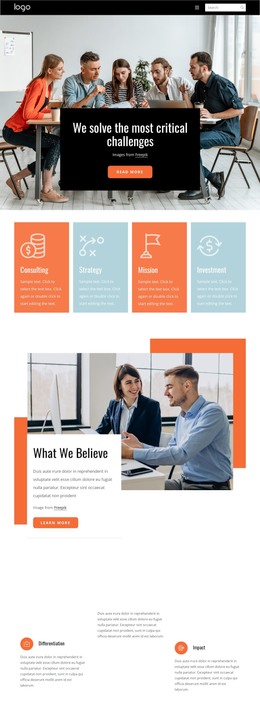
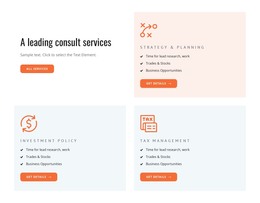
The service card section gives the theme a clear set of permanent page-content anchors. Strategy and Planning, Investment Policy, Tax Management, and Financial Advice are presented as distinct offerings rather than a single paragraph, so each area can lead visitors toward more detailed consulting information. The five-card arrangement also creates a repeatable visual pattern for related advisory content while preserving the overall design direction.
The strategy section changes the content relationship from “what is offered” to “how the work is approached.” Its large business image and three numbered cards provide a natural place for methodology, process explanations, or staged consulting information. The Finance and Corporate Development panel and the leadership section add separate company-level contexts: one emphasizes a capability area, while the other introduces the people or leadership perspective behind the organization. These distinctions help keep different kinds of WordPress-managed page content from collapsing into one generic services block.
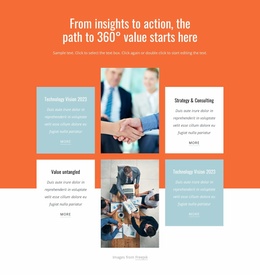
The four insight cards around two central images provide a further editorial direction. Their topics can represent viewpoints or advisory resources, while the six specialization categories offer a structured directory for navigating expertise across Digital and Innovation, People and Organization, Strategy, Operations and IT, and Marketing and Sales. The contact section then gathers response content through a name-and-email form and three office locations. Within WordPress, this combination supports a theme structure where stable company pages and evolving advisory content can share the same visual system rather than appearing as unrelated additions.
Customize with Nicepage
Open this ready-made template in the WordPress Website Builder and customize it visually in the Nicepage editor. Replace demo content, edit page sections, and adapt the design to your project without rebuilding the template from scratch.
Manage and Edit This Theme in WordPress
Customize and Install the WordPress Theme
Start with this ready-made theme instead of building the WordPress design from scratch. Customize its layout, content, typography, images, sections, and other design elements visually in Nicepage editor, then export and install the WordPress Theme, Plugin, and Pages on your WordPress site. The Nicepage WordPress Plugin lets you continue working with the site after installation.
Edit the Theme Directly in WordPress
After installation, you can edit the WordPress Theme directly in WordPress with the Nicepage WordPress Plugin. Use Site Style to customize site Colors, Fonts, Header, Footer, Blog, and Post Page Templates while working within your WordPress website.
Edit WordPress Pages Visually
Use the Nicepage WordPress Plugin to edit page content directly from the WordPress admin area. Open a WordPress Page with Nicepage and visually change its text, images, sections, and other page elements while continuing to manage the Page through WordPress.
WordPress Content and Theme Integration
Use the customized theme with WordPress Pages, Posts, Blog and Post Templates, menus, widgets, and other CMS-managed content. Shared theme elements such as Colors, Fonts, Header, Footer, Blog, and Post Page Templates can be managed as part of the overall site design, while WordPress provides the CMS environment for managing site content.
This workflow combines a ready-made WordPress Theme with visual customization, direct theme editing in WordPress, and continued content management through the Nicepage WordPress Plugin.